

TL;DR:
- Effective enterprise messaging requires security, compliance, scalability, and seamless integration.
- Platform choice impacts long-term success, governance, data ownership, and operational costs.
- AI features reduce cognitive load but demand clear governance and security policies for safe deployment.
Many enterprises invest heavily in feature-rich messaging tools, then discover too late that secure, AI-powered collaboration at scale is harder to achieve than the vendor demos suggest. Recent benchmarks reveal a striking gap: organizations that align platform selection with compliance, AI governance, and real workflow needs see dramatically better outcomes than those chasing brand names alone. Choosing the wrong platform means hidden costs, compliance drift, and frustrated teams. This guide cuts through the noise with evidence-backed comparisons, practical security guidance, and the rollout lessons that most vendor guides skip entirely.
Table of Contents
- Understanding business messaging platforms: Core features and use cases
- Comparing top platforms: Microsoft Teams vs. Slack vs. Google Chat
- Security and compliance: How platforms protect enterprise data
- Critical pitfalls and advanced considerations for enterprise rollouts
- Perspective: What most IT leaders miss when choosing a business messaging platform
- Next steps: Secure, scalable messaging with Luxenger
- Frequently asked questions
Key Takeaways
| Point | Details |
|---|---|
| AI as a differentiator | Modern business messaging platforms leverage AI for productivity, but integrations and costs differ greatly. |
| Security and compliance first | Scrutinize certifications like FedRAMP, SOC 2, and HIPAA before rolling out platforms enterprisewide. |
| Plan for hidden pitfalls | Anticipate rate limits, interoperability, and long-term management for a smooth deployment. |
| Benchmark real adoption | Industry leaders see massive engagement and ROI after successful migrations to Slack and Microsoft Teams. |
Understanding business messaging platforms: Core features and use cases
A business messaging platform is purpose-built software that enables real-time text, voice, and file-based communication across teams, departments, and external partners. Unlike consumer apps like WhatsApp or iMessage, enterprise platforms are designed around governance, auditability, and integration with the tools your organization already runs.
For medium to large enterprises, four requirements are non-negotiable:
- Security: End-to-end encryption, single sign-on (SSO), and data loss prevention (DLP)
- Scalability: Ability to support thousands of concurrent users without performance degradation
- Compliance: Certifications that match your industry's regulatory obligations
- Integration: Native connectors to cloud storage, HR systems, ticketing tools, and workflow automation
AI has changed what "good" looks like. Leading business messaging platforms for medium to large enterprises now include Microsoft Teams, Slack, and Google Chat, each with AI enhancements via Copilot, Slack AI, and Gemini respectively. These AI layers handle automated meeting summaries, smart search, workflow triggers, and even predictive responses. For IT leaders, that means evaluating not just the chat interface but the entire AI governance model behind it.
Common enterprise use cases include cross-team project coordination, IT incident response, hybrid work communication, and executive briefings. Each use case places different demands on the platform. Incident response, for example, needs low-latency notifications and bot integrations that can pull data from monitoring tools instantly.
The AI features for team messaging that matter most are those that reduce cognitive load: conversation summaries, priority filtering, and auto-generated action items. These are not novelties. They directly reduce the time your teams spend catching up after meetings or sifting through long threads.
The cloud-based messaging benefits extend beyond availability. Cloud-native platforms receive continuous security patches, compliance updates, and AI model improvements without requiring your IT team to manage on-premises infrastructure.
"The best collaboration tools are the ones your teams actually use consistently, not the ones with the longest feature list." This is why adoption data and workflow fit matter as much as the collaboration software ratings published by analysts.
Pro Tip: Before finalizing any platform, map your top five internal workflows and verify that the platform's native integrations cover them without requiring custom middleware. Hidden integration gaps are one of the most common sources of post-deployment frustration.
Comparing top platforms: Microsoft Teams vs. Slack vs. Google Chat
Teams, Slack, and Google Chat lead the enterprise space, each offering AI-powered enhancements tailored for large organizations. But the differences in how they deliver value are significant.
Microsoft Teams is deeply embedded in the Microsoft 365 ecosystem. If your organization already runs Outlook, SharePoint, and Azure Active Directory, Teams offers near-seamless integration. Copilot adds AI-driven meeting recaps, draft generation, and intelligent search across the entire Microsoft graph.

Slack excels in developer-friendly customization and third-party integrations. Its channel-based structure scales well for organizations with many distinct teams or product lines. Slack AI adds thread summaries and channel recaps that reduce information overload.
Google Chat is the natural fit for Google Workspace users. Gemini integration brings smart replies, meeting summaries via Google Meet, and deep search across Drive and Docs.
Here is a side-by-side comparison of the three platforms:
| Feature | Microsoft Teams | Slack | Google Chat |
|---|---|---|---|
| AI assistant | Copilot | Slack AI | Gemini |
| Primary ecosystem | Microsoft 365 | Open/third-party | Google Workspace |
| FedRAMP compliance | High | Moderate | Moderate |
| Video conferencing | Native | Via integrations | Google Meet |
| Pricing model | Bundled with M365 | Per user/month | Bundled with Workspace |
| Best for | Regulated industries | Dev-heavy teams | Google-first orgs |
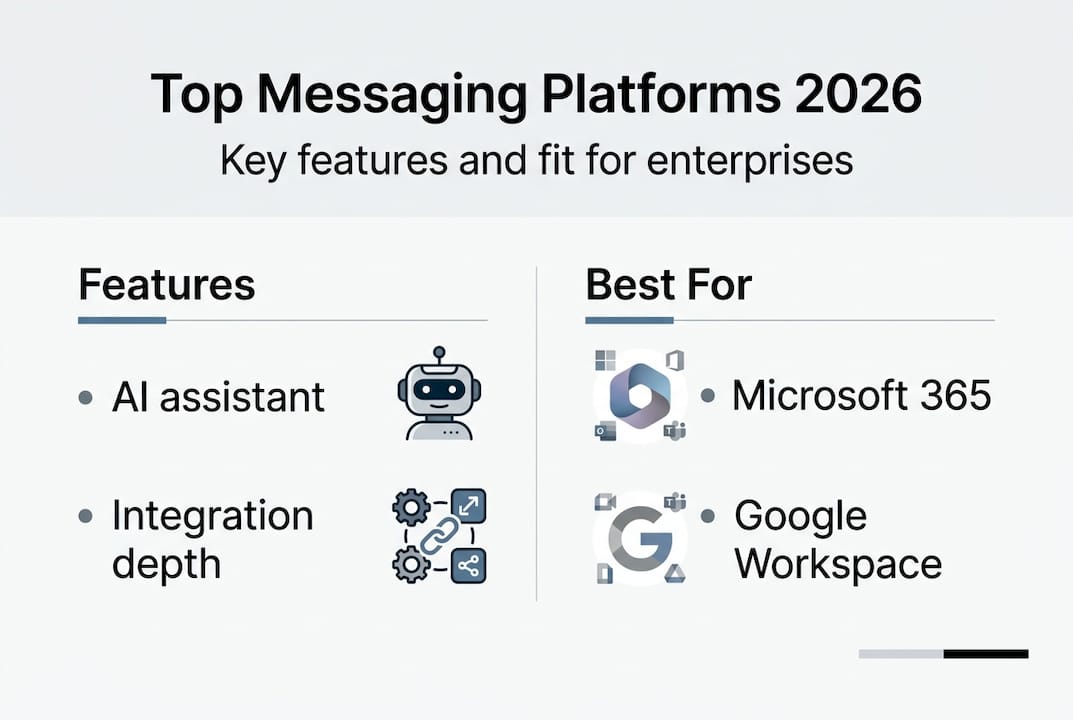
Real-world adoption numbers tell a compelling story. Rocket Companies scaled Slack to 15,000 users in 10 weeks and saw 230% more engagement, while PepsiCo reports 95% Copilot usage across its Teams deployment. These are not marketing claims. They reflect what happens when platform choice aligns with organizational culture and existing tooling.
For enterprise messaging solutions at scale, the integration depth matters as much as the feature set. A platform that connects cleanly to your ITSM, SIEM, and HR systems reduces manual work and creates a more reliable audit trail.
When calculating business messaging ROI, factor in not just license costs but the productivity gains from AI features, reduced meeting time, and faster incident resolution. The numbers often shift the conversation away from "cheapest option" toward "best fit."
Security and compliance: How platforms protect enterprise data
Security is where platform decisions become genuinely consequential. A misconfigured messaging environment can expose sensitive data, violate regulatory requirements, and create liability that far outweighs any licensing savings.
All three platforms offer enterprise-grade security including SOC 2 Type II, ISO 27001, and HIPAA BAA support. Microsoft Teams excels in FedRAMP High authorization and advanced compliance features through Microsoft Purview, including DLP policies, retention labels, and eDiscovery.
Here is a quick reference for compliance coverage:
| Standard | Microsoft Teams | Slack | Google Chat |
|---|---|---|---|
| SOC 2 Type II | Yes | Yes | Yes |
| ISO 27001 | Yes | Yes | Yes |
| HIPAA BAA | Yes | Yes | Yes |
| FedRAMP | High | Moderate | Moderate |
| Purview DLP | Native | Limited | Limited |
For healthcare organizations, HIPAA compliance is the baseline, not the ceiling. You also need to evaluate how the platform handles message retention, who controls encryption keys, and whether the vendor offers customer-managed keys (CMK). For financial services, SOC 2 and ISO 27001 are table stakes, but you may also need to assess FINRA and SEC record-keeping requirements.
Key security features to evaluate include:
- Encryption at rest and in transit: All three platforms provide this, but key management options vary
- SSO and MFA enforcement: Critical for preventing unauthorized access at scale
- DLP policies: Prevent sensitive data from being shared in channels or exported
- Conditional access: Restrict platform access based on device health, location, or user role
- Audit logging: Full activity logs for compliance investigations and forensic review
Review the security compliance frameworks that apply to your industry before committing to a platform. A framework mismatch discovered after deployment is expensive to fix.
Pro Tip: Request a vendor's shared responsibility model documentation before signing. Understanding exactly what the vendor secures versus what your team must configure is essential for avoiding dangerous gaps in your enterprise messaging security best practices.
For HIPAA-compliant messaging in healthcare settings, verify that the BAA covers all platform components your teams will use, including bots, integrations, and AI features. Many organizations sign a BAA but inadvertently use third-party integrations that fall outside its scope.
Critical pitfalls and advanced considerations for enterprise rollouts
Even a well-chosen platform can fail in deployment if you do not anticipate the operational edge cases that vendor documentation glosses over.
API rate limits hinder real-time bots during high-volume incidents, and platform interoperability gaps create real friction when teams need to collaborate across different messaging environments. These are not theoretical concerns. They surface regularly in large-scale rollouts.
Common hidden pitfalls include:
- API rate limiting: Bots that pull monitoring alerts can hit rate limits during major incidents, delaying response
- Bot integration quirks: Third-party bots may not respect your DLP policies or retention settings
- Security misconfigurations: Default settings often prioritize usability over security
- Scroll-back limitations: Late joiners to a channel may not have access to historical messages depending on licensing tier
- Cross-platform interoperability: Federating with external organizations using a different platform introduces compliance risks
AI-specific risks deserve their own attention. Copilot is powerful but raises additive costs, while Slack AI and Gemini offer more bundled approaches. Beyond cost, consider what happens when an AI assistant takes an autonomous action, like scheduling a meeting or drafting a message on behalf of a user. Who is accountable? What is the audit trail?
For a smooth enterprise rollout, work through this checklist:
- Conduct a workflow audit before selecting a platform
- Run a security configuration review against your compliance framework
- Test bot integrations under simulated peak load conditions
- Define AI governance policies before enabling Copilot or equivalent features
- Train a change management cohort before the full rollout
- Establish a feedback loop for the first 90 days post-launch
"The platforms that fail enterprises are rarely the ones with bad features. They are the ones deployed without a governance model."
The AI-powered communication guide for secure team collaboration and the broader landscape of AI collaboration tools both reinforce the same lesson: AI amplifies whatever governance model you have in place, good or bad. Review data protection best practices as part of your rollout planning, not as an afterthought.
Perspective: What most IT leaders miss when choosing a business messaging platform
Most platform evaluations follow the same script: build a feature checklist, run a proof of concept, pick the tool that scores highest. That process feels rigorous, but it misses the variables that actually determine long-term success.
The real breaking points are rarely about features. They are about governance, change management, and data ownership. When an organization realizes two years in that it cannot export its message history without paying a premium, or that its AI assistant has been generating summaries of sensitive HR conversations without a clear retention policy, the cost of that oversight is enormous.
Brand loyalty is another trap. Organizations that choose Teams because they already use Office 365, or Slack because the engineering team prefers it, often skip the harder questions about incident management workflows, compliance drift, and AI cost modeling. Those questions surface eventually, usually at the worst possible time.
The choosing AI tools for collaboration decision should start with a clear-eyed assessment of your internal workflows, your regulatory obligations, and your team's actual communication patterns. The best platform is the one that fits those realities, not the one with the most impressive demo.
Next steps: Secure, scalable messaging with Luxenger
After working through platform comparisons, security requirements, and rollout risks, the next step is finding a solution that was built with these exact challenges in mind.

Luxenger is an enterprise messaging platform that combines bank-grade security with AI-powered features including conversation summaries, real-time translation, and voice huddles. It is designed specifically for organizations that need secure, scalable communication without the governance gaps that plague generic tools. Whether you are evaluating options for the first time or reconsidering an existing deployment, explore Luxenger for enterprise operations to see how it addresses the compliance and AI challenges covered in this guide. Review Luxenger pricing to understand how it fits your organization's scale and budget.
Frequently asked questions
What is the most secure business messaging platform for regulated industries?
Microsoft Teams holds FedRAMP High authorization, making it the strongest choice for highly regulated sectors like federal agencies and defense contractors, while Slack and Google Chat also support HIPAA BAA and SOC 2 Type II for healthcare and financial services.
How does AI integration improve team messaging platforms?
AI enhancements via Copilot, Slack AI, and Gemini deliver automated meeting summaries, smart search, and workflow triggers that reduce the time teams spend on manual follow-up and help decision-makers act on information faster.
What are common pitfalls when deploying business messaging at scale?
API rate limits and interoperability gaps are among the most disruptive real-world issues, alongside scroll-back limitations for late joiners and security misconfigurations that default settings often leave in place.
How can enterprises compare total cost of ownership for messaging platforms?
Copilot adds cost as a separate license on top of Microsoft 365, while Slack AI and Google Gemini are more tightly bundled into their base plans, so TCO analysis must include AI licensing, compliance tooling, and the ongoing cost of governance and administration.
Recommended
- Why use messaging platforms in 2026 for secure collaboration
- Types of workplace messaging apps: secure choices for 2026
- How messaging drives secure digital transformation in 2026
- Secure messaging platforms: must-have features for 2026
- Enterprise IT solutions: security & scalability examples 2026 - SupraITS