

Most IT leaders assume AI-powered communication is just a smarter autocomplete. It is not. Superhuman users save 37% more time compared to those who skip AI entirely, and that gap is widening fast. The real story is not about automating replies. It is about fundamentally changing how enterprise teams process information, make decisions, and stay aligned across time zones, departments, and languages. This guide breaks down what AI-powered communication actually does at the enterprise level, how to deploy it securely, and what risks you need to manage before you scale.
Table of Contents
- Defining AI-powered communication in 2026
- How AI transforms internal team collaboration
- Deployment strategies for secure AI-powered communication
- Risks and security protocols: Navigating agentic AI vulnerabilities
- Metrics that matter: Measuring impact and ROI in enterprise AI communication
- Next steps: Secure your enterprise messaging with Luxenger
- Frequently asked questions
Key Takeaways
| Point | Details |
|---|---|
| Efficiency unlocked | AI-powered communication can cut task time by up to 47% and reduce project durations for enterprise teams. |
| Security matters | Agentic AI risks require enterprise-level protocols like encryption, governance, and compliance standards to prevent costly breaches. |
| Deployment is strategic | Successful adoption involves workflow mapping, upskilling, and pilot deployments guided by meaningful KPIs. |
| Measurable ROI | Tracking time saved, cost reduction, and automation percentages is essential for proving AI communication's value. |
| Native platforms preferred | Integrated AI messaging systems deliver better compliance, security, and performance than plug-in solutions. |
Defining AI-powered communication in 2026
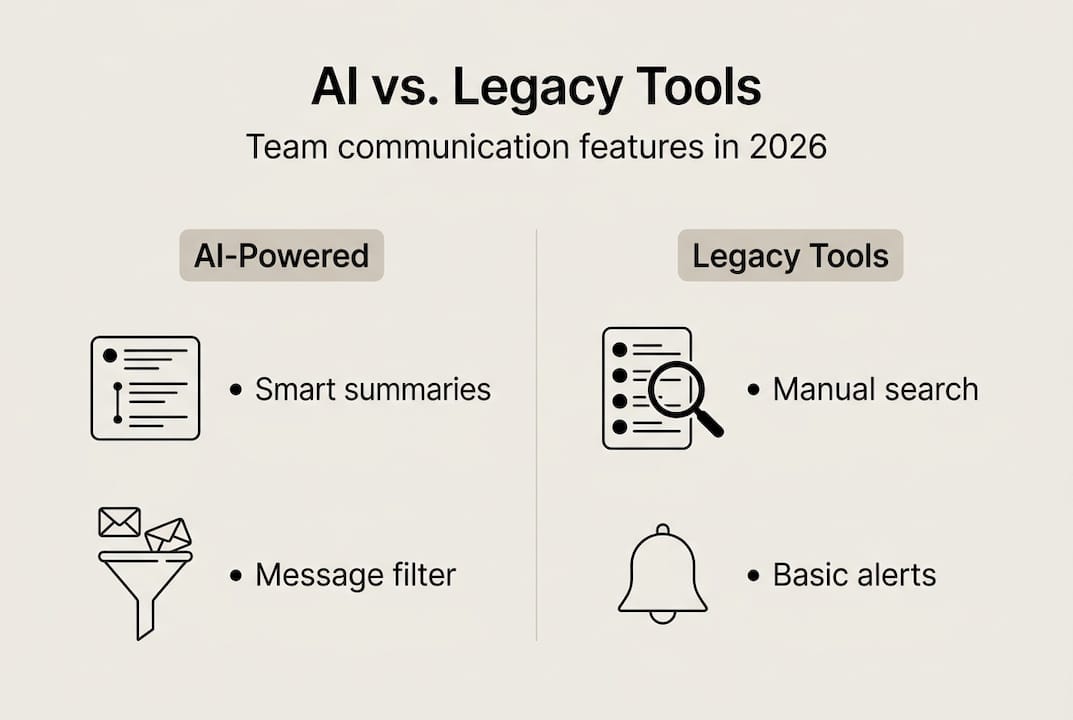
The term gets thrown around loosely, so let's be precise. AI-powered communication is not a chatbot bolted onto your existing messaging stack. It is a system that automates, enhances, and personalizes team collaboration at every layer, from message routing and summarization to sentiment analysis and workflow triggers.
Three core technologies drive this:
- Machine learning (ML): Learns from historical communication patterns to predict what information matters most to each user.
- Natural language processing (NLP): Understands context, intent, and tone in written and spoken messages, enabling features like smart summaries and real-time translation.
- Generative AI: Produces draft replies, meeting recaps, and action item lists based on conversation context.
For enterprise teams, these technologies combine to deliver four high-impact capabilities: message prioritization (surfacing what needs attention now), workflow automation (triggering tasks based on conversation content), personalization (adapting communication style and format per user), and AI-powered integration with tools like CRMs, project trackers, and HR systems.
If you are evaluating platforms, understanding AI tools for team collaboration and how they differ from legacy tools is the right starting point. The future of AI in team communication points clearly toward native AI integration rather than add-on features, and the gap between those two approaches is growing every quarter.
How AI transforms internal team collaboration
AI does not just sit on top of your communication stack. It runs underneath it, continuously. The system analyzes patterns, learns writing styles and relationships, and adapts workflows in real time, which means the longer your team uses it, the more accurate and useful it becomes.
Here is how the data flow works in practice: AI ingests messages from email, chat, and integrated tools, identifies communication patterns (who responds to whom, how fast, on what topics), and uses that data to prioritize inboxes, suggest replies, and flag urgent threads. It is not static. It updates continuously as team behavior evolves.
The productivity benchmarks are striking. Platforms like Superhuman, DingTalk, IBM AskHR, and NIX AI have documented 26 to 47% productivity gains across enterprise deployments. Here is how those gains break down by platform type:
| Platform type | Primary AI feature | Reported productivity gain |
|---|---|---|
| AI-native messaging | Smart summaries, prioritization | 37 to 47% |
| Enterprise chat with AI layer | Reply suggestions, automation | 26 to 35% |
| HR AI assistants (e.g., IBM AskHR) | Query resolution, routing | 30 to 40% |
| Workflow-integrated AI (e.g., DingTalk) | Task triggers, scheduling | 28 to 38% |
Pro Tip: Do not measure AI impact only at launch. The first 30 days reflect novelty. Months two through four reveal the real productivity curve as the system learns your team's patterns.
For a practical breakdown of how to structure your rollout, the steps for AI-powered collaboration framework is worth reviewing before you commit to a deployment sequence.
Deployment strategies for secure AI-powered communication
Knowing what AI can do is one thing. Getting it deployed securely across a 500-person organization is another. Enterprises that succeed use workflow mapping, governance frameworks, upskilling programs, and phased piloting rather than big-bang rollouts.
Here is a six-step deployment sequence that works:
- Map your communication workflows. Identify where information bottlenecks, delays, and redundancies exist before introducing AI.
- Define your governance model. Establish who owns AI behavior, what data it can access, and how decisions get escalated.
- Select a compliant platform. Prioritize platforms with native security controls, not AI add-ons layered onto legacy tools.
- Run a contained pilot. Start with one team or department. Measure baseline KPIs before and after.
- Upskill your users. AI tools fail when people do not trust or understand them. Training is not optional.
- Iterate and scale. Use pilot data to refine configurations before expanding organization-wide.
The debate between optimistic and cautious deployment approaches is real. BCG and McKinsey favor aggressive adoption with strong governance, while Forrester recommends a more measured pace, especially for organizations with complex compliance requirements. Neither is wrong. The right pace depends on your risk tolerance and existing security infrastructure.
| Approach | Pace | Risk tolerance | Best for |
|---|---|---|---|
| Optimistic (BCG/McKinsey) | Fast, phased | Higher | Tech-forward enterprises |
| Cautious (Forrester) | Slow, validated | Lower | Regulated industries |
Pro Tip: Build your secure messaging workflow before you deploy AI, not after. Retrofitting security controls onto an active AI deployment is significantly harder and more expensive.
Risks and security protocols: Navigating agentic AI vulnerabilities
Agentic AI is where the risk profile changes dramatically. Unlike passive AI that responds to prompts, agentic AI takes autonomous actions, sends messages, triggers workflows, accesses data, and chains tasks together without human approval at each step. That autonomy is powerful. It is also dangerous.
80% of organizations have encountered risky AI behaviors, and the average cost of an agentic AI breach sits at $4.7 million. The specific vulnerabilities to watch:
- Chained vulnerabilities: One compromised agent can trigger actions across multiple connected systems.
- Data leakage: AI models trained on internal data can inadvertently surface confidential information in responses.
- DLP bypasses: Copilot DLP failures have shown that AI can route sensitive data around data loss prevention controls if not properly configured.
- Prompt injection: Malicious inputs can redirect AI behavior in ways that bypass security policies.
"The question is not whether your AI will encounter a security edge case. It is whether your governance model catches it before it becomes a breach."
The security stack for enterprise AI communication must include SOC2, HIPAA, and PCI DSS compliance, end-to-end encryption, SSO with role-based access controls, prompt anonymization, and Microsoft Purview or equivalent DLP integration. Zero-trust architecture and human-in-the-loop checkpoints for high-stakes AI actions are non-negotiable for regulated industries.
For a complete framework, the security best practices for messaging guide covers the full protocol stack. If you are comparing platforms, understanding why secure messaging platforms differ in their security architecture matters more than feature lists. And for a deep dive into data security in messaging, the 2026 guide is the most current reference available. If you are starting from scratch, the secure messaging guide for enterprises is the right entry point.
Metrics that matter: Measuring impact and ROI in enterprise AI communication
Deployment without measurement is just spending. Time saved and efficiency KPIs are the recommended benchmarks for evaluating AI communication ROI, but the full picture requires more than two numbers.
Here are the KPIs that actually tell you whether your AI deployment is working:
- Time saved per user per week: Baseline this before deployment. Even a 2-hour weekly saving per employee at scale represents significant cost reduction.
- Message response time: AI-assisted teams consistently show faster average response times, which directly impacts project velocity.
- Automation rate: What percentage of routine communications (status updates, scheduling, routing) are now handled without human input?
- Project duration reduction: DingTalk deployments have shown measurable reductions in project cycle times when AI handles coordination overhead.
- Cost per communication touchpoint: Divide total communication tool costs by the volume of meaningful interactions. AI should drive this number down.
- Employee satisfaction with communication tools: Low adoption kills ROI. Track this quarterly.
Case study figures from AI productivity benchmarks across Superhuman, DingTalk, IBM AskHR, and NIX AI consistently show that organizations measuring these KPIs from day one outperform those that measure retrospectively. Set your baseline before you flip the switch, and review it monthly for the first quarter.

For enterprises ready to move from measurement to optimization, secure enterprise messaging platforms that provide built-in analytics dashboards make this process significantly more manageable than manual tracking.
Next steps: Secure your enterprise messaging with Luxenger
You now have a clear picture of what AI-powered communication can do, how to deploy it, and what risks to manage. The next question is which platform gives you all of that without forcing you to choose between capability and security.

Luxenger is built specifically for enterprises that refuse to compromise on either. The platform combines AI-powered summaries, real-time multilingual translation, and voice huddles with bank-grade encryption and compliance-ready architecture. Whether you are replacing Slack, Microsoft Teams, or a fragmented stack of tools, enterprise messaging solutions from Luxenger are designed to scale with your organization's security requirements. Explore the full enterprise messaging features to see how AI and security work together natively, and review messaging platform pricing to find the right fit for your team size and compliance needs.
Frequently asked questions
How does AI-powered communication differ from traditional messaging platforms?
AI-powered communication automates, analyzes, and personalizes messaging processes to reduce information overload and surface what matters most, while traditional platforms simply deliver messages without intelligence layered on top.
What key security measures are required for safe enterprise AI communication?
Enterprises need end-to-end encryption, SSO, SOC2, HIPAA, and PCI DSS compliance, data isolation, and prompt anonymization to protect against both external breaches and internal data leakage.
What are the main risks of agentic AI in enterprise communication?
80% of organizations have encountered risky AI behaviors, with agentic AI posing specific risks including chained vulnerabilities, DLP bypasses, and autonomous actions that can trigger costly breaches without proper governance.
How do enterprises measure AI-powered communication ROI?
The most reliable approach tracks time saved and efficiency KPIs alongside automation rates, project duration, and cost per communication touchpoint, with baselines set before deployment begins.
Is it better to use native AI messaging solutions or AI add-ons for team communication?
Native AI platforms offer tighter security integration, better compliance controls, and more consistent performance than third-party add-ons, which often create gaps in data governance and increase your attack surface.