

Your enterprise messaging faces a tough reality. 43% of UK businesses experience unauthorized app usage by staff despite approved platforms, while companies lose 2.5 hours per employee weekly due to ineffective communication. This guide walks IT and communications managers through five actionable steps to implement secure, AI-enhanced team messaging that reduces shadow IT, boosts productivity, and protects enterprise data.
Table of Contents
- Understanding the challenges: Why secure and efficient team messaging matters
- Preparing your infrastructure for secure, AI-enhanced messaging
- Executing efficient team messaging: Steps to implement AI-powered collaboration
- Verifying success: Monitoring efficiency, security, and user adoption
- How Luxenger empowers your team messaging strategy
Key takeaways
| Point | Details |
|---|---|
| Balance security and usability | High-friction security tools drive shadow IT, requiring user-friendly interfaces with strong encryption. |
| Deploy multi-agent AI systems | Specialized AI agents with clear roles automate routine tasks and improve response times dramatically. |
| Build secure infrastructure first | Use zone-redundant cloud platforms with private endpoints for enterprise-grade compliance and control. |
| Implement security guardrails | Prevent prompt injection and data leaks with proper access controls and validation protocols. |
| Measure success with metrics | Track adoption rates, response times, and security incidents to verify messaging effectiveness. |
Understanding the challenges: Why secure and efficient team messaging matters
Many IT managers face a common paradox. You deploy approved messaging platforms, yet teams continue using unauthorized apps. This shadow IT problem stems from tools that prioritize security over user experience, creating friction that drives employees to unsanctioned solutions.
The productivity impact is staggering. When communication channels fragment across multiple platforms, information silos emerge. Teams waste time searching for conversations, repeating discussions, and managing duplicate workflows. These inefficiencies compound daily, eroding operational effectiveness.
Security risks multiply with each unauthorized app. Sensitive business data flows through unmonitored channels, exposing your organization to compliance violations and potential breaches. Traditional messaging tools lack the intelligence to automatically classify conversations, flag risky content, or enforce policy guardrails.
Consider these critical pain points:
- Disjointed workflows force context switching between messaging, email, and collaboration tools
- Manual message summarization wastes manager time reviewing lengthy conversation threads
- Language barriers slow international team coordination and decision making
- Audit trails remain incomplete when conversations scatter across platforms
Your approved messaging platform must address all these challenges simultaneously. It needs enterprise security without user friction, AI-powered efficiency without complexity, and seamless integration without workflow disruption. Understanding these requirements is essential before selecting or implementing any team messaging solution.
Pro Tip: Survey your teams anonymously about which messaging apps they actually use daily. The gap between approved and actual usage reveals exactly where your official tools fall short.
Exploring messaging security best practices helps identify specific vulnerabilities in your current setup and prioritize improvements that reduce shadow IT while maintaining protection standards.
Preparing your infrastructure for secure, AI-enhanced messaging
Before deploying advanced messaging capabilities, your infrastructure needs a solid security foundation. The baseline architecture leverages Foundry and Azure OpenAI with zone-redundant App Service deployment communicating over private endpoints, ensuring enterprise-grade reliability.
This architecture approach separates concerns cleanly. Your messaging application runs on managed services that handle scaling, patching, and availability automatically. AI capabilities connect through secure channels that never expose data to public internet routes. All components communicate through private endpoints for compliance and control, meeting strict regulatory requirements.
Zone redundancy protects against datacenter failures. When you deploy across availability zones, your messaging platform stays online even during infrastructure incidents. This high availability becomes critical when teams depend on real-time communication for operations.
Key infrastructure components include:
- Managed web application platform with automatic scaling and health monitoring
- Private network isolation for all AI service connections
- Identity and access management integrated with enterprise directory
- Encrypted storage for message history and file attachments
- API gateway for controlled third-party integrations
| Component | Purpose | Security Feature |
|---|---|---|
| App Service | Host messaging application | Zone-redundant deployment |
| Private Endpoint | Secure AI connectivity | No public internet exposure |
| Key Vault | Manage secrets and certificates | Hardware security module backing |
| Storage Account | Archive messages and files | Encryption at rest and in transit |
| API Management | Control integrations | Rate limiting and authentication |
Pro Tip: Start with a pilot deployment in a single region before expanding globally. This validates your architecture choices and security configurations with real usage patterns before full rollout.
The Foundry Agent Service framework provides standards for managing AI agents securely within your infrastructure. These guidelines cover agent authentication, data access permissions, and audit logging requirements that maintain compliance while enabling AI capabilities.
Review enterprise secure messaging architecture patterns to see how leading organizations structure their platforms for scale, security, and operational efficiency across distributed teams.
Executing efficient team messaging: Steps to implement AI-powered collaboration
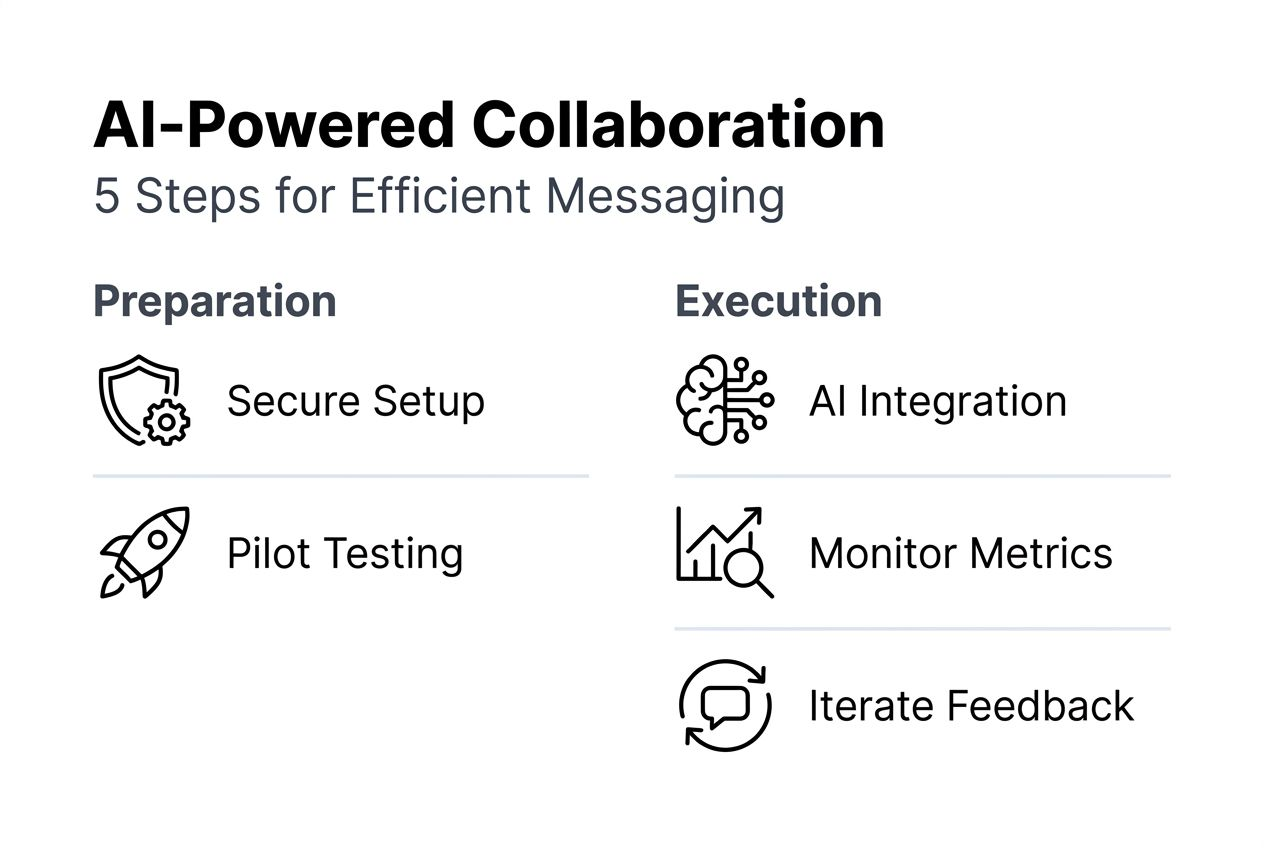
Implementing AI-enhanced messaging requires a structured approach. Follow these five steps to deploy secure, efficient team communication that your users will actually adopt.
-
Assess team needs and security requirements before implementation. Survey teams about communication pain points, required integrations, and workflow preferences. Document security policies, compliance mandates, and data residency requirements. This assessment prevents deploying features teams won't use or missing critical security controls.
-
Select and deploy AI agents with specialized, clearly defined roles. Multi-agent AI systems must have clearly defined specialized roles to improve efficiency and avoid overlap. Create agents for specific functions like message summarization, meeting scheduling, translation, or content moderation. Each agent needs explicit permissions and operational boundaries.
-
Integrate messaging platform with existing business systems for seamless workflows. Connect your calendar for automated scheduling, customer relationship management for context-aware conversations, and project management tools for task creation from messages. These integrations eliminate manual data entry and reduce context switching.
-
Implement security guardrails to prevent prompt injection and data leaks. Improperly designed multi-agent systems risk prompt injection and data leakage without guardrails. Deploy input validation, output filtering, and access controls that limit what AI agents can read, write, and share. Test security boundaries thoroughly before production.
-
Train team members and promote adoption of new messaging tools. Create role-specific training materials showing how features solve daily problems. Designate power users as champions who help colleagues adopt new capabilities. Monitor adoption metrics and gather feedback to refine rollout.
| Approach | Traditional Messaging | AI-Enhanced Messaging |
|---|---|---|
| Response Time | Manual review and reply | Automated prioritization and suggested responses |
| Security Monitoring | Periodic audits | Real-time content analysis and risk flagging |
| Multilingual Support | Manual translation requests | Instant message translation in conversation |
| Meeting Coordination | Multiple message exchanges | AI scheduling assistant finds optimal times |
| Productivity Impact | 2.5 hours lost weekly | Time recovered through automation |
Pro Tip: Phase your rollout by starting with one department that has clear success metrics. Use their results and feedback to refine the implementation before expanding organization-wide.
The transition from traditional to AI-enhanced messaging transforms how teams collaborate. Automated summarization condenses long conversation threads into key decisions and action items. Voice huddles replace lengthy email chains with quick audio discussions. Real-time translation removes language barriers for global teams.

Explore AI in team communication to understand emerging capabilities that will further enhance messaging productivity and how to prepare your infrastructure for these advances.
Verifying success: Monitoring efficiency, security, and user adoption
Implementation is just the beginning. Measuring outcomes validates your messaging investment and identifies improvement opportunities. Track metrics that directly connect to business value.
Start with adoption metrics. Monitor daily active users, message volume, and feature utilization rates. Compare these against baseline data from your previous messaging tools. A successful rollout shows steady growth in engagement without corresponding increases in shadow IT incidents.
Response time improvements demonstrate efficiency gains. Implementations of multi-agent AI in healthcare reduced mean time to respond from 18 hours to 2.3 hours with compliance maintained. Track how quickly teams acknowledge messages, resolve questions, and complete collaborative tasks.
Security metrics reveal risk reduction. Count security incidents, policy violations detected, and shadow IT usage reports. Successful implementations show declining trends as users adopt secure, feature-rich approved platforms over risky alternatives.
Key performance indicators to monitor:
- User adoption rate compared to total employee count
- Average message response time by team and priority level
- Security incidents related to messaging platforms
- Shadow IT reports and unauthorized app usage
- Time saved through AI automation features
- User satisfaction scores from quarterly surveys
| Metric | Baseline | Target | Measurement Period |
|---|---|---|---|
| Daily Active Users | 60% of employees | 85% of employees | Monthly |
| Average Response Time | 4.2 hours | Under 1 hour | Weekly |
| Security Incidents | 12 per quarter | Under 3 per quarter | Quarterly |
| Shadow IT Usage | 43% of teams | Under 10% of teams | Quarterly |
| User Satisfaction | 3.2 out of 5 | Above 4.0 out of 5 | Quarterly |
Financial services show impressive results too. Multi-agent AI in finance reduced fraud losses by 39% while maintaining low latency for customer-facing operations. These outcomes demonstrate that security and efficiency improve together with proper implementation.
Create dashboards that visualize messaging health in real time. Display adoption trends, security alerts, and performance metrics where stakeholders can access them easily. This transparency builds confidence in the platform and surfaces issues quickly.
Pro Tip: Schedule monthly reviews with team leads to discuss messaging metrics and gather qualitative feedback. Numbers tell part of the story, but user experiences reveal opportunities for refinement.
Iterate based on data and feedback. When adoption lags in specific departments, investigate barriers and adjust training or features. When security incidents cluster around certain use cases, strengthen guardrails or update policies. Continuous improvement keeps your messaging platform aligned with evolving needs.
Review your digital workplace communication strategy regularly to ensure messaging tools support broader organizational transformation goals and adapt to changing work patterns.
How Luxenger empowers your team messaging strategy
Implementing the steps outlined in this guide becomes straightforward with the right platform partner. Luxenger delivers enterprise-grade secure messaging built specifically for medium to large organizations seeking AI-enhanced collaboration without compromising security.

Our platform combines bank-grade security standards with AI-powered features that transform team productivity. Automatic conversation summarization distills lengthy threads into actionable insights. Voice huddles enable quick audio coordination without scheduling overhead. Real-time translation breaks down language barriers for global teams.
Luxenger enterprise messaging provides the secure infrastructure foundation this guide recommends, with private deployment options and compliance certifications your IT team requires. Explore our comprehensive messaging features designed specifically for enterprise workflows and integration needs. Monitor security and compliance effortlessly through our security dashboard that provides real-time visibility into platform health and risk metrics.
FAQ
How do AI agents enhance team messaging efficiency?
AI agents automate routine communication tasks like message summarization, meeting scheduling, and content translation. They improve response times by prioritizing urgent messages and suggesting relevant replies based on conversation context. Specialized agents handle specific functions without overlap, reducing manual workload while maintaining accuracy and compliance.
What security practices reduce shadow IT in team messaging?
Balance strong encryption and access controls with user-friendly interfaces that don't create friction. Deploy features teams actually want, like instant search, file sharing, and mobile access, within your secure platform. Monitor usage patterns to identify when teams seek unauthorized apps and address those capability gaps quickly with approved solutions.
How can managers measure success after implementing new messaging tools?
Track user adoption rates by comparing daily active users to total employee count. Monitor response time reductions using message timestamps and resolution tracking. Count decreases in security incidents and shadow IT reports. Survey users quarterly about satisfaction and productivity improvements to combine quantitative metrics with qualitative feedback.
What infrastructure requirements support AI-enhanced messaging?
Deploy zone-redundant managed services that handle scaling and availability automatically. Use private endpoints for all AI service connections to prevent public internet exposure. Implement identity management integrated with your enterprise directory. Ensure encrypted storage for message archives and compliance with data residency requirements for your industry and regions.
Explore messaging security best practices for detailed guidance on protecting team communications while enabling the collaboration features your organization needs.