

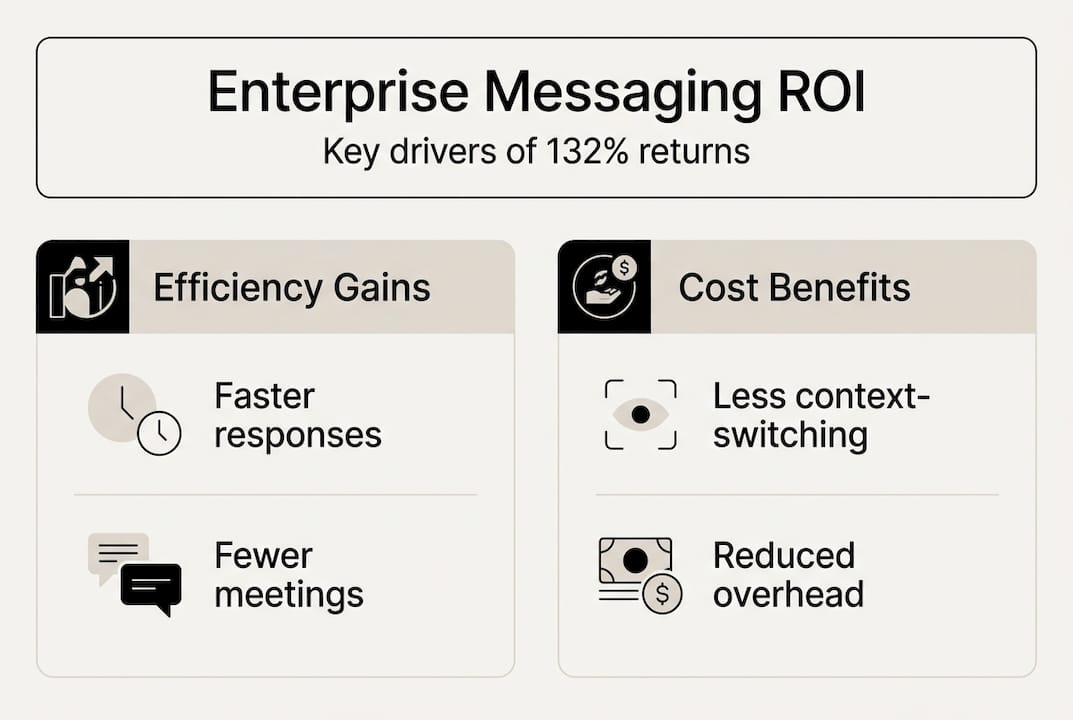
Most enterprises treat messaging as a utility, like electricity: something that just works in the background. But when your teams are drowning in email threads, jumping between five different apps, and leaking sensitive data through consumer chat tools, the cost is anything but invisible. Twilio Messaging delivers 132% ROI over three years for organizations that implement messaging strategically, along with a 15% developer productivity gain and measurable reductions in customer care costs. That number should reframe how you think about your communication stack. This guide walks through what business messaging actually means at the enterprise level, how to measure its impact, and how to build a secure, scalable approach that your teams will actually use.
Table of Contents
- What is business messaging? Foundational concepts explained
- The real impact: How business messaging drives ROI and productivity
- Balancing security with usability: The shadow IT challenge
- Security and compliance: What makes messaging enterprise-grade?
- Choosing and implementing the right solution: Decision framework
- Empower your enterprise with secure business messaging
- Frequently asked questions
Key Takeaways
| Point | Details |
|---|---|
| Messaging boosts ROI | Strategic business messaging platforms deliver measurable ROI and increase employee productivity. |
| Balance security and usability | Overly strict controls cause shadow IT; choose solutions that make secure communication easy. |
| Compliance is non-negotiable | Enterprises must meet regulatory standards like HIPAA and PCI for safe, audit-ready communication. |
| Smart selection process | Assess needs, compare options, and involve users for smooth deployment and adoption. |
What is business messaging? Foundational concepts explained
Business messaging is not just a faster version of email. It is a category of purpose-built communication infrastructure that supports real-time coordination, file sharing, workflow automation, and compliance within an enterprise environment. The distinction matters because many organizations still conflate it with consumer apps like WhatsApp or iMessage, which were never designed for regulated, auditable, or scalable business use.
At its core, enterprise messaging integrates with your existing tools: your CRM, your ticketing system, your identity provider. It supports role-based access, message retention policies, and audit trails. Email handles formal, asynchronous communication well, but it fails at speed, context, and collaboration. Consumer apps are fast but lack governance. Enterprise messaging sits at the intersection of both, offering speed without sacrificing control.
The risk of ignoring this distinction is real. Stand-alone chat without integrations creates overload rather than efficiency, fragmenting workflows instead of unifying them. A unified digital workplace requires messaging that connects to the broader ecosystem, not just a chat window bolted onto your org chart.
"A messaging tool that does not integrate with your workflows is just another inbox to ignore."
For a deeper look at what separates secure enterprise tools from basic chat, the secure messaging guide covers the technical and organizational criteria worth reviewing before you evaluate vendors.
The real impact: How business messaging drives ROI and productivity
Numbers tell the story better than abstractions. When organizations move from fragmented communication to a unified messaging platform, the gains show up in multiple places at once.
| Metric | Baseline (fragmented tools) | With enterprise messaging |
|---|---|---|
| Developer productivity | Standard output | Up 15% |
| Customer care call volume | High | Measurably reduced |
| ROI over 3 years | Minimal | Up to 132% |
| Internal support tickets | Elevated | Significantly lower |
| Crisis response time | Slow, multi-channel | Faster, centralized |
The 132% ROI figure is not a marketing estimate. It comes from a composite organization model that accounts for real implementation costs, training time, and ongoing maintenance. The net benefit is substantial even after those costs are factored in.
Beyond the numbers, messaging platforms change how teams operate under pressure. During a system outage or a compliance incident, having a single, searchable, auditable channel for coordination is not a convenience. It is a risk management tool. Teams that rely on driving digital transformation through integrated communication respond faster and make fewer errors in high-stakes moments.
The productivity gains also compound. When developers spend less time context-switching between email, chat, and ticketing systems, they ship faster. When support teams can escalate issues through a single platform, resolution times drop. Secure collaboration at scale is not just about security. It is about removing friction from every interaction that moves work forward.

Balancing security with usability: The shadow IT challenge
Here is a scenario that plays out in enterprises constantly: IT locks down the official messaging platform with strict controls, employees find it clunky, and within weeks, half the team is coordinating on a consumer app nobody approved. This is shadow IT, and it is more common than most security teams want to admit.
Over 43% of teams use unauthorized messaging apps when official tools are too restrictive or difficult to use. The productivity loss from over-securing communication is estimated at 2.5 hours per employee per week. Multiply that across a 500-person organization and you are looking at thousands of lost hours every month, plus the security exposure from unmanaged apps.
The solution is not to loosen security. It is to choose platforms that make secure behavior the path of least resistance.
"Security that employees route around is not security. It is a false sense of control."
Here is a practical framework for avoiding the shadow IT trap:
- Audit current tool usage before rolling out anything new. Know what your teams are already using and why.
- Involve end users in the selection process. When people have a voice in the tool choice, adoption rates climb significantly.
- Prioritize usability alongside security criteria in your vendor evaluation. A platform that scores 10 on security and 3 on usability will fail in practice.
- Set clear policies about approved tools and communicate them without ambiguity.
- Review adoption metrics regularly and address friction points before they drive workarounds.
Pro Tip: Run a short survey with frontline users before finalizing your platform choice. Ask what frustrates them about current tools. Their answers will tell you exactly where your new solution needs to excel.
For a structured approach to locking down your environment without sacrificing usability, security best practices and messaging platform features are worth reviewing side by side.
Security and compliance: What makes messaging enterprise-grade?
Not all secure messaging is created equal. A platform can offer end-to-end encryption and still fall short of enterprise requirements if it lacks audit logs, data residency controls, or the ability to sign a Business Associate Agreement (BAA).
For organizations in healthcare or finance, HIPAA and PCI compliance are not optional. Consumer tools simply do not offer the auditability, retention controls, or contractual accountability that regulated industries require. Using them is not just a policy violation. It is a liability.
Here is what genuinely enterprise-grade messaging looks like:
- End-to-end encryption for messages in transit and at rest
- Audit logs that capture who said what, when, and from which device
- Message retention and deletion policies aligned with your legal and compliance requirements
- Data residency controls that let you specify where data is stored geographically
- Regulatory certifications such as SOC 2, ISO 27001, HIPAA, and PCI DSS
- BAA availability for healthcare and other regulated sectors
- Role-based access controls to limit data exposure by function or seniority
Pro Tip: Schedule a vendor security assessment at least once per year, not just at procurement. Platforms evolve, and so do your compliance obligations. What passed your audit in 2024 may not meet your 2026 requirements.
Exploring enterprise-grade messaging options and reviewing data security essentials together gives you a clearer picture of where most platforms fall short and what to demand from vendors.
Choosing and implementing the right solution: Decision framework
Selecting a messaging platform is not a one-time purchase decision. It is an organizational change initiative. The technology is the easy part. Getting 2,000 employees to adopt it consistently is where most rollouts succeed or fail.
Start with a clear decision framework. Balancing ease of use, integration, security, and compliance is the core challenge in any enterprise messaging procurement. Here is how to approach it:
- Define your requirements across security, compliance, integrations, scalability, and support SLAs before you look at any vendor.
- Shortlist platforms that meet your non-negotiable criteria first, then evaluate on usability and features.
- Run a structured pilot with a representative cross-section of users, including power users, occasional users, and skeptics.
- Gather feedback systematically during the pilot and use it to adjust configuration before full rollout.
- Plan the rollout in phases, starting with high-impact teams where messaging improvements will be most visible.
- Review performance quarterly against adoption metrics, support ticket volume, and user satisfaction scores.
| Feature | Consumer app | Basic business tool | Enterprise platform |
|---|---|---|---|
| End-to-end encryption | Sometimes | Partial | Yes |
| Audit logs | No | Limited | Full |
| Compliance certifications | No | Rare | Standard |
| Workflow integrations | Minimal | Moderate | Extensive |
| Data residency controls | No | No | Yes |
| BAA availability | No | No | Yes |
Skipping the pilot phase is the single most common mistake in enterprise messaging deployments. Teams that go straight from selection to full rollout almost always face adoption problems that could have been caught and corrected earlier. Detailed implementation steps and real-world messaging solutions can help you build a rollout plan that accounts for these risks from the start.
Empower your enterprise with secure business messaging
The framework above gives you the structure. Now you need a platform built to deliver on it. Luxenger is designed specifically for enterprises that cannot afford to compromise on security, compliance, or user experience.

Luxenger offers end-to-end encryption, HIPAA and PCI compliance, full audit logs, international data residency, and AI-powered features like conversation summaries and real-time translation that make your teams faster without adding complexity. Whether you are managing a 200-person team or a global organization with multilingual staff, the enterprise messaging platform scales with your needs. Explore the full range of advanced features to see how Luxenger compares to Slack and Microsoft Teams, and review pricing options to find the right fit for your organization. Schedule a demo and see the ROI potential firsthand.
Frequently asked questions
How does business messaging improve productivity?
Enterprise messaging reduces context-switching and streamlines coordination across teams, with platforms showing up to 15% productivity gains for technical staff alone. The compounding effect across departments makes it one of the highest-return investments in your communication stack.
What's the risk of using consumer apps for business communication?
Consumer apps lack compliance and auditability required in regulated industries, exposing your organization to legal liability, data breaches, and failed audits. They also cannot sign BAAs, which disqualifies them entirely for healthcare and financial services use cases.
How can we prevent shadow IT when deploying secure messaging?
Involve users early in the selection process and choose platforms where secure behavior is also the easiest behavior. 43% of employees turn to unauthorized apps when official tools feel too restrictive, so usability is a security issue, not just a preference.
What compliance standards should enterprise messaging meet?
At minimum, your platform should support HIPAA, PCI DSS, SOC 2, audit logging, message retention policies, and data residency controls. For healthcare organizations, BAA availability from the vendor is a hard requirement, not a nice-to-have.