

Most IT managers have watched the same scenario play out: a department adopts WhatsApp or iMessage for quick team chats, and suddenly sensitive project data is sitting on personal devices with zero audit trail. Consumer apps were never built for organizational accountability. Enterprise messaging platforms are purpose-built for real-time team communication, compliance, and integration with business tools in ways consumer apps simply cannot match. This article breaks down what enterprise messaging actually means, how the architecture works, where deployments go wrong, and what IT and communications managers should do about it.
Table of Contents
- What is enterprise messaging?
- Core features and architecture
- Federation vs consolidation: Making the right choice
- Addressing edge cases and challenges
- Best practices for IT and communications managers
- Discover secure enterprise messaging solutions
- Frequently asked questions
Key Takeaways
| Point | Details |
|---|---|
| Enterprise platforms are essential | Consumer messaging tools lack the security, integration, and compliance features necessary for organizational collaboration. |
| Federation enables flexibility | Federation allows enterprises to leverage multiple platforms, supporting mergers and diverse user needs while reducing risk. |
| Security is non-negotiable | End-to-end encryption, RBAC, and audit logs are critical to meet regulatory and organizational requirements. |
| Adoption must be managed | User training and notification management help prevent information overload and maximize productivity. |
| Evaluate for scalability | IT leaders should assess platform scalability, integration capabilities, and federation support before deployment. |
What is enterprise messaging?
Enterprise messaging is not just a fancier version of texting. It is a category of software designed specifically for organizational communication, built around security controls, compliance requirements, and deep integration with the tools your teams already use. Platforms like Microsoft Teams, Slack, Zoho Cliq, and Rocket.Chat all fall into this category, though they differ significantly in architecture and feature depth.
The core distinction from consumer apps comes down to control and auditability. When an employee sends a message on a secure collaboration messaging platform, that message can be logged, retained, and retrieved for legal or compliance purposes. Consumer apps offer none of that.
Here is what separates enterprise messaging from consumer tools:
- Centralized administration with role-based access controls
- Compliance-ready message retention and eDiscovery support
- File sharing with version control and permission management
- Integration with CRM, ERP, and HR platforms
- Audit logs that capture who said what and when
- End-to-end encryption (E2EE) for sensitive communications
"Enterprise messaging refers to secure, organization-wide platforms designed for real-time team communication, collaboration, file sharing, and integration with business tools, unlike consumer apps."
If you want to see how these platforms compare in practice, reviewing secure messaging examples from real enterprise deployments gives you a clearer picture of what good looks like.
Core features and architecture
Understanding the mechanics behind enterprise messaging helps you evaluate platforms with precision rather than relying on vendor marketing. The messaging architecture that powers these platforms includes channels and threads for organized discussions, direct messaging for one-on-one communication, integrations with business systems, and admin controls covering E2EE, role-based access control (RBAC), and audit logs.

Here is how the core components stack up:
| Component | Function | Why it matters |
|---|---|---|
| Channels and threads | Organize conversations by topic or project | Reduces noise, improves searchability |
| Direct messages | Private one-on-one or small group chats | Fast decisions without channel clutter |
| E2EE | Encrypts messages end-to-end | Protects data from interception |
| RBAC | Controls who sees and does what | Limits exposure of sensitive data |
| Audit logs | Records all activity | Supports compliance and investigations |
| Federation | Cross-platform communication | Enables interoperability across tools |
| Integrations | Connects CRM, ERP, HR systems | Reduces context switching |
Deployment decisions matter as much as feature selection. Here are the key architectural steps to evaluate:
- Assess your data residency requirements before selecting cloud vs. on-premise hosting
- Map your integration landscape to confirm API compatibility with existing tools
- Define your RBAC model based on org structure and data sensitivity
- Establish retention policies aligned with your industry's compliance standards
- Plan your federation strategy if your teams use multiple platforms
For a detailed breakdown of what to look for, the must-have messaging features guide covers the non-negotiables for enterprise-grade deployments. If you are newer to the security side, the secure messaging guide is a solid starting point.
Pro Tip: Do not evaluate platforms based on the feature list alone. Ask vendors for their SOC 2 Type II report and their data processing agreement. Those documents tell you far more than a sales deck.
Federation vs consolidation: Making the right choice
This is where many enterprise deployments get complicated. Do you consolidate all communication onto a single platform, or do you federate across multiple tools? Both approaches have real trade-offs.
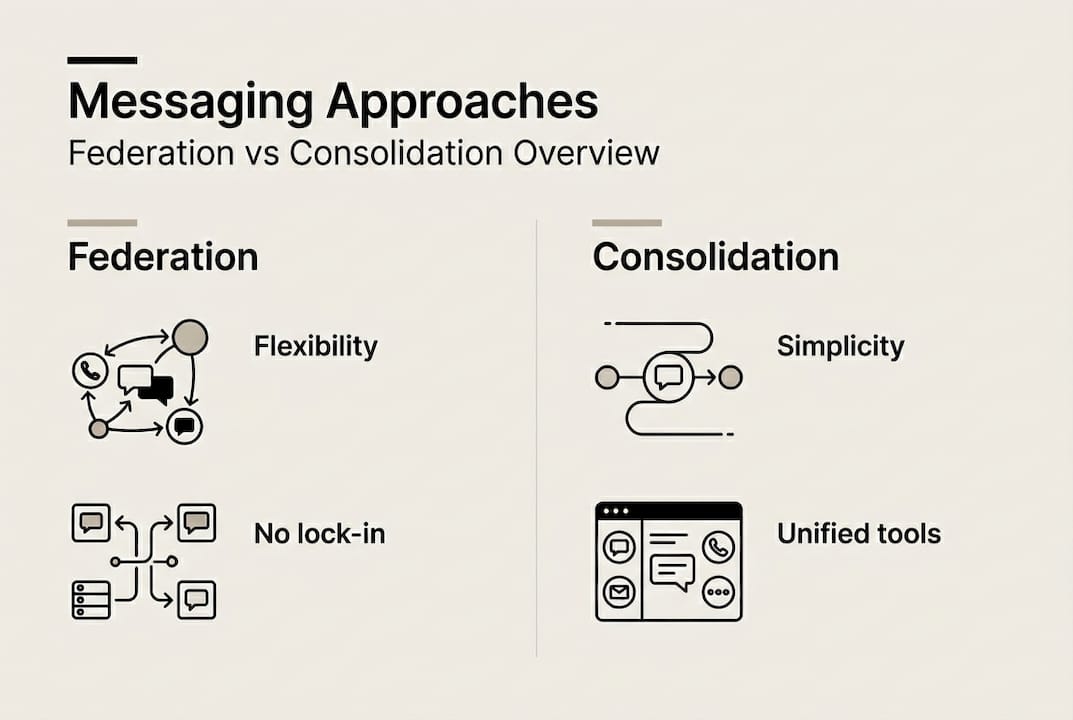
72% of large enterprises use multiple platforms simultaneously, typically a combination of Slack and Microsoft Teams. That reality makes federation not just a nice-to-have but a practical necessity for most organizations at scale.
Federation uses hub-and-spoke or peer-to-peer models with stateless routers, meaning messages pass through without being stored centrally. This supports native eDiscovery and zero data-at-rest compliance requirements. Consolidation, by contrast, forces everyone onto one platform, which sounds clean but often creates shadow IT when users revert to preferred tools.
| Approach | Pros | Cons |
|---|---|---|
| Federation | Flexibility, no vendor lock-in, supports mergers | More complex to manage, security surface increases |
| Consolidation | Simpler administration, unified data | Fights user preferences, risk of shadow IT |
| Open federation | Maximum interoperability | Spam and phishing risks increase significantly |
| Moderated federation | Controlled interoperability | Requires ongoing governance effort |
The role of messaging in IT strategy is evolving fast. Open federation carries real risk: without moderation controls, your platform becomes a vector for phishing. Moderated federation, where you whitelist trusted external domains, gives you the flexibility without the exposure. For a direct enterprise platform comparison, reviewing how different vendors handle federation reveals significant differences in security posture.
One important note: SMB messaging tools often lack the compliance and integration depth that enterprise environments require. Scaling a small-business tool into a large organization is a common and costly mistake.
Addressing edge cases and challenges
Choosing an architecture is just the start. Real deployments surface challenges that no vendor demo prepares you for.
Information overload is the most common complaint from end users. When every channel pings constantly, people either mute everything or burn out trying to keep up. Notification overload can be mitigated with structured Do Not Disturb schedules, channel notification defaults set at the admin level, and clear team norms around expected response times.
Post-merger integrations are another pressure point. When two organizations combine, their messaging environments rarely match. Federation becomes the bridge that lets teams communicate across platforms without forcing an immediate rip-and-replace migration. A well-planned secure messaging workflow can make the difference between a smooth integration and months of communication chaos.
Compliance in regulated industries adds another layer. Healthcare organizations must meet HIPAA requirements. Financial services firms face SOC 2 and sometimes FedRAMP obligations. Your platform must support data security in messaging at the architecture level, not just as an add-on feature.
Here is a practical mitigation checklist for common challenges:
- Set default notification settings at the admin level before rollout
- Create a channel governance policy that defines when to use channels vs. direct messages
- Use federation for merger scenarios rather than forcing platform migration
- Verify compliance certifications before signing any enterprise contract
- Build async communication norms for distributed and remote teams
"Post-merger integration requiring federation, compliance in regulated industries, and handling async remote teams are among the most complex real-world challenges enterprise messaging deployments face."
Pro Tip: Before any merger-related messaging integration, map out which teams need to communicate cross-platform and which data must stay siloed. That map becomes your federation policy.
Best practices for IT and communications managers
With challenges addressed, here is how to select, deploy, and optimize enterprise messaging solutions effectively.
Start with a structured needs assessment. Team size, compliance requirements, existing tool integrations, and remote work patterns all shape which platform fits. A 500-person financial services firm has fundamentally different needs than a 5,000-person manufacturing company.
When evaluating platforms, prioritize strong security including E2EE, compliance certifications, seamless integrations, scalability, and federation support. Avoiding a rip-and-replace scenario two years post-deployment is worth the extra evaluation time upfront.
Here is a deployment sequence that reduces risk:
- Run a pilot with a cross-functional team before org-wide rollout
- Configure RBAC and retention policies before users onboard
- Deliver role-specific training, not just a generic tutorial
- Set notification defaults at the admin level to prevent overload from day one
- Monitor adoption metrics weekly for the first 90 days
- Collect user feedback at 30 and 60 days to catch friction early
For IT managers, evaluate via needs assessment covering team size, compliance requirements, and integration needs. Then test federation capabilities in a sandbox environment before committing. Monitor adoption to balance speed gains against overload risks.
Measurement matters too. Track time saved on email, reduction in meeting volume, and cross-team response times. These metrics make the ROI case to leadership and help you identify where the platform is underperforming. Review integrated messaging security benefits to understand how security and productivity gains compound over time.
Pro Tip: Build a messaging governance committee with representatives from IT, legal, HR, and at least one business unit. Governance decisions made without business input create policies nobody follows.
Discover secure enterprise messaging solutions
If the frameworks in this article resonate with your current challenges, Luxenger is built to address them directly. Designed for medium to large enterprises, Luxenger for enterprise messaging combines bank-grade security with AI-powered features that reduce the cognitive load your teams face every day.

AI-powered conversation summaries mean your managers stop wading through 200-message threads to find decisions. Real-time translation supports multilingual teams without friction. Voice huddles replace unnecessary meetings. Every Luxenger messaging feature is built around the security and compliance requirements that IT managers actually care about. If you are evaluating platforms that can scale with your organization without compromising on security or user experience, the Luxenger platform overview is worth your time.
Frequently asked questions
What makes enterprise messaging more secure than consumer apps?
Enterprise platforms provide E2EE, RBAC, and audit logs as core architecture features, not optional add-ons, along with compliance certifications that consumer apps do not offer.
How do organizations manage information overload in messaging?
IT managers can configure DND schedules and notification defaults at the admin level before rollout, combined with team norms around response time expectations to reduce overload systematically.
Why is federation important in enterprise messaging environments?
Federation enables cross-platform interoperability so teams can communicate across different tools during mergers, acquisitions, or multi-vendor environments without forcing a single platform on everyone.
What best practices should IT managers follow when deploying enterprise messaging?
Start with a needs assessment, configure security policies before onboarding users, deliver role-specific training, and monitor adoption metrics weekly for the first 90 days to catch issues before they compound.