

Communication breakdowns cost enterprises millions annually in lost productivity and operational delays. For IT and communications managers, 86% of workplace failures stem from poor communication, creating cascading problems across incident response, service delivery, and team coordination. Messaging platforms have emerged as critical infrastructure for modern IT management, enabling real-time collaboration, secure information sharing, and rapid incident resolution. This article explains how strategic messaging implementation transforms IT operations, explores technical integrations that amplify effectiveness, and provides actionable frameworks for balancing security with productivity in enterprise environments.
Table of Contents
- Key Takeaways
- How messaging supports IT management core functions
- Technical mechanisms and integrations behind messaging in IT management
- Balancing security and productivity: platform comparisons and edge case handling
- Practical guidance for implementing messaging in IT management
- Explore secure enterprise messaging with Luxenger
- Frequently asked questions
Key Takeaways
| Point | Details |
|---|---|
| Messaging as backbone | Messaging platforms act as the operational backbone for IT teams, enabling real time collaboration, secure sharing, and rapid incident resolution. |
| ITSM integration | Effective platforms connect with ITSM workflows and support multiple channels to coordinate incident response and service requests. |
| Security and productivity balance | Balancing security and productivity requires careful platform selection and practical fallback plans for outages. |
| Structured governance | Structured request management and governance reduce shadow IT and improve audit trails. |
| Testing dashboards | Testing and dashboards improve operational clarity and raise response quality during incidents. |
How messaging supports IT management core functions
Messaging platforms serve as the operational backbone for IT teams managing complex enterprise environments. Real-time communication eliminates the delays inherent in email chains, enabling instant problem-solving when systems fail or security incidents emerge. This speed advantage becomes critical during outages, where every minute of downtime translates to revenue loss and user frustration.
For distributed teams spanning multiple time zones and languages, messaging platforms for secure collaboration provide the coordination infrastructure that email cannot match. IT managers coordinate responses across continents, share diagnostic screenshots instantly, and maintain conversation context that would fragment across traditional communication channels. Real-time translation features break down language barriers, ensuring multinational teams operate with shared understanding during critical incidents.
Incident management transforms when teams leverage messaging for rapid coordination. When a database crashes at 2 AM, engineers receive instant alerts through messaging channels, assemble virtual war rooms within seconds, and share diagnostic data without switching between multiple tools. Enterprise messaging enables real-time team collaboration, incident response, and service request fulfillment with secure communications that protect sensitive system information from unauthorized access.

Secure messaging channels protect confidential IT communications from interception and unauthorized disclosure. When discussing security vulnerabilities, infrastructure changes, or compliance issues, encrypted messaging ensures conversations remain private. This protection extends beyond external threats to include internal access controls, preventing unauthorized employees from viewing sensitive technical discussions.
Service request management benefits dramatically from structured messaging workflows. Following ITIL Service Request Management processes, IT teams route user requests through organized channels, track fulfillment status, and maintain audit trails for compliance. Users submit requests through familiar messaging interfaces rather than navigating complex ticketing portals, improving adoption and reducing support overhead.
Pro Tip: Create dedicated messaging channels for different incident severity levels. Route P1 critical incidents to high-priority channels with strict escalation protocols, while P3 minor issues flow through standard support channels. This segmentation prevents alert fatigue and ensures urgent problems receive immediate attention.
Technical mechanisms and integrations behind messaging in IT management
The technical architecture supporting enterprise messaging spans cloud-based platforms offering rapid deployment and on-premise solutions providing maximum data control. Cloud platforms deliver automatic updates, scalability, and reduced infrastructure management, appealing to organizations prioritizing agility. On-premise deployments give IT teams complete control over data residency and security configurations, critical for regulated industries with strict compliance requirements.
Integration with ITIL Service Request Management tools creates seamless workflows between communication and action. When users submit service requests through messaging interfaces, automated routing directs tickets to appropriate teams based on request type, urgency, and available capacity. Status updates flow back through messaging channels, keeping requesters informed without manual intervention. This bidirectional integration eliminates context switching and reduces the average time to resolution.
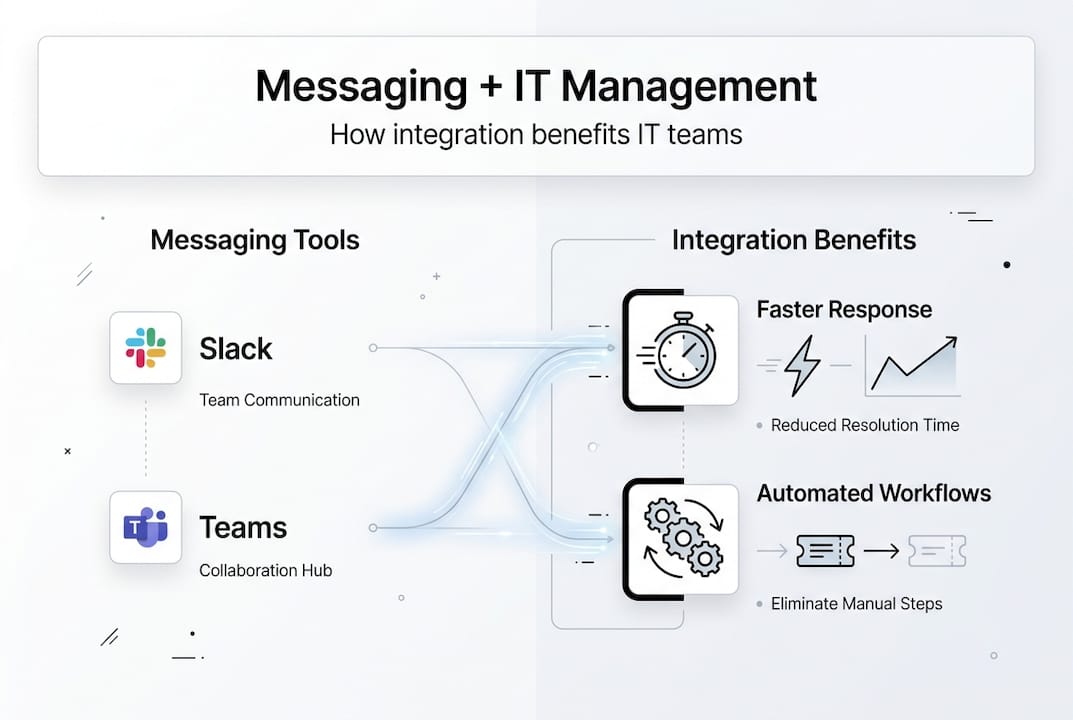
Automation capabilities transform messaging from simple chat into intelligent workflow orchestration. Chatbots handle routine inquiries like password resets and software access requests, freeing human agents for complex problems requiring judgment. Automated escalation rules ensure unresolved requests reach senior engineers before SLA violations occur. Scheduled reminders prompt teams to review pending tasks, preventing requests from languishing in queues.
| Integration Type | Primary Benefit | Common Tools |
|---|---|---|
| ITSM platforms | Automated ticket creation and status sync | ServiceNow, Jira Service Management |
| Monitoring systems | Real-time alert delivery and acknowledgment | Datadog, Prometheus, Nagios |
| Identity management | Secure authentication and access control | Okta, Azure AD, OneLogin |
| Knowledge bases | Contextual documentation access during incidents | Confluence, SharePoint |
Omnichannel support ensures message delivery across SMS, WhatsApp, Slack, and other platforms based on user preferences and availability. When primary channels fail during infrastructure outages, fallback to SMS maintains critical communication paths. This redundancy proves essential when the messaging platform itself experiences downtime or network connectivity issues prevent access to web-based tools.
Self-service portals integrated with messaging platforms empower users to resolve common issues independently. Users access knowledge base articles, submit standardized requests, and track fulfillment status without contacting support agents. This capability reduces support ticket volume by 30 to 40 percent for routine requests, allowing IT teams to focus on complex problems requiring specialized expertise. Enterprise instant messaging software with robust self-service features delivers measurable cost savings through reduced labor requirements.
Pro Tip: Implement smart routing that analyzes message content and automatically assigns conversations to specialists. Natural language processing identifies keywords like database, network, or security and directs requests to teams with relevant expertise, eliminating manual triage delays.
For maximum effectiveness, messaging platforms should integrate with enterprise messaging security best practices including encryption, access controls, and audit logging. These technical safeguards protect sensitive IT communications while maintaining the usability that drives adoption.
Balancing security and productivity: platform comparisons and edge case handling
Popular collaboration platforms like Slack and Microsoft Teams excel at productivity features but present security trade-offs IT managers must evaluate carefully. Both platforms offer rich collaboration capabilities including file sharing, video conferencing, and extensive app integrations. However, Slack and Teams lack end-to-end encryption by default and impose rate limits that can throttle message delivery during high-volume incidents. Organizations handling sensitive data must weigh these limitations against productivity gains.
SMS messaging serves as the ultimate fallback channel when primary platforms fail. During network outages or platform downtime, SMS messages reach team members through cellular networks independent of internet connectivity. This reliability makes SMS indispensable for critical alerts, despite limited features compared to modern messaging platforms. IT managers should maintain SMS contact lists for incident response teams and test delivery during regular drills.
Dedicated incident state management tools outperform general chat applications for tracking complex incidents requiring coordinated response across multiple teams. Slack incident management has limitations including difficulty maintaining incident timelines, poor integration with post-incident reviews, and challenges coordinating across multiple channels. Purpose-built tools provide structured workflows, automated status tracking, and comprehensive audit trails that chat platforms cannot match.
| Platform Type | Security Strength | Productivity Features | Best Use Case |
|---|---|---|---|
| Slack/Teams | Moderate (encryption in transit) | Excellent (apps, integrations, search) | Daily collaboration and routine communication |
| Enterprise messaging (Luxenger) | High (end-to-end encryption) | Strong (AI summaries, translation, security dashboards) | Sensitive communications and regulated industries |
| SMS fallback | Basic (unencrypted) | Limited (text only, no media) | Critical alerts during platform outages |
| Incident management tools | High (audit trails, compliance) | Specialized (runbooks, timelines) | Major incident coordination and post-mortems |
Shadow IT emerges when employees adopt unauthorized messaging tools to circumvent perceived limitations in approved platforms. Without governance, teams install consumer apps like WhatsApp or Telegram for convenience, creating security vulnerabilities and compliance gaps. IT managers combat shadow IT through clear policies explaining approved tools, responsive support addressing legitimate needs, and monitoring that detects unauthorized application usage.
Balancing privacy and productivity requires IT managers to implement controls without creating friction that drives users toward unsanctioned tools. Overly restrictive policies that block file sharing or limit channel creation frustrate users and encourage workarounds. The optimal approach provides secure, capable platforms with governance guardrails rather than blanket restrictions. For detailed platform comparisons, review the Luxenger vs Slack analysis examining security and productivity trade-offs.
End-to-end encryption protects message content from interception by network administrators, platform providers, and external attackers. This protection level proves essential for discussions involving security vulnerabilities, personnel matters, or confidential business information. Organizations should prioritize platforms offering true end-to-end encryption rather than encryption in transit alone, which leaves messages accessible to platform operators. Comprehensive secure messaging guidance for 2026 details encryption standards and implementation best practices.
Practical guidance for implementing messaging in IT management
Successful messaging implementation begins with identifying all stakeholders who will interact with the platform and understanding their specific needs. Create a stakeholder matrix mapping departments, roles, communication patterns, and technical requirements. IT operations teams need integration with monitoring tools and rapid incident response capabilities. Help desk agents require ticketing system integration and knowledge base access. Executives want high-level dashboards showing service metrics and team performance.
Establish Service Level Agreements (SLAs) defining response and resolution timeframes for different request types and severity levels. Critical P1 incidents require acknowledgment within 15 minutes and resolution within 4 hours. Standard service requests warrant 24-hour response times with 5-day resolution targets. Operational Level Agreements (OLAs) specify internal team commitments supporting customer-facing SLAs, ensuring backend processes align with external promises.
Centralized dashboards provide real-time visibility into messaging channel health, alert volumes, response times, and team workload distribution. Monitor metrics including:
- Average first response time across channels and request types
- Message volume trends identifying capacity planning needs
- Escalation rates revealing training gaps or process bottlenecks
- Channel-specific performance comparing email, chat, and messaging effectiveness
- User satisfaction scores gathered through post-resolution surveys
Conduct regular outage simulations testing fallback messaging effectiveness when primary platforms fail. Schedule quarterly drills where teams respond to simulated incidents using only SMS and backup communication channels. These exercises reveal gaps in contact lists, identify dependencies on unavailable tools, and train teams to operate under degraded conditions. Document lessons learned and update incident response playbooks accordingly.
Governance policies prevent shadow IT adoption by clearly defining approved messaging platforms, acceptable use guidelines, and data handling requirements. Policies should address:
- Which platforms are approved for different data sensitivity levels
- Retention requirements for messages containing business records
- Prohibited uses including sharing credentials or regulated data
- Consequences for policy violations ranging from warnings to access revocation
- Exception request processes for legitimate needs not met by approved tools
Pro Tip: Implement a messaging platform evaluation scorecard assessing security features, integration capabilities, user experience, vendor stability, and total cost of ownership. Use this framework for initial platform selection and annual reviews ensuring your chosen solution continues meeting evolving needs.
For organizations managing IT operations across multiple facilities or business units, security best practices for IT admins provide additional implementation guidance. Enterprise-focused solutions like those detailed at Luxenger for enterprise operations address the complex requirements of large-scale deployments.
Explore secure enterprise messaging with Luxenger
Luxenger delivers enterprise messaging solutions purpose-built for IT management teams requiring security, integration, and reliability. The platform combines encrypted communication protecting sensitive technical discussions with multi-channel support ensuring message delivery across preferred platforms. ITSM integration automates service request workflows, eliminating manual data entry and reducing resolution times.

The Luxenger security dashboard provides real-time monitoring of messaging activity, access patterns, and potential security events. IT administrators configure governance policies, review audit logs, and manage user permissions through centralized controls. AI-powered conversation summaries distill lengthy technical discussions into actionable insights, while real-time translation supports multinational teams collaborating across language barriers. Explore comprehensive enterprise messaging features designed specifically for organizations prioritizing both security and productivity. Luxenger for enterprise operations demonstrates how leading organizations leverage these capabilities to transform IT management effectiveness.
Frequently asked questions
What is the role of messaging in incident management?
Messaging enables instant alerts and team coordination, reducing incident resolution time by eliminating communication delays inherent in email. It serves as the primary channel during outages and critical events, providing real-time status updates and facilitating rapid decision-making when systems fail.
How can IT managers balance security and usability in messaging platforms?
Prioritize platforms offering end-to-end encryption for protecting sensitive data while maintaining intuitive interfaces that encourage adoption. Implement fallback options like SMS for critical notifications when rich features are unavailable, and establish governance policies preventing shadow IT while maximizing legitimate productivity.
What integrations are most beneficial for IT messaging platforms?
ITSM tools like ServiceNow automate service request tracking and eliminate manual ticket creation. Self-service portals reduce support overhead by empowering users to resolve routine issues independently. Omnichannel integrations ensure message delivery across SMS, WhatsApp, and Slack based on user preferences and platform availability.
How does messaging reduce shadow IT risks?
Centralized messaging platforms with proper governance eliminate the need for unauthorized shadow IT applications by meeting legitimate collaboration needs. Clear usage policies combined with monitoring tools discourage adoption of unsanctioned consumer messaging apps that create security vulnerabilities and compliance gaps.