

TL;DR:
- Cloud messaging offers scalable, secure, and reliable communication for modern enterprise needs.
- AI features like meeting summaries and semantic search improve team productivity and collaboration.
- Hybrid configurations balance cloud flexibility with on-premise control for regulated industries.
Email threads and siloed chat rooms were never built for the speed, scale, or security demands of modern enterprise communication. Yet many organizations still rely on these legacy tools while their teams fragment across time zones, departments, and devices. Cloud-based messaging changes that equation entirely, offering managed, scalable platforms with real-time AI features, enterprise-grade security, and the kind of reliability that mission-critical operations require. This guide breaks down exactly what cloud-based messaging is, why enterprises are moving to it fast, how leading platforms compare, and what a smart deployment strategy actually looks like.
Table of Contents
- What is cloud-based messaging?
- Core benefits of cloud-based messaging for enterprise collaboration
- AI-driven collaboration: Comparing Teams, Slack, and messaging services
- Designing a robust cloud-messaging strategy: Pitfalls and best practices
- Our take: What most cloud messaging guides don't cover
- Unlock secure, AI-powered messaging for your enterprise
- Frequently asked questions
Key Takeaways
| Point | Details |
|---|---|
| True cloud messaging defined | Cloud-based messaging platforms decouple communication and boost scalability, reliability, and security for modern teams. |
| AI boosts collaboration | Integrated AI tools like Copilot and Slack AI automate recaps, searches, and Q&A to streamline enterprise workflows. |
| Scalability and compliance | Elastic cloud messaging adapts to massive usage spikes while meeting strict compliance and security needs. |
| Hybrid and best practices | Hybrid cloud/on-prem setups and rigorous empirical testing guard against outages, making messaging strategies resilient. |
What is cloud-based messaging?
Legacy tools are losing ground fast, and understanding the basics of cloud-based messaging is now essential for any IT or communications leader.
Cloud-based messaging refers to managed services hosted by cloud providers that enable asynchronous communication between applications, services, and users through queues, pub/sub topics, and real-time collaboration platforms, decoupling producers and consumers for scalable, reliable data exchange. In plain terms, it means your messages, notifications, and data flows are handled by infrastructure you don't have to build or maintain yourself.
There are two distinct categories worth knowing:
- Human-to-human messaging: Platforms like Microsoft Teams and Slack, where employees send messages, join calls, and share files in real time.
- App-to-app messaging: Services like AWS SQS, Google Pub/Sub, and Azure Service Bus, where software systems exchange data automatically without human involvement.
For enterprise IT teams, both categories matter. Human-to-human platforms drive day-to-day collaboration. App-to-app services power the backend workflows that keep operations running. The best secure scalable messaging strategies account for both.
Key components you'll encounter in any cloud messaging environment include:
- Queues: Hold messages until the receiving system is ready to process them.
- Topics and subscriptions: Allow one message to be delivered to multiple consumers simultaneously (pub/sub model).
- Real-time channels: Enable instant, low-latency communication for live collaboration.
Cloud messaging decouples the sender from the receiver. The sender doesn't need to wait for the receiver to be available, which is what makes these systems so resilient at scale.
Enterprises adopt cloud messaging for three core reasons: security, reliability, and scale. Cloud providers invest heavily in encryption, compliance certifications, and redundant infrastructure that most in-house IT teams simply can't match. If you want a deeper look at how these platforms fit into the broader enterprise stack, the enterprise messaging guide covers the full landscape.

Core benefits of cloud-based messaging for enterprise collaboration
Now that you've seen what cloud messaging is, let's examine why so many enterprises are switching.
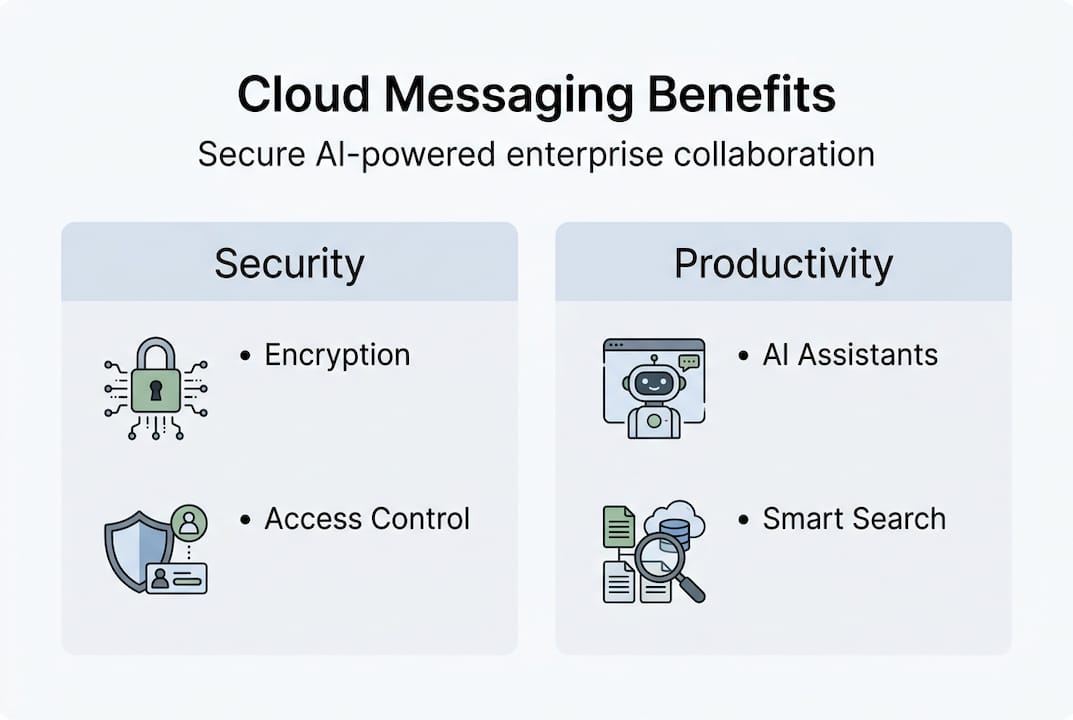
The scalability argument alone is compelling. Cloud messaging scales to millions of requests per second, with services like Firebase Cloud Messaging handling enormous volumes at roughly $0.40 per million requests through AWS SQS. Microsoft Teams supports video calls with up to 300 participants compared to Slack's 50. That gap matters when your organization runs company-wide town halls or cross-regional project syncs.
Here's what enterprises consistently gain by moving to cloud messaging:
- Elastic scalability: Traffic spikes during product launches or crises don't crash the system. Cloud platforms absorb demand automatically.
- Cost efficiency: Pay-as-you-go models mean you're not over-provisioning infrastructure for peak loads that only happen occasionally.
- Compliance support: Leading platforms carry certifications for GDPR, HIPAA, and SOC 2, reducing the compliance burden on your internal team.
- Disaster recovery: Cloud providers replicate data across multiple regions, so a single data center failure doesn't take your communications offline.
- Centralized control: Admins can manage permissions, audit logs, and data retention policies from a single console.
Pro Tip: Before committing to a pure-cloud setup, audit your regulatory obligations. Organizations in healthcare, finance, or government often benefit from a hybrid model that keeps sensitive data on-premise while routing general collaboration traffic through the cloud.
Hybrid configurations (combining on-premise infrastructure with cloud services) are particularly relevant for enterprises with strict data residency requirements. The tradeoff is complexity: hybrid setups require more integration work and ongoing maintenance. Pure-cloud deployments are simpler to manage but require trusting your provider's security posture completely. Understanding which secure messaging features are non-negotiable for your industry helps you make that call confidently. You should also evaluate which modern messaging app features your teams actually use before locking in a vendor.
AI-driven collaboration: Comparing Teams, Slack, and messaging services
With the benefits in mind, it's critical to know which collaboration tools fit your organization best.
Microsoft Teams has 360 million monthly active users while Slack serves 79 million, and both platforms now lead with AI as a core differentiator. Teams offers Copilot for meeting summaries as a $30 per user per month add-on. Slack AI bundles channel recaps and semantic search into paid plans. These aren't gimmicks. They directly reduce the time your teams spend catching up after meetings or hunting through message history.
| Feature | Microsoft Teams | Slack |
|---|---|---|
| Monthly active users | 360 million | 79 million |
| AI feature | Copilot (meeting summaries, thread recaps) | Slack AI (semantic search, Q&A) |
| AI pricing | $30/user/mo add-on | Bundled in paid plans |
| Video call capacity | 300 participants | 50 participants |
| Best fit | Meeting-heavy organizations | Chat-first teams |
| Base + AI cost | $25+/user/mo | ~$7.25/user/mo |
Copilot summarizes meetings and threads with broader Microsoft 365 scope, while Slack AI excels at semantic search and in-channel Q&A. Benchmarks consistently show Teams outperforming for meeting-heavy organizations, while Slack wins for chat-first teams that prioritize fast async communication.
Here's a simple decision framework for your evaluation:
- Map your primary use case. If your teams live in video calls and need deep Microsoft 365 integration, Teams is the natural fit. If async chat and integrations with developer tools matter more, Slack pulls ahead.
- Calculate total AI cost. Teams' Copilot add-on significantly increases per-user cost. Slack AI's bundled pricing is more accessible for budget-conscious IT leaders.
- Assess your existing stack. Teams integrates natively with SharePoint, OneDrive, and Outlook. Slack connects more flexibly with third-party tools via its app directory.
- Pilot with a real team. Run a 30-day pilot with one department before committing to an org-wide rollout.
For a broader view of how AI collaboration tools are reshaping enterprise productivity, or to understand why organizations choose AI tools in the first place, those resources give useful context. If you want a step-by-step approach, the steps for AI-powered collaboration break it down practically.
Designing a robust cloud-messaging strategy: Pitfalls and best practices
Choosing a platform is only part of the equation. Robust implementation is what ensures real business value.
One of the most overlooked areas is edge case testing. Dead-letter queues handle failed message deliveries across all major cloud services, while offline sync in edge brokers keeps communication flowing when connectivity drops. Traffic spikes are managed through throttling and exponential backoff, and message ordering is handled via sessions in Azure or ordering keys in other services. Multi-cloud environments often require bridges like HTTP webhooks to maintain interoperability.
| Scenario | Recommended approach | Tools/methods |
|---|---|---|
| Failed message delivery | Dead-letter queues | AWS SQS DLQ, Azure Service Bus DLQ |
| Traffic spikes | Throttling and backoff | FCM best practices, rate limiting |
| Offline users | Edge broker sync | Local caching, offline-first design |
| Message ordering | Session-based ordering | Azure Service Bus sessions |
| Multi-cloud routing | HTTP webhooks | API gateways, event bridges |
Test edge cases empirically, including spikes and failure scenarios, and ramp traffic gradually using 1%, 5%, then 10% steps to avoid outages. This incremental approach catches problems before they affect your entire user base.
For compliance-heavy industries, evaluate hybrid setups that pair Teams or Slack for collaboration with SQS, Service Bus, or Pub/Sub for app integration. This gives you AI-enhanced communication without sacrificing the data control your legal and compliance teams require.
Best practices that actually hold up in production:
- Implement message TTL (time-to-live) policies to prevent stale data from clogging queues.
- Use role-based access controls at the channel and topic level, not just at the platform level.
- Monitor queue depth and consumer lag in real time. Alerts on these metrics catch bottlenecks before users notice.
- Document your retry and backoff logic before go-live. Undocumented retry behavior causes duplicate messages and confused end users.
Pro Tip: Don't treat your cloud messaging deployment as a one-time project. Schedule quarterly reviews of performance metrics, compliance posture, and AI feature adoption. Platforms update constantly, and your configuration should evolve with them.
For a practical guide to AI-powered secure messaging or to compare workplace messaging app types before finalizing your strategy, both resources add useful depth.
Our take: What most cloud messaging guides don't cover
Most cloud messaging guides spend 90% of their time on feature comparisons and vendor pricing. That's useful, but it misses what actually determines whether a deployment succeeds or fails in a real enterprise environment.
The teams we see struggle most are the ones that skipped incremental traffic testing. Vendor claims about scalability are made under ideal conditions. Your traffic patterns, user behaviors, and integration quirks are not ideal conditions. The 1-5-10% ramp-up approach isn't just a best practice. It's the difference between a smooth rollout and an emergency incident at 2 a.m.
Hybrid configurations also get dismissed too quickly. Pure-cloud evangelists will tell you that on-premise infrastructure is outdated. That's simply not true for organizations in regulated industries. A well-designed hybrid setup gives you cloud elasticity where it makes sense and on-premise control where it's required by law or contract.
Finally, AI features need continuous evaluation, not just initial adoption. Copilot and Slack AI are improving rapidly, but so are the compliance questions around them. Who owns the data in those AI-generated summaries? Where is it stored? These questions need answers before you roll out AI features to your entire organization. Explore how enterprise-optimized messaging handles these concerns by design, not as an afterthought.
Unlock secure, AI-powered messaging for your enterprise
If you're ready to put cloud-based, AI-powered messaging into practice, here's how Luxenger can help.
Luxenger is built specifically for enterprises that can't afford to compromise on security or communication quality. With bank-grade encryption, AI-powered conversation summaries, real-time translation for multilingual teams, and voice huddles for fast audio collaboration, it addresses the exact gaps this guide has outlined.

Whether you're evaluating your first enterprise platform or replacing a tool that's no longer meeting your needs, Luxenger offers a clear path forward. Visit the enterprise messaging platform page to see how it fits your organization, explore modern business messaging capabilities, or review enterprise messaging pricing to build a business case for your leadership team.
Frequently asked questions
How is cloud-based messaging different from traditional email or on-premise chat?
Cloud messaging platforms are managed, scalable, and AI-enhanced, supporting both asynchronous and real-time collaboration far beyond what email or on-premise solutions can deliver. They also eliminate the infrastructure maintenance burden from your internal IT team.
What are the top security features that enterprises should prioritize in cloud messaging?
Prioritize end-to-end encryption, granular role-based access controls, audit trails, and compliance certifications such as HIPAA or GDPR. Data residency controls and admin-managed retention policies are equally important for regulated industries.
How do AI features like Copilot or Slack AI actually improve team efficiency?
Copilot and Slack AI automate meeting recaps, enable semantic search across message history, and support in-channel Q&A, reducing the time teams spend on manual documentation and catch-up reading.
Can cloud messaging platforms handle sudden spikes in usage?
Yes. Cloud platforms scale elastically and manage traffic surges through throttling and exponential backoff, but you should still test your specific traffic patterns incrementally rather than relying solely on vendor benchmarks.
Is a hybrid cloud/on-premise messaging setup still necessary?
For organizations with strict regulatory or data residency requirements, hybrid setups remain essential. They combine cloud scalability for general collaboration with on-premise control for sensitive data and compliance-critical workflows.