

Messaging platforms are not glorified chat apps. That misconception costs enterprises real money and exposes them to serious risk. A secure, scalable system built for real-time team communication looks nothing like a consumer texting tool. It handles channels, direct messages, file sharing, compliance logging, and deep integrations with the apps your teams already use. As AI capabilities get layered on top, these platforms are becoming central infrastructure for how large organizations operate. If you are evaluating options or rethinking your current setup, this guide gives you a practical framework for understanding what actually matters.
Table of Contents
- Core functions of modern messaging platforms
- Security and compliance essentials
- AI integration and efficiency gains
- Comparing leading platforms: Teams, Slack, Mattermost, and more
- Choosing and implementing the right platform
- What most guides miss about messaging platforms
- Unlock secure, AI-ready messaging for your enterprise
- Frequently asked questions
Key Takeaways
| Point | Details |
|---|---|
| Enterprise-grade security | A true messaging platform must include strong encryption, compliance tools, and administrative controls. |
| AI-powered efficiency | Integrated AI features can boost operational productivity up to sixteenfold in real-world deployments. |
| Tailored platform selection | Match your messaging platform to security, compliance, and workflow requirements with pilot testing. |
| User adoption is vital | Success depends on user engagement and process alignment, not just feature comparison. |
Core functions of modern messaging platforms
Before comparing vendors, you need a clear definition of what you are actually buying. Enterprise messaging platforms are purpose-built for organizational communication at scale. They are not consumer apps with a business tier bolted on.
At the functional level, a modern enterprise messaging platform delivers:
- Persistent channels organized by team, project, or topic
- Direct and group messaging with full message history and search
- File sharing and document collaboration with version tracking
- Third-party app integrations connecting your CRM, ITSM, and project tools
- Audit trails and admin controls for compliance and governance
- Multi-modal communication including voice, video, and async messaging
The secure collaboration benefits go well beyond convenience. These platforms create a searchable, auditable record of organizational decisions. That is something a basic chat tool simply cannot offer.
One important distinction worth making: enterprise messaging platforms are built for human collaboration. Tools like Apache Kafka or RabbitMQ are application-level message brokers designed for system-to-system communication. They solve a completely different problem. When evaluating your options, understanding the workplace messaging app types available helps you avoid comparing the wrong categories.
"The defining difference between an enterprise messaging platform and a simple chat tool is the infrastructure layer underneath: security controls, compliance frameworks, and integration depth that consumer apps never need to address."
Channel-based conversation is the organizational backbone here. When teams structure communication around channels rather than email threads, context stays visible, onboarding accelerates, and institutional knowledge stops disappearing into individual inboxes.

Security and compliance essentials
Once you understand the platform's communication features, the next critical dimension is security and regulatory compliance. This is where most procurement decisions either get serious or fall apart.
Enterprise-grade security is not a checkbox. It is a layered architecture. The core requirements include:
- End-to-end encryption (E2EE): Some platforms offer this opt-in rather than by default. Know the difference.
- Zero-trust access controls: Every user and device is verified continuously, not just at login.
- Regulatory compliance: GDPR, HIPAA, and SOC 2 are baseline expectations for regulated industries.
- Self-hosting or private cloud options: Critical for organizations that cannot allow data to leave their own infrastructure.
- Audit logs: Immutable records of who accessed what, when, and what actions were taken.
One edge case that rarely gets discussed is metadata exposure in federated systems. Even when message content is encrypted, metadata including sender identity, timing, and frequency can be exposed in poorly configured federated deployments. This is a real attack surface.
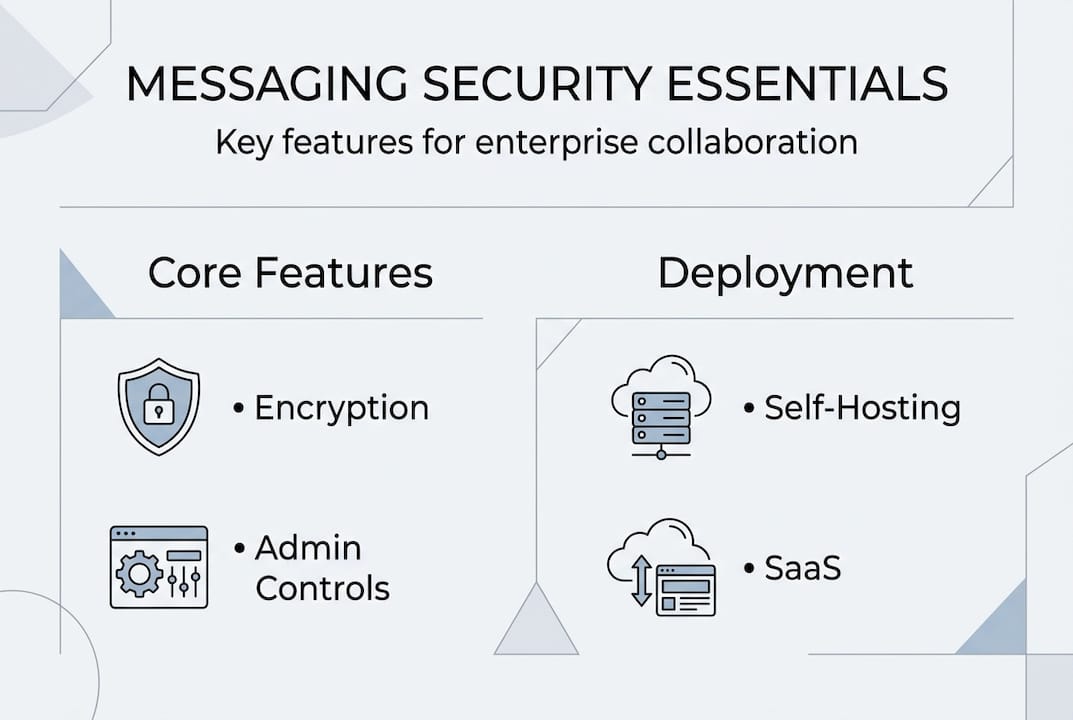
The self-hosting versus SaaS debate comes down to control versus speed. SaaS deployments are faster to stand up and easier to maintain. Self-hosted deployments give you complete data sovereignty. For healthcare, finance, and government sectors, self-hosting is often non-negotiable.
Microsoft Teams leads the market with a compliance rating of 9.9/10, outpacing Slack and Mattermost on this dimension. That gap matters if your organization operates under strict regulatory oversight.
Review the security best practices and must-have features before finalizing any shortlist.
Pro Tip: Require vendors to demonstrate out-of-band recovery features during the evaluation process. If your primary messaging channel goes down during a security incident, you need a fallback communication path. Most guides skip this entirely, and it is the kind of gap that surfaces at the worst possible moment.
AI integration and efficiency gains
With security in place, the next big question is how these platforms actually drive efficiency. In 2026, that answer is almost entirely about AI.
AI tools embedded in messaging platforms automate the work that used to consume hours of manual effort. The most impactful use cases include:
- Conversation summarization: Long threads distilled into key decisions and action items
- Automated approvals: Workflow bots that route, escalate, and close approval requests without human hand-holding
- Smart scheduling: AI that finds meeting windows across time zones without back-and-forth
- Sentiment and engagement insights: Real-time signals that help managers spot team friction early
- Real-time translation: Multilingual teams communicate without switching tools or losing context
The ROI data is compelling. AI integration delivers an average 2 to 16 times productivity improvement depending on the use case and deployment quality. DingTalk documented a 32% reduction in operating costs and saved 5,000 hours per year in approval workflows alone.
| Scenario | Estimated productivity gain |
|---|---|
| Automated approval routing | 4x to 8x faster cycle time |
| AI conversation summaries | 2x to 3x reduction in meeting prep |
| Cross-team sync automation | 3x to 6x fewer status update meetings |
| Real-time translation | 2x to 4x faster multilingual collaboration |
Those numbers are not theoretical. They come from secure digital transformation with messaging programs that ran structured pilots before full deployment.
Pro Tip: Do not roll out AI features organization-wide on day one. Run a proof of concept in one approval-heavy team first. Measure cycle time before and after. That data becomes your internal business case for broader adoption.
Comparing leading platforms: Teams, Slack, Mattermost, and more
Armed with a view of AI advantages, it is time to benchmark real-world options and clarify which platforms excel where.
| Platform | Overall score | Key strength | Best for |
|---|---|---|---|
| Microsoft Teams | 9.7/10 | Compliance, M365 integration | Regulated industries, Microsoft shops |
| Slack | 9.4/10 | Third-party integrations | Developer teams, integration-heavy orgs |
| Mattermost | Self-hosted leader | Data sovereignty | Government, defense, high-security sectors |
| DingTalk | Cost efficiency | Workflow automation | Asia-Pacific operations, cost-focused orgs |
| Luxenger | AI-enhanced security | Bank-grade security plus AI features | Enterprises needing both security and AI |
The CPaaS versus traditional messaging distinction matters here. Cloud Communications Platform as a Service tools offer programmable APIs for deep integration. Traditional platforms offer out-of-the-box usability. Your choice depends on whether your IT team wants to build or configure.
Key tradeoffs to keep in mind:
- Teams wins on compliance and is the natural choice if your organization is already in the Microsoft 365 ecosystem
- Slack leads on integration breadth, with over 2,600 app connections available
- Mattermost gives you full control over your data but requires more IT resources to operate
- DingTalk delivers strong cost efficiency but is better suited for Asia-Pacific deployments
Explore messaging platform solutions that align with your specific industry requirements. For additional context on how these tools fit into broader productivity tools for collaboration, external benchmarks can sharpen your evaluation criteria.
Choosing and implementing the right platform
Comparison tables can guide initial choices, but a practiced implementation plan will determine ultimate success. Picking the right platform is only half the job.
Here is a proven rollout sequence:
- Assess organizational needs: Map your communication gaps, compliance requirements, and integration dependencies before touching a vendor demo
- Shortlist two to three platforms: Use your security and AI criteria to eliminate options quickly
- Run a structured pilot: Deploy in one approval-heavy, cross-functional team for 30 to 60 days
- Evaluate compliance in practice: Do not rely on vendor documentation alone. Test audit log completeness, admin policy enforcement, and data residency behavior
- Train teams before full rollout: Adoption fails when users do not understand the channel structure or workflow automations available to them
The pilot phase is where benchmarks and feature tradeoffs become real. Vendors can claim compliance certifications, but only live testing reveals whether audit logs capture everything your legal team needs or whether metadata is leaking in ways your security team did not anticipate.
During the pilot, stress test the admin controls. Simulate a policy violation. Check whether the platform flags it, logs it, and routes it correctly. Most organizations skip this step and discover the gaps after a real incident.
Follow structured secure messaging workflow steps to build the governance layer before users arrive.
Pro Tip: Require a full audit log review during the trial period, not after. Ask your vendor to walk you through what a compliance officer would see during an investigation. If they hesitate, that tells you something important.
What most guides miss about messaging platforms
Most enterprise messaging guides are essentially feature catalogs. They list capabilities, assign scores, and recommend the platform with the highest number. That approach is useful for procurement paperwork. It is not useful for predicting whether your organization will actually adopt the tool or stay secure after deployment.
The real adoption killers are behavioral and structural. A platform can have perfect security architecture and still fail because the channel structure was not designed around how teams actually work. Or because the integration with your ticketing system was never completed. Or because power users found a workaround and created a shadow IT channel outside the approved environment.
Hybrid and federated environments introduce subtle risks that few guides address. Metadata leakage in federated systems is a real vulnerability. So is the gap between what your security policy says and what your configuration actually enforces.
The platforms that hold up long-term are the ones that anticipate human error. Layered recovery options, clear admin override paths, and out-of-band communication fallbacks are survival features. They rarely appear in feature comparison tables, but they are what separates a platform that works in a crisis from one that fails exactly when you need it most.
For organizations that need integrated messaging for security, the architecture decisions made at deployment time determine whether security holds under real-world pressure.
Unlock secure, AI-ready messaging for your enterprise
If this guide has clarified what you need from an enterprise messaging platform, the next step is finding a solution that delivers on all three dimensions: security, AI capability, and practical usability.

Luxenger for enterprise is built specifically for organizations that cannot compromise on security but also need AI-powered features that actually move the needle on productivity. With bank-grade encryption, AI conversation summaries, real-time translation, and voice huddles, the enterprise messaging platform covers the full spectrum of what modern teams require. Whether you are in a regulated industry or simply need a more secure alternative to Slack or Teams, explore pricing for messaging solutions to find the right fit for your organization's scale and requirements.
Frequently asked questions
How is a messaging platform different from a simple chat app?
A messaging platform offers enterprise-grade security, compliance features, audit logging, and workflow integrations that consumer chat apps are never designed to support. The infrastructure layer is fundamentally different.
What are the most important security features to require?
Prioritize end-to-end encryption, zero-trust access controls, self-hosted deployment options, and complete audit logging. Also verify that metadata is protected, not just message content.
Can AI actually boost productivity in team messaging?
Yes. Enterprises report 2 to 16 times ROI from AI messaging tools by automating approvals, generating conversation summaries, and reducing time spent on status updates and scheduling.
Which platform is best for compliance-heavy industries?
Microsoft Teams scores highest for compliance at 9.7 out of 10, but Mattermost offers full self-hosting for organizations that require complete data sovereignty over their messaging infrastructure.
Recommended
- Why use messaging platforms in 2026 for secure collaboration
- What defines a communication platform: enterprise guide
- What is secure messaging? A 2026 guide for enterprises
- Enterprise messaging explained: Secure, scalable solutions for teams
- Team Productivity Tools: Boosting Collaboration Success - Projector Display
- Différences LMS et Messageries – Impact sur la pédagogie | Blog Engage