

Many IT managers assume all messaging tools function as true communication platforms, but this misconception can lead to fragmented workflows and security gaps. Understanding what defines a communication platform is crucial for enterprises evaluating secure, AI-enhanced solutions. True platforms integrate messaging, voice, video, file sharing, and advanced security into unified ecosystems that scale with organizational needs. This guide breaks down core features, compares platforms with basic messaging apps, examines security requirements, and provides practical evaluation frameworks. By the end, you'll know exactly what separates enterprise-grade platforms from simple chat tools and how to choose solutions that enhance collaboration while protecting sensitive data.
Table of Contents
- Key Takeaways
- Defining a communication platform: core features and capabilities
- How communication platforms differ from traditional messaging apps
- Security and compliance: non-negotiable pillars of enterprise platforms
- Practical considerations for evaluating and implementing communication platforms
- Explore Luxenger's secure enterprise communication solutions
- Frequently asked questions about communication platforms
Key Takeaways
| Point | Details |
|---|---|
| Platform vs Messaging App | A true enterprise platform unifies messaging, voice, video, and file sharing into a single secure ecosystem rather than offering only chat tools. |
| Security and governance | End to end encryption, real time threat dashboards, and granular access controls protect sensitive data and meet regulatory needs. |
| AI powered enhancements | Smart replies, automatic summaries, and real time translations accelerate collaboration and reduce manual workload. |
| Integrations and workflows | Connections with calendars, CRMs, and project tools enable seamless workflows and reduce data entry. |
| Scalability and compliance | Scalable architecture with audit trails and compliance support keeps growing teams secure and compliant. |
Defining a communication platform: core features and capabilities
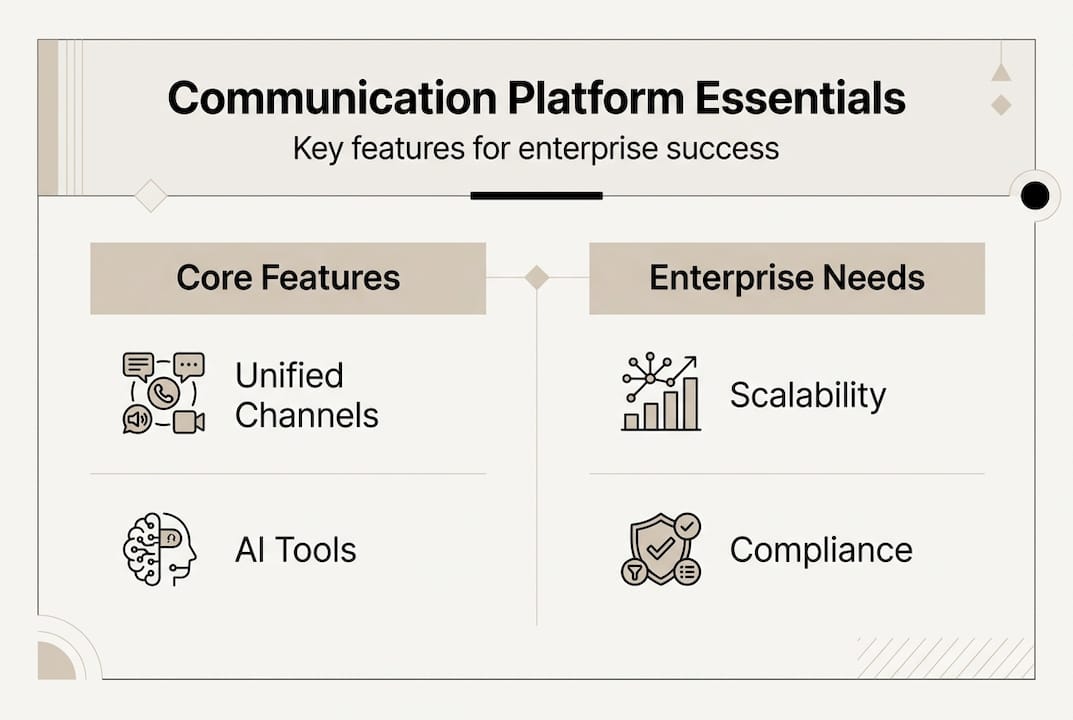
A communication platform transcends basic messaging by unifying multiple channels into one secure ecosystem. Unlike standalone apps that handle only text or video, platforms combine instant messaging, voice huddles, video conferencing, and file sharing within a single interface. This integration eliminates the need to switch between tools, reducing cognitive load and improving response times.
Security forms the foundation of enterprise platforms. Bank-grade encryption protects conversations from unauthorized access, while security dashboards provide real-time threat monitoring. IT administrators gain granular control over user permissions, data retention policies, and access logs. These features ensure that sensitive discussions about product launches, financial data, or strategic decisions remain confidential.
AI capabilities distinguish modern platforms from legacy systems. Smart suggestions predict responses based on conversation context, saving time on routine communications. Automated summaries condense lengthy threads into digestible bullet points, helping managers catch up quickly after meetings or time off. Real-time translation breaks language barriers for global teams, enabling seamless collaboration across regions without hiring translators.
Integration capabilities determine whether a platform truly serves enterprise needs. Top-tier solutions connect with calendars to schedule meetings directly from chat threads, sync with CRM systems to pull customer data into conversations, and link with project management tools to track deliverables. This interoperability creates workflows where information flows naturally between systems rather than requiring manual data entry.
Scalability and compliance round out the core features. Platforms must handle thousands of concurrent users without performance degradation, support role-based access controls for complex organizational structures, and provide audit trails that satisfy regulatory requirements. These elements ensure the platform grows with your organization while maintaining security and accountability.
Pro Tip: When evaluating platforms, test how easily they integrate with your three most-used enterprise tools. If setup requires extensive custom coding or third-party middleware, the platform may create more friction than it solves.
Essential platform capabilities:
- Unified communication channels accessible from desktop and mobile devices
- End-to-end encryption with administrative security controls
- AI-powered features including smart replies and conversation summaries
- Native integrations with enterprise software ecosystems
- Compliance tools supporting GDPR, HIPAA, and industry-specific regulations
- Scalable architecture supporting organizational growth
How communication platforms differ from traditional messaging apps
The distinction between messaging apps and communication platforms often confuses decision makers, yet understanding this difference directly impacts team productivity and security. Basic messaging apps focus narrowly on text-based conversations, sometimes adding voice or video as afterthoughts. Platforms architect these features as interconnected components from the ground up, creating synergies that amplify their individual value.
Security represents the most critical dividing line. Consumer messaging apps may encrypt messages in transit but often lack enterprise-grade features like customizable data retention, administrative access controls, or comprehensive audit logs. Integrated platforms reduce fragmentation and improve security compared to standalone tools by centralizing security policies and monitoring. When sensitive project details or customer information enters conversations, platforms ensure IT teams can enforce consistent protection standards across all communication channels.

AI capabilities create another stark contrast. While some workplace messaging apps offer basic bots or search functions, platforms embed intelligence throughout the user experience. They analyze conversation patterns to suggest relevant documents, predict meeting availability based on calendar data, and automatically categorize messages by project or priority. These features transform communication from a manual task into an intelligent workflow that adapts to team needs.
Integration depth separates platforms from apps in practical terms. A messaging app might offer a Zapier connection or basic API access. Platforms provide native integrations that feel like natural extensions of the interface, pulling CRM records into chats, syncing task updates bidirectionally with project management tools, and embedding analytics dashboards directly into team channels. This seamless connectivity eliminates the context switching that fragments attention and slows decision making.
The unified experience matters more than individual features. When comparing Luxenger vs Slack, consider how features work together rather than checking boxes on a feature list. Does starting a voice huddle require leaving the conversation thread? Can you share your screen while reviewing a document someone just uploaded? Platforms answer yes because they architect features as integrated systems, not bolted-on additions.
| Feature category | Traditional messaging apps | Communication platforms |
|---|---|---|
| Security | Basic encryption, limited admin controls | End-to-end encryption, granular permissions, audit trails |
| AI capabilities | Simple bots, keyword search | Context-aware suggestions, automated summaries, predictive features |
| Integrations | Third-party connectors, manual setup | Native integrations, seamless data flow |
| Communication channels | Primarily text, add-on voice/video | Unified messaging, voice, video, file sharing |
| Compliance | Limited audit capabilities | Full regulatory support, customizable retention |
Key differentiators for enterprise evaluation:
- Centralized security management versus fragmented tool policies
- Intelligent automation versus manual communication workflows
- Native enterprise integrations versus third-party middleware dependencies
- Unified user experience versus app switching and context loss
Security and compliance: non-negotiable pillars of enterprise platforms
Security isn't a feature you can add later or compromise on for convenience. Enterprise communication platforms must provide end-to-end encryption, audit logs, and compliance tools to mitigate risks effectively. Every message, file, and voice conversation contains potential vulnerabilities that threat actors actively exploit. Platforms that treat security as foundational architecture rather than an optional layer protect organizations from data breaches that cost millions in remediation and reputation damage.
End-to-end encryption ensures that only intended recipients can decrypt messages, preventing interception during transmission or unauthorized access to stored data. This protection extends beyond text to encompass voice recordings, video calls, and shared documents. When discussing merger negotiations, product roadmaps, or customer contracts, teams need absolute confidence that competitors or malicious actors cannot eavesdrop on strategic conversations.
Compliance requirements vary by industry and geography, making flexible platforms essential. Healthcare organizations need HIPAA compliance to protect patient information discussed in care coordination chats. Financial services require SOC 2 certification and data residency controls to satisfy banking regulators. European operations demand GDPR adherence with explicit consent mechanisms and data deletion capabilities. Platforms that bake these compliance frameworks into their architecture save IT teams from retrofitting security controls onto inadequate foundations.
Security dashboards offer real-time monitoring to proactively address threats in enterprise messaging. These interfaces surface anomalous login patterns, unusual data access requests, or potential policy violations before they escalate into breaches. Administrators can immediately revoke access for departing employees, investigate suspicious activity with detailed logs, and generate compliance reports for auditors without manual data compilation.
Audit trails and access controls ensure accountability across the organization. Every message edit, file download, and permission change gets timestamped and attributed to specific users. This transparency deters insider threats while providing forensic evidence if incidents occur. Role-based access controls let IT teams implement least-privilege principles, ensuring employees access only the channels and data their roles require.
AI enhances security by identifying patterns humans might miss. Machine learning models detect phishing attempts in shared links, flag conversations containing sensitive data that should trigger additional protections, and alert administrators when users exhibit risky behaviors like sharing credentials. These intelligent systems adapt to evolving threats faster than manual security reviews.
Pro Tip: Request a security architecture diagram during platform evaluations. Vendors should clearly explain their encryption methods, key management practices, and data storage locations. Vague answers or reluctance to share technical details signal potential security gaps.
Critical security requirements:
- End-to-end encryption for all communication channels and file transfers
- Compliance certifications matching your industry regulations
- Real-time security monitoring with customizable alert thresholds
- Comprehensive audit logs with tamper-proof timestamps
- Granular access controls supporting complex organizational hierarchies
- AI-powered threat detection identifying anomalous patterns
Practical considerations for evaluating and implementing communication platforms
Selecting the right platform requires moving beyond feature checklists to assess how solutions fit your specific operational context. Choosing a platform that integrates with existing enterprise systems improves ROI and user experience by eliminating redundant data entry and reducing tool sprawl. Start by mapping your current technology stack, identifying the systems teams use daily, and prioritizing platforms that offer native connections to these critical tools.
Integration capabilities deserve deep scrutiny during evaluation. Does the platform sync bidirectionally with your calendar system, automatically updating meeting times when schedules change? Can it pull customer records from your CRM directly into conversation threads, giving sales teams instant context? Will it post project updates to your task management tool without requiring manual copy-paste? These integrations determine whether the platform becomes a central hub or another isolated silo.
User adoption makes or breaks platform implementations. The most secure, feature-rich solution fails if teams refuse to use it or revert to unsanctioned tools. Plan phased rollouts starting with early adopter departments who can provide feedback and champion the platform internally. Provide hands-on training that demonstrates specific workflows relevant to each team's responsibilities rather than generic feature tours. Create quick-reference guides addressing common tasks like starting voice huddles, sharing files securely, or using AI summaries.
AI tool relevance varies by use case. Evaluate whether automated features solve actual pain points your teams experience. If managers spend hours catching up on missed conversations, AI summaries deliver immediate value. If multilingual collaboration creates communication barriers, real-time translation becomes essential. However, if your teams primarily need secure file sharing with minimal chat, advanced AI might represent unnecessary complexity and cost.
Scalability planning prevents costly migrations as organizations grow. Assess whether pricing models remain economical as user counts increase, whether performance degrades with concurrent usage spikes, and whether administrative tools handle complex organizational structures. Enterprise operations require platforms that support thousands of users across multiple departments, geographies, and access levels without requiring architectural overhauls.
Vendor evaluation extends beyond the platform itself. Review security certifications, data center locations, incident response procedures, and support availability. Understand contractual terms around data ownership, export capabilities, and migration assistance if you eventually switch platforms. Request customer references from organizations similar to yours in size and industry to learn about real-world implementation experiences.
Building a communication strategy requires aligning platform selection with broader digital transformation goals. Consider how the platform supports remote work policies, facilitates cross-functional collaboration, and enables leadership communication. The right platform becomes infrastructure that shapes organizational culture and operational efficiency.
Implementation evaluation checklist:
- Document all enterprise systems requiring integration and verify native connection availability
- Identify three departments for pilot deployment and establish success metrics
- Develop role-specific training programs addressing actual workflow scenarios
- Assess AI features against documented team pain points and productivity gaps
- Project three-year user growth and calculate total cost of ownership at scale
- Review vendor security certifications and request third-party audit reports
- Test administrative interfaces for user management, security monitoring, and reporting
- Establish governance policies for channel creation, data retention, and access controls
| Evaluation factor | Questions to ask | Why it matters |
|---|---|---|
| Integration depth | How many native connections exist? What data syncs bidirectionally? | Determines whether platform centralizes workflows or creates another silo |
| User adoption strategy | What training resources are included? Can we pilot with specific teams? | Influences whether teams actually use the platform versus reverting to old tools |
| AI feature relevance | Which AI capabilities address our documented pain points? | Ensures you pay for value-adding features rather than unused complexity |
| Scalability architecture | How does performance change with user growth? What are pricing tiers? | Prevents costly migrations or performance issues as organization expands |
| Vendor stability | What certifications do they hold? Who are their reference customers? | Reduces risk of security incidents or vendor failure disrupting operations |
Explore Luxenger's secure enterprise communication solutions
Now that you understand what defines a true communication platform, consider how Luxenger embodies these principles for enterprise operations. We've architected security, AI capabilities, and unified communication into a platform specifically designed for organizations that can't compromise on data protection or collaboration efficiency. Our bank-grade encryption and comprehensive security dashboard give IT teams the monitoring and control capabilities essential for regulatory compliance and threat prevention.

Luxenger's advanced features include AI-powered conversation summaries that distill lengthy threads into actionable insights, voice huddles enabling quick audio discussions without scheduling overhead, and real-time translation supporting seamless global collaboration. These capabilities integrate naturally into workflows rather than requiring separate tools or context switching. Our platform scales from small teams to enterprise deployments while maintaining the performance and security standards your organization demands. Explore how Luxenger transforms communication from a basic utility into a strategic advantage that enhances productivity, protects sensitive data, and adapts to your evolving needs.
Frequently asked questions about communication platforms
What is the main difference between a messaging app and a communication platform?
Messaging apps focus narrowly on text conversations with limited security and integration capabilities. Communication platforms unify messaging, voice, video, and file sharing with enterprise-grade encryption, AI features, and native integrations that create seamless workflows across your technology stack.
Why does security matter more in communication platforms than consumer messaging apps?
Enterprise conversations contain sensitive data including strategic plans, customer information, and financial details that require protection beyond basic encryption. Platforms provide administrative controls, audit trails, compliance tools, and security monitoring that prevent data breaches and satisfy regulatory requirements.
How do AI features in communication platforms improve productivity?
AI capabilities automate routine tasks like summarizing conversations, suggesting responses, and translating messages in real time. These features reduce time spent on manual communication tasks, help teams catch up quickly after absences, and enable seamless collaboration across language barriers without hiring translators.
What integration capabilities should I prioritize when evaluating platforms?
Focus on native connections to your three most-used enterprise systems, typically calendar, CRM, and project management tools. Verify that data syncs bidirectionally without manual intervention, enabling workflows where information flows naturally between systems rather than requiring duplicate entry or context switching.
How can I ensure successful user adoption during platform implementation?
Start with phased rollouts to early adopter departments who can provide feedback and champion the platform internally. Provide role-specific training demonstrating workflows relevant to each team's responsibilities, create quick-reference guides for common tasks, and establish clear governance policies that guide appropriate platform use without creating bureaucratic friction.