

TL;DR:
- Secure enterprise messaging reduces data breaches and compliance risks through encryption and audit logs.
- AI features in messaging save up to 20 hours weekly and enhance idea quality.
- Consolidating communication tools minimizes context-switching, boosting productivity and reducing shadow IT.
Enterprises that still rely on email and SMS as their primary internal channels are quietly bleeding productivity and exposing themselves to preventable risk. Secure enterprise messaging with end-to-end encryption and compliance features reduces unauthorized data access by 25% and cuts support tickets by 30%. Those are not marginal gains. They represent real hours recovered and real threats neutralized. This guide walks IT and communications managers through the core business case for modern team messaging, the measurable impact of AI-powered features, the security requirements you cannot afford to skip, and the hidden cost of running too many disconnected tools at once.
Table of Contents
- The core reasons team messaging matters in modern enterprises
- How AI-driven messaging transforms productivity
- Security and compliance: Making or breaking enterprise team messaging
- Avoiding tool overload: The case for unified messaging platforms
- Our take: The uncomfortable truths about team messaging most overlook
- Discover secure, AI-powered messaging with Luxenger
- Frequently asked questions
Key Takeaways
| Point | Details |
|---|---|
| Security risk reduction | Secure messaging cuts unauthorized access and support tickets through encryption and compliance features. |
| AI-driven productivity | AI features in messaging platforms save employees up to 20 hours per week and boost document workflows. |
| Unified platforms matter | Using a single messaging tool reduces costly context switching and promotes efficiency in large teams. |
| Policies prevent fatigue | Notification norms like DND maintain focus and maximize benefits from messaging technology. |
The core reasons team messaging matters in modern enterprises
Team messaging is no longer just a convenience layer sitting on top of email. For medium to large enterprises, it has become the backbone of how work actually gets done. The stakes are high: a poorly chosen or poorly secured platform can expose sensitive data, trigger compliance violations, and slow down the very teams it was meant to help.
Security is the most urgent driver. Email is inherently vulnerable to interception, phishing, and accidental forwarding of confidential information. Modern team messaging platforms built with secure, scalable solutions in mind use end-to-end encryption, role-based access controls, and persistent audit trails to close those gaps. The result is measurable: unauthorized data access drops by 25% and support tickets fall by 30% when enterprises adopt secure messaging with compliance features built in.
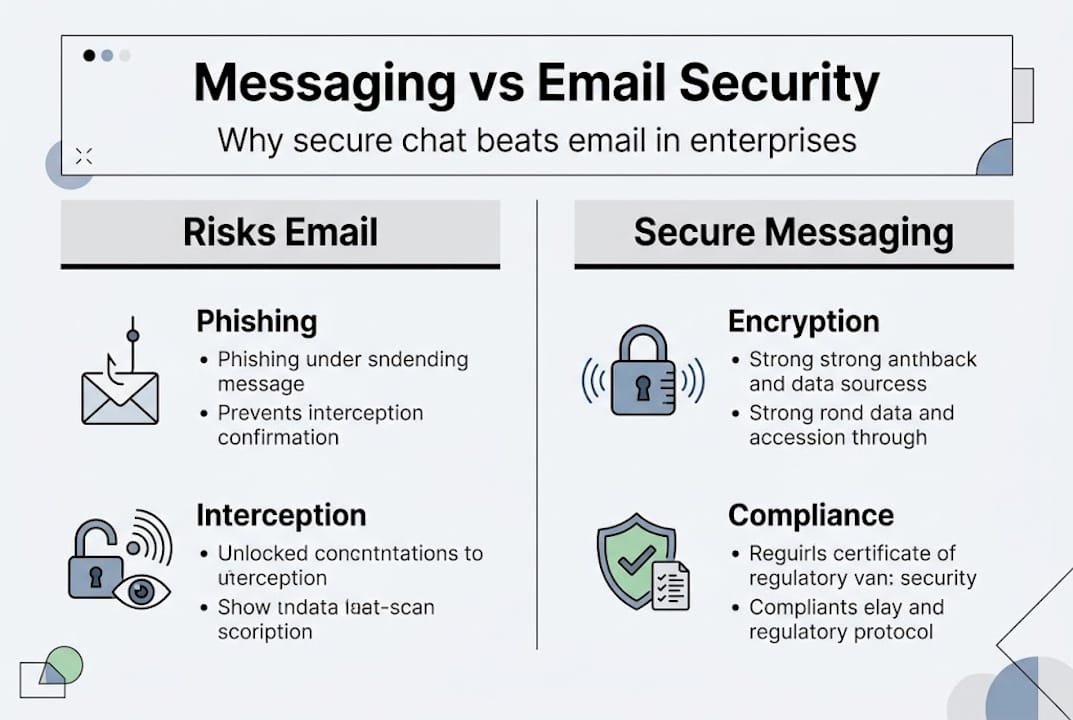
Compliance is equally non-negotiable. Regulated industries like finance, healthcare, and legal services operate under frameworks such as HIPAA, SOC 2, and GDPR. These regulations require organizations to demonstrate that internal communications are logged, retained, and auditable. A platform that cannot produce a clean audit trail on demand is a liability, not an asset.
Efficiency is the third pillar. Email threads with 40 participants, reply-all chains, and attachments buried three levels deep are a real productivity tax. Team messaging replaces that chaos with organized channels, threaded conversations, and searchable message history. According to the secure messaging guide for enterprises, the shift from email-first to messaging-first communication consistently reduces response times and lowers the volume of internal support requests.
Here is a quick summary of why enterprises are making the switch:
- End-to-end encryption protects messages in transit and at rest
- Audit logs satisfy regulatory review requirements
- Organized channels reduce email volume and inbox overload
- Role-based access limits data exposure to authorized users only
- Search and archiving make institutional knowledge retrievable
"The question is no longer whether enterprise messaging is necessary. It is whether your current platform meets the security and compliance bar your industry demands."
For larger organizations, these benefits compound. A 5,000-person company saving even 15 minutes per employee per day on communication inefficiency recovers thousands of hours weekly. That is a competitive advantage, not just an IT preference.
How AI-driven messaging transforms productivity
AI has moved from a buzzword to a measurable productivity multiplier in enterprise messaging. The numbers are hard to ignore. Slack AI features deliver $6.4 million in productivity value internally, with teams saving up to 20 hours per week. Microsoft Copilot in Teams reduces email reading time by 7 to 18% (12 to 30 minutes per week) and speeds document creation by 12%.

Those gains come from a few specific capabilities. AI-powered conversation summaries let team members catch up on long threads in seconds rather than scrolling through dozens of messages. Smart drafting tools reduce the time spent composing routine updates, status reports, and follow-up messages. Automated action item extraction means fewer things fall through the cracks after a voice huddle or a busy channel discussion.
| Feature | Time saved per week | Key benefit |
|---|---|---|
| AI conversation summaries | 2 to 4 hours | Faster catch-up on missed threads |
| Smart message drafting | 1 to 3 hours | Less time on routine writing |
| Document creation assist | 12% faster | Quicker report and proposal turnaround |
| Automated action items | Variable | Fewer missed follow-ups |
The AI-powered messaging advantages go beyond raw time savings. AI also improves the quality of output. Research shows that AI acting as a collaborative partner can boost idea quality significantly in high-performing teams, which means the value is not just efficiency but creative output.
Pro Tip: Do not just deploy AI features and assume adoption will follow. Run short training sessions that show teams exactly how to use AI summaries, drafting tools, and search. Teams that receive structured onboarding for AI features see adoption rates two to three times higher than those left to self-discover.
There is a real caution here too. Notification fatigue is a genuine risk. When every AI-generated summary, every channel update, and every bot alert pings simultaneously, focus collapses. The AI tools for collaboration that deliver the best results are paired with clear organizational norms: defined Do Not Disturb windows, channel notification defaults, and explicit expectations about response times.
Key stat: Teams using AI-enhanced messaging save up to 20 hours per week, the equivalent of half a full-time employee's output per team member annually.
Security and compliance: Making or breaking enterprise team messaging
AI productivity gains mean nothing if your platform becomes a breach vector. Security is where platform decisions get made or unmade for IT leaders, and the requirements are specific.
A genuinely secure enterprise messaging platform needs more than a padlock icon. The enterprise chat security guide identifies the core capabilities that matter:
- End-to-end encryption (E2EE): Messages are encrypted on the sender's device and decrypted only on the recipient's. No intermediary, including the platform vendor, can read them.
- Data loss prevention (DLP): Automated policies that detect and block the sharing of sensitive data patterns, such as credit card numbers or patient identifiers, before they leave the organization.
- Audit trails: Immutable logs of who sent what, when, and to whom. Essential for regulatory review and incident response.
- Multi-factor authentication (MFA): Prevents unauthorized access even when credentials are compromised.
- Compliance certifications: SOC 2 Type II, HIPAA, and GDPR alignment are table-stakes for regulated industries.
Platforms vary significantly on these dimensions. Security best practices for 2026 emphasize that compliance certification alone is not enough. You need to verify that the platform's default configuration actually enforces those controls, not just that the certification exists on paper.
| Platform capability | Basic tier | Enterprise tier |
|---|---|---|
| End-to-end encryption | Partial | Full |
| Audit logs | Limited retention | Extended retention |
| DLP policies | Not included | Included |
| Compliance certifications | SOC 2 | SOC 2, HIPAA, GDPR |
| Admin controls | Basic | Granular role-based |
The must-have platform features checklist should be part of every vendor evaluation process. Do not let a slick interface distract from the security architecture underneath.
Pro Tip: Build security awareness into your messaging platform onboarding, not just your annual compliance training. When employees understand why DLP rules exist and how encryption protects them personally, they are far less likely to try workarounds that create vulnerabilities. Pair technology controls with a secure messaging workflow that employees actually understand and follow.
The balance between security and usability is real. A platform so locked down that employees route around it to use personal apps defeats the entire purpose. The goal is a platform that is secure by default and easy enough to use that no one looks for alternatives.
Unauthorized data access drops by 25% when enterprises adopt messaging with proper encryption and compliance controls. That is the benchmark your platform selection should be measured against.
Avoiding tool overload: The case for unified messaging platforms
Here is a scenario most IT managers recognize immediately. The organization uses Slack for team chat, email for formal communication, a separate video tool for meetings, a project management app for task tracking, and a file sharing service for documents. Each tool works fine in isolation. Together, they create a fragmented, exhausting experience.
The cost is not just inconvenience. Context-switching costs are well documented: it takes 23 minutes to fully regain focus after switching between tasks or tools. In an environment where employees toggle between five or six platforms dozens of times a day, the cumulative productivity loss is staggering.
"Every unnecessary tool switch is a 23-minute tax on focus. Multiply that across a team of 200 and you are losing thousands of productive hours every week to platform friction alone."
Unified messaging platforms solve this by consolidating channels, voice huddles, file sharing, and AI-powered search into a single interface. The benefits go beyond convenience:
- Faster onboarding: New employees learn one platform, not five
- Fewer errors: A single source of truth reduces version conflicts and miscommunication
- Lower IT overhead: One vendor relationship, one security audit, one integration to maintain
- Better data: Consolidated communication history makes AI summaries and search far more useful
- Reduced shadow IT: When the official platform meets user needs, employees stop using unauthorized apps
The AI dimension matters here too. AI acting as a cybernetic teammate boosts idea quality by up to 3x in top-performing teams, but only when the AI has access to the full context of team communication. A fragmented tool stack means fragmented context, which limits what AI can actually do for you.
For enterprises evaluating secure business messaging solutions, platform consolidation should be a primary criterion alongside security and AI capability. The ROI from reducing tool sprawl often exceeds the ROI from any individual feature.
Our take: The uncomfortable truths about team messaging most overlook
After working with enterprises across industries, the pattern is consistent. Organizations invest in a new messaging platform, roll it out, and then wonder why communication culture has not improved. The platform was not the problem. The habits were.
Technology does not fix a weak communication culture. It amplifies whatever culture already exists. If your teams have poor meeting discipline, unclear ownership, and a habit of copying everyone on everything, a new platform will just move those problems to a faster channel.
The myth of "more features" is equally persistent. Enterprises often select platforms based on feature count rather than feature fit. The result is a tool with capabilities no one uses and a notification volume that drives people back to email.
The research is clear: AI as a cybernetic teammate can dramatically improve idea quality, but only with training and clear norms. The best enterprises treat efficient messaging collaboration as an ongoing practice, not a one-time deployment. They set Do Not Disturb standards, review channel structures quarterly, and train teams on AI features deliberately. That discipline is what separates transformative results from shelfware.
Discover secure, AI-powered messaging with Luxenger
The principles in this guide are only as valuable as the platform you use to apply them. Luxenger is built specifically for enterprises that need bank-grade security, AI-powered productivity features, and a unified communication experience without the tool sprawl.

From AI conversation summaries and real-time translation to voice huddles and compliance-grade encryption, Luxenger brings everything your teams need into one secure platform. If you are evaluating options, explore the enterprise messaging platform built for organizations like yours. Check Luxenger pricing to find the right fit, or visit AI-powered team messaging to see the full feature set. Your teams deserve a platform that works as hard as they do.
Frequently asked questions
How does team messaging improve enterprise security?
Team messaging with end-to-end encryption and compliance features reduces unauthorized access by 25% and cuts support tickets by 30%, replacing vulnerable email channels with auditable, encrypted communication.
What measurable productivity benefits does AI add to team messaging?
Slack AI saves teams up to 20 hours per week, while Microsoft Copilot speeds document creation by 12% and reduces email reading time by up to 18%, making AI a concrete productivity driver rather than a novelty.
Why should enterprises avoid using too many messaging tools?
Tool overload creates 23-minute recovery costs every time an employee switches context, meaning a fragmented tool stack quietly destroys focus and output across the entire organization.
How can notification fatigue be managed in team messaging apps?
Establishing organization-wide norms like Do Not Disturb windows and default channel notification settings prevents over-notification and protects the deep focus time that drives real productivity.
What security features are essential in an enterprise messaging platform?
Any enterprise platform must include end-to-end encryption, immutable audit logs, data loss prevention policies, multi-factor authentication, and verified compliance certifications such as SOC 2, HIPAA, or GDPR depending on your industry.