

TL;DR:
- Insecure enterprise chat can expose sensitive data and cost organizations millions.
- Proper risk assessment, platform evaluation, and configuration are essential for secure messaging.
- Ongoing management and cross-team accountability are critical for maintaining security and compliance.
A single misconfigured guest channel can expose months of sensitive contract negotiations, financial forecasts, or personal employee data to the wrong hands. For IT and communications managers, that is not a hypothetical. Insecure enterprise chat has become one of the most underestimated attack surfaces in corporate environments, and the cost of getting it wrong runs into millions. Federal guidance mandates E2EE for mobile and electronic messaging and requires alignment with frameworks like NIST 800-53. This guide walks you through the practical steps to assess your risks, evaluate platforms, configure controls, and manage the real-world threats that keep IT teams up at night.
Table of Contents
- Assessing risks and requirements for secure enterprise chat
- Evaluating secure messaging platforms: What to look for
- Implementing security controls and compliance frameworks
- Managing real-world risks: External sharing, mobile use, and metadata
- Why most enterprise chat security strategies fail (and what works instead))
- Secure your enterprise chat with Luxenger
- Frequently asked questions
Key Takeaways
| Point | Details |
|---|---|
| Identify risks and compliance needs | Clarify what sensitive data is in play and what regulations (like GDPR or HIPAA) govern your chat usage. |
| Compare platform security features | Vet leading messaging solutions for critical protections like E2EE, audit logging, and provision controls. |
| Implement frameworks and document controls | Follow tactical frameworks such as CIS and NIST, and keep thorough records of your configurations and audits. |
| Address ongoing operational risks | Stay vigilant against external sharing, mobile endpoint threats, and metadata leakage beyond basic encryption. |
| Choose the right secure messaging partner | Partner with platforms that prioritize compliance, adaptable controls, and continuous cybersecurity support. |
Assessing risks and requirements for secure enterprise chat
To secure enterprise chat effectively, organizations must first clarify what exactly is at stake and what compliance standards apply. Skipping this step is how enterprises end up retrofitting security onto platforms that were never built for their risk profile.
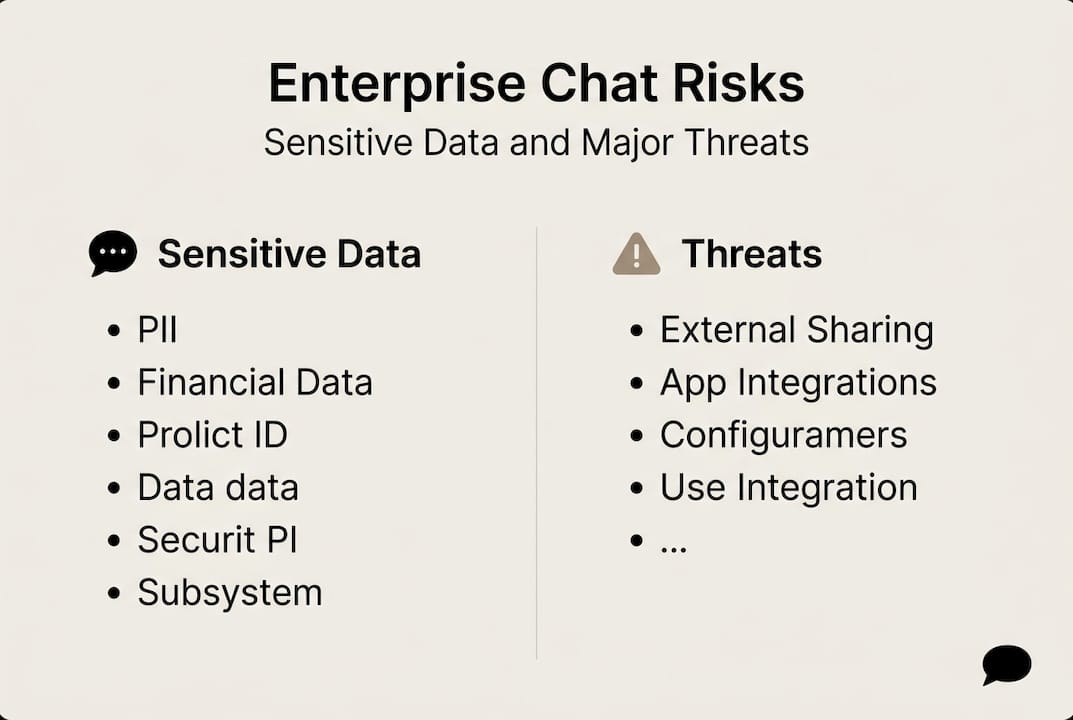
Start by mapping the sensitive data types your teams share over chat. This typically includes personally identifiable information (PII), intellectual property, financial projections, legal communications, and customer records. Each category carries different regulatory weight, and treating them the same is a common mistake. Understanding enterprise messaging data security at this granular level shapes every decision that follows.
Next, identify which regulatory frameworks govern your organization. Here is a quick reference:
| Regulation | Industry | Key chat requirements |
|---|---|---|
| GDPR | All (EU data) | Data minimization, right to erasure, breach notification |
| HIPAA | Healthcare | Encryption, access controls, audit logs |
| FINRA | Financial services | Message retention, supervision, archiving |
| SOC 2 | Technology/SaaS | Availability, confidentiality, security controls |
| NIST 800-53 | Federal/regulated | E2EE, access management, incident response |
Regulated industries must verify compliance with audits and maturity frameworks like CIS IG1 through IG3, which tier controls by organizational size and risk exposure. Knowing your tier before selecting a platform saves significant rework later.
Beyond regulations, your foundational requirements list should include:
- End-to-end encryption (E2EE) for messages in transit and at rest
- Audit trails with tamper-proof logging for all user activity
- Data retention and deletion policies aligned to your legal obligations
- Granular admin controls for user provisioning and permission management
- External sharing restrictions to limit data flow outside your organization
- Third-party integration governance to prevent data leakage through connected apps
- BYOD (bring your own device) policies with mobile device management (MDM) enforcement
Edge cases matter here. External sharing, third-party app integrations, and BYOD scenarios are where most breaches originate. Reviewing secure messaging workflow steps early helps you anticipate these gaps before they become incidents. Also check your federal compliance toolkit requirements if your organization handles government contracts or regulated data.
Pro Tip: Bring your legal and compliance teams into the platform evaluation process from day one, not after you have already signed a contract. Their input on data residency, retention schedules, and eDiscovery requirements can eliminate entire categories of platforms that would otherwise seem like good fits.
Evaluating secure messaging platforms: What to look for
Once requirements are mapped, the next step is comparing platforms on concrete, security-driven criteria. The market is crowded, and vendor marketing tends to blur meaningful distinctions.
Every enterprise-grade messaging platform you evaluate should offer these non-negotiable security features:
- End-to-end encryption (default, not optional)
- Data loss prevention (DLP) integration
- Single sign-on (SSO) and identity and access management (IAM) support
- Compliance auditing and eDiscovery tools
- External sharing restrictions with domain allowlisting
- Role-based access controls and user provisioning via SCIM
Here is how leading platforms compare on core security dimensions:
| Platform | Default E2EE | DLP support | Compliance tools | Security score |
|---|---|---|---|---|
| Amazon Wickr | Yes | Yes | Strong | 9.7/10 |
| Mattermost | Yes (self-hosted) | Yes | Strong | 9.2/10 |
| Wire | Yes | Partial | Moderate | 8.7/10 |
| Microsoft Teams | Partial | Yes | Strong | 8.4/10 |
| Slack | No (default) | Yes | Moderate | Lower |
Top secure messaging tools ranked by feature set, ease of use, and value place Amazon Wickr at 9.7 out of 10, with Mattermost at 9.2, Wire at 8.7, and Microsoft Teams at 8.4. That spread matters when you are making a long-term infrastructure decision.
Slack is widely adopted, but Slack lacks default E2EE and relies on IAM, DLP, audit logs, and app governance to compensate. That is a meaningful gap for organizations in regulated industries. Explore secure messaging platform features in detail before defaulting to the most familiar name.
The self-hosted versus SaaS decision also deserves serious attention. Self-hosted platforms give you full control over data residency and encryption key management, which is critical for government, defense, and healthcare environments. SaaS platforms offer faster deployment and lower infrastructure overhead, but you are trusting the vendor's security posture. Review secure messaging solutions across both deployment models to find the right fit.
When vetting any vendor, run through this checklist before signing:
- Does the vendor publish independent security audit results?
- What is their incident response and breach notification SLA?
- Do they support your required compliance certifications (SOC 2, ISO 27001, FedRAMP)?
- Can you manage encryption keys independently?
- What happens to your data if you terminate the contract?
Implementing security controls and compliance frameworks
With the right platform in place, the focus shifts to configuring robust controls and ensuring regulatory alignment. Selecting a secure platform is only half the job. How you configure it determines your actual risk exposure.
Here is a practical rollout checklist for IT managers:
- Enable multi-factor authentication (MFA) for all users before launch
- Configure SSO and IAM integration to centralize identity management
- Activate E2EE at the organization level, not just for select channels
- Set up DLP rules to flag or block transmission of sensitive data patterns
- Enable audit logging with tamper-proof storage and defined retention periods
- Configure mobile device management policies for BYOD and company-issued devices
- Define and document data retention and deletion schedules per regulation
- Run a phased pilot with a small user group before full deployment
- Conduct a post-rollout audit within 30 days to catch misconfigurations
- Schedule recurring security training for all platform users
CIS Controls v8.1 covers 18 controls and 153 safeguards, making it highly tactical and implementation-focused. NIST CSF 2.0 is more strategic, providing a risk management framework that maps to business outcomes. Use CIS when you need specific, actionable safeguards. Use NIST CSF when you need to align security with executive-level risk reporting. Many mature organizations use both in parallel.
Federal guidance mandates E2EE, NIST 800-53 alignment, and mobile device management as baseline requirements for compliant messaging environments. If your organization handles government data, these are not optional.
Warning: Even with strong E2EE in place, metadata exposure remains a significant risk. Message timestamps, sender and recipient identities, frequency of communication, and channel membership data are often unencrypted and can reveal sensitive organizational patterns to adversaries or regulators.
Documenting your compliance posture is as important as building it. Maintain a living control register that maps each safeguard to its regulatory requirement, the team responsible, and the last verification date. Review enterprise messaging best practices and your confidential messaging guide to benchmark your documentation against current standards.
Pro Tip: Run staged rollouts by department rather than deploying organization-wide at once. This surfaces misconfigurations, user behavior issues, and integration gaps in a controlled environment before they affect your entire workforce.
Managing real-world risks: External sharing, mobile use, and metadata
Even with controls in place, day-to-day risks and external communication require constant attention. The most sophisticated security architecture can be undone by a single misconfigured guest workspace or an unmanaged personal device.
External sharing is one of the highest-risk activities in enterprise chat. Common scenarios and mitigations include:
- Client and partner channels: Restrict to approved domains using allowlisting; require guest users to authenticate via SSO
- File sharing with external parties: Apply DLP rules to outbound file transfers; log all external file access events
- Contractor access: Provision time-limited accounts with scoped permissions; auto-expire access after project completion
- Review workflows: Require manager approval before any new external channel is created
Slack Connect's external sharing risks specifically require domain allowlisting to prevent unauthorized parties from joining shared channels. On-premises deployments help with data sovereignty, but metadata exposure remains a challenge even when message content is fully encrypted.
Expert note: Metadata generated by your chat platform, including who communicates with whom, at what times, and how often, can be as sensitive as the message content itself. Many organizations invest heavily in encrypting message bodies while leaving metadata entirely unprotected.
For mobile use, MDM is non-negotiable in regulated environments. Your MDM policy should enforce device encryption, remote wipe capability, and app-level containerization to separate corporate chat data from personal apps. BYOD adds complexity because employees resist invasive controls on personal devices. A well-designed acceptable use policy, combined with containerized apps, balances security with employee trust.

On-premises deployment gives you direct control over where data physically resides, which matters for data sovereignty in jurisdictions with strict localization laws. Cloud deployments are faster to scale but require careful review of the vendor's data residency commitments. Review secure messaging platform guidance and scalable secure messaging options to align your deployment model with your data residency obligations.
Close critical external chat vulnerabilities by auditing guest access lists quarterly, reviewing domain allowlists monthly, and running automated alerts for anomalous external sharing activity.
Why most enterprise chat security strategies fail (and what works instead)
Beyond tactics and frameworks, perspective from the field can illuminate why some security programs succeed while many struggle. The pattern we see repeatedly is this: organizations adopt a messaging platform, then spend months patching security holes reactively. That approach rarely scales and almost never satisfies auditors.
What actually works is starting with your data flows and realistic risk scenarios before you ever evaluate a vendor. When you understand exactly which data moves through chat, who touches it, and what the blast radius of a breach looks like, technology selection becomes straightforward. The platform serves your risk model, not the other way around.
Enterprise teams consistently underinvest in two areas after rollout: ongoing user training and scheduled post-deployment audits. Security configurations drift. Users find workarounds. New integrations introduce gaps. A quarterly audit cycle and a living training program are what separate organizations that maintain strong posture from those that discover problems during an incident.
True resilience also requires cross-functional accountability. IT owns the controls, but legal, HR, compliance, and business unit leaders all share responsibility for how chat is used. Embedding that accountability through clear policies and regular reviews, as outlined in real-world security best practices, is what sustains security over time. Software alone never does.
Secure your enterprise chat with Luxenger
Implementing the controls and frameworks in this guide puts you ahead of most organizations. The next critical decision is choosing a platform built to support that posture from day one, not one you have to constantly secure around.

Luxenger is built for enterprises that cannot afford to compromise on security or productivity. With bank-grade encryption, AI-powered conversation summaries, real-time translation, and compliance-ready controls, it gives IT managers the tools to enforce policy without slowing teams down. Explore enterprise messaging for operations to see how Luxenger fits your environment, or review Luxenger pricing to plan your rollout. Schedule a personalized demo to see the platform's security and compliance features in action.
Frequently asked questions
What is end-to-end encryption (E2EE) in enterprise chat apps?
E2EE ensures messages are encrypted on the sender's device and only decrypted by the intended recipient, blocking interception by third parties, including the platform provider. Federal guidance mandates E2EE as a baseline requirement for compliant enterprise messaging environments.
How can I make Slack more secure for enterprise use?
Enable IAM integration, configure DLP rules, activate audit logging, and manage app governance tightly, since Slack lacks default E2EE and relies on these compensating controls to meet enterprise security standards.
Which compliance frameworks apply in the US for chat security?
CIS Controls v8.1 and NIST CSF 2.0 are the most widely used frameworks for enterprise chat security in the US, with NIST 800-53 required for organizations handling federal data.
What are the biggest risks of external chat sharing?
The main risks are data exposure to unauthorized users and accidental leaks through misconfigured guest access or domains. Slack Connect external sharing risks can be significantly reduced through domain allowlisting and structured guest provisioning workflows.