

TL;DR:
- Selecting AI features for enterprise communication requires prioritizing security and measurable productivity benefits over fleeting trends.
- A criteria-driven framework emphasizes access control, integration, auditability, and scalability to ensure safe, effective deployment of AI tools.
Selecting AI features for enterprise communication is no longer about chasing the latest trends. It's about identifying which capabilities actually move the needle on productivity while keeping sensitive organizational data locked down tight. Many IT managers find themselves caught between ambitious AI roadmaps and strict compliance requirements, unsure which features deliver real value versus flashy demos. This guide cuts through that noise. You'll find a practical, criteria-driven framework for evaluating, selecting, and deploying AI-powered workplace tools that serve your teams without exposing your organization to unnecessary risk.
Table of Contents
- How to evaluate AI features for enterprise productivity
- Must-have AI features enhancing workplace productivity
- Comparing leading enterprise AI features head-to-head
- Choosing the right AI tools for your organization
- Why productivity gains require secure-by-design AI—what most deployments miss
- Drive secure productivity gains with Luxenger's enterprise AI suite
- Frequently asked questions
Key Takeaways
| Point | Details |
|---|---|
| Security must lead | Embed permission-aware retrieval and access controls from the start for safe productivity gains. |
| Feature impact comparison | Evaluate AI capabilities side by side in terms of both usability and security value. |
| Decision framework | Apply a tailored checklist to match tool capabilities with your workflow and compliance needs. |
| Prevent noisy AI pitfalls | Design for permission boundaries to avoid irrelevant suggestions and accidental data exposure. |
How to evaluate AI features for enterprise productivity
Having established the need for a criteria-driven approach, let's outline what those criteria should encompass.
The first and most important principle: treat security as a gate, not an afterthought. Before any AI feature touches your environment, it must meet your access control requirements. Secure knowledge-grounded productivity assistants require access control at the vector-layer to prevent privilege escalation. This means your evaluation process should start with architecture questions, not feature demos.
When assessing any AI tool or feature, use this numbered checklist to structure your review:
- Security and access control: Does the platform enforce permission-aware retrieval? Can it restrict AI responses based on user roles and data sensitivity?
- Integration fit: How well does the AI layer integrate with your existing messaging, document management, and compliance systems?
- Auditability: Does the platform provide logs showing what data the AI accessed, when, and for whom?
- Productivity impact: Which specific workflows does this feature accelerate? Can you measure the before-and-after impact?
- Noise reduction: Does the AI help teams focus, or does it generate irrelevant alerts and suggestions that create more distraction?
- Scalability: Will the feature perform reliably across 500 users? 5,000? Does licensing scale reasonably?
- Maintainability: Who owns updates and policy changes? Is it your IT team, the vendor, or a mix?
This checklist connects directly to a broader AI collaboration tools evaluation process that many enterprise IT teams are now formalizing as AI adoption accelerates.
"Permission boundaries must be architectural. Retrieval systems that ignore user-level access controls don't just create compliance risk. They actively undermine the trust that makes AI adoption sustainable in enterprise environments."
Pro Tip: Before inviting any vendor to demo their AI features, send them a written questionnaire covering your access control requirements, audit log capabilities, and integration points. Vendors who can't answer clearly in writing are not ready for enterprise deployment.
Stakeholder needs assessment is another step that often gets skipped. Your legal team has different AI needs than your sales team or your engineering department. A single AI rollout without input from these groups often results in low adoption, shadow IT workarounds, or worse, accidental data exposure because the tool was configured for the wrong use case.
Must-have AI features enhancing workplace productivity
With an evaluation framework defined, let's explore the specific AI features that consistently boost workplace productivity and security.
Not all AI features are created equal. Some generate buzz but deliver minimal measurable value in practice. The features below have a strong track record in enterprise environments, and each comes with real security considerations you need to plan for.
Context-aware summarization is one of the highest-impact features available today. Whether it's summarizing a 200-message thread, condensing a one-hour meeting into key decisions, or distilling a 40-page document into action items, AI summarization saves hours per week per employee. The security consideration: your AI must only summarize content the requesting user is authorized to see. This is not a minor footnote. It's the difference between a productivity tool and a data leakage vector.
AI-driven search and retrieval with access-aware filtering allows employees to find what they need across messaging, documents, and knowledge bases without spending 20 minutes hunting through folders. The key word is "access-aware." Similarity-based vector retrieval without access filtering can surface unauthorized documents, which is why chunk-level policy tagging and query-time filtering are recommended best practices.
Secure knowledge-grounded assistants (often called RAG bots, where RAG stands for Retrieval-Augmented Generation) connect AI responses to your organization's actual knowledge base rather than relying on generic model training. These assistants can answer questions about your internal policies, recent project updates, or product specifications because they retrieve and reference real internal content. The critical requirement: that retrieval must be scoped to what each user is permitted to access.

Automated workflows and follow-ups cover everything from scheduling reminders after a meeting ends to routing action items to the right person automatically. When implemented well, these features eliminate the manual coordination overhead that bogs down project managers and team leads.
Intelligent routing and response suggestions reduce notification overload by prioritizing high-signal messages and filtering low-priority noise. For enterprise teams handling hundreds of messages daily, this feature alone can meaningfully reduce cognitive load.
You can review a broader breakdown of AI workplace assistants and the AI collaboration platforms that deliver them most effectively.
| AI Feature | Productivity impact | Security consideration |
|---|---|---|
| Context-aware summarization | Reduces reading and review time by 40-60% | Must respect user-level access permissions |
| Access-aware AI search | Cuts information retrieval time significantly | Requires chunk-level policy tagging |
| RAG knowledge assistants | Delivers accurate, context-specific answers | Permission-enforced retrieval is mandatory |
| Automated workflows | Eliminates manual coordination overhead | Audit trails required for compliance |
| Intelligent routing | Reduces notification overload | Scope filters prevent cross-team data exposure |
Pro Tip: When piloting AI summarization, test it specifically on threads or documents that contain mixed-sensitivity content. If the summary includes details from sections the requesting user shouldn't see, your retrieval layer has a gap that needs to be addressed before full deployment.
Comparing leading enterprise AI features head-to-head
Now that you know the must-have features, compare how leading solutions implement them and what differences matter most for enterprise teams.
The feature set described above sounds straightforward in theory, but implementation quality varies enormously across platforms. Permission-aware retrieval prevents unauthorized content from entering model context, which is crucial for secure AI-powered communication. Yet many platforms treat this as an optional configuration rather than a core architectural requirement.
Here's a direct comparison of how different implementation approaches handle the features that matter most:
| Capability | Generic AI chatbot | Permission-aware RAG assistant |
|---|---|---|
| Knowledge grounding | Uses training data only | Retrieves from internal knowledge base |
| Access enforcement | No user-level filtering | Scoped to individual user permissions |
| Audit trail | Minimal or none | Full query and retrieval logging |
| Compliance readiness | Low | High |
| Response accuracy for internal content | Poor | High |
| Risk of data leakage | Significant | Minimal when properly configured |
The difference between a generic AI chatbot and a permission-aware RAG assistant is not cosmetic. It's the difference between a tool that can be deployed company-wide and one that is too risky to use outside of a sandboxed pilot. Explore top AI collaboration tools and what secure AI-powered team collaboration looks like in practice to get a clearer picture of what to expect from enterprise-grade implementations.
Here are the most common scenarios where the choice of feature combination matters most:
- High-compliance industries (legal, healthcare, finance): Prioritize permission-aware RAG assistants with full audit logging and role-based access controls over any feature that lacks granular permission enforcement.
- Distributed or multilingual teams: AI-driven summarization and real-time translation are the highest-value features, but both must be deployed with language-specific access controls to avoid cross-regional data exposure.
- Project-heavy engineering teams: Automated workflow triggers and AI search are the biggest time-savers, particularly when integrated with ticketing and version control systems.
- Executive and leadership teams: AI meeting summarization with strict distribution controls is essential. Not every summary should go to every attendee, let alone anyone who finds the thread later.
- Customer-facing or partner-integrated teams: Extra scrutiny is required on any AI feature that touches external communication channels, since the risk of accidental data exposure multiplies when non-employees are involved.
Choosing the right AI tools for your organization
After comparing features, here's how to make a decision tailored to your organization's security posture and productivity needs.
No feature evaluation framework is complete without a vendor interrogation checklist. Before signing any contract or even committing to a proof of concept, ask your prospective vendors these questions directly:
- Access controls: How does your platform enforce user-level permissions in AI retrieval? Is access control implemented at the vector layer, or only at the application layer?
- Audit logging: What exactly is logged when an AI feature is used? Can your team access those logs, and for how long are they retained?
- Integration scope: What systems does your AI connect to, and how are cross-system permissions handled?
- Privilege escalation prevention: How does your architecture prevent an AI assistant from returning content a user isn't authorized to see, even indirectly?
- Data residency: Where is retrieved content processed, and does it ever leave your defined geographic or regulatory boundary?
- Incident response: If an unauthorized retrieval is detected, what is the platform's notification and remediation process?
Permission boundaries are an architectural requirement. Organizations that skip this step and try to layer access controls on top of an AI system after deployment consistently face expensive remediation and compliance headaches.
For industry-specific guidance, the recommendations differ meaningfully:
Legal and financial services firms should require zero-trust retrieval architectures, meaning the AI system must prove a user has access to each piece of content before including it in any response or summary. Healthcare organizations operating under HIPAA must ensure that AI assistants never surface protected health information to unauthorized users, which requires both technical controls and staff training on appropriate AI use.
"Secure AI deployment checklist: (1) Confirm permission-aware retrieval at the vector layer. (2) Validate audit logs cover all AI-initiated data access. (3) Test cross-role retrieval boundaries before go-live. (4) Establish an ongoing review cycle for access policy updates. (5) Train staff on responsible AI use and reporting procedures."
You can find more actionable guidance on AI productivity tools and AI-driven collaboration strategies that enterprise IT teams have used to build sustainable, secure adoption programs.
Why productivity gains require secure-by-design AI—what most deployments miss
Most organizations approach AI deployment with a feature-first mindset. They ask, "What can this AI do for us?" before they ask, "What could this AI expose?" That ordering is exactly backward, and it's the root cause of most failed or stalled enterprise AI deployments.
The teams that successfully unlock lasting productivity gains from AI tools share one characteristic: they treated security architecture as the foundation, not the final layer. Permission-aware retrieval, role-scoped access, and full audit logging were requirements before the first feature was enabled, not tickets that got opened after the first security incident.
External-channel leakage and noisy auto-responses are real risks when AI permission boundaries are not architecturally defined. We've seen this pattern repeatedly. An organization deploys an AI assistant that performs brilliantly in demos, only to discover weeks later that it's surfacing confidential HR documents in response to general knowledge queries, or auto-responding to external partners with internal context it should have never accessed.
The productivity cost of these incidents is enormous and often invisible. Teams stop trusting the AI. Usage drops. IT scrambles to patch access controls that should have been built into the architecture from day one. The tool that was supposed to save hours per week ends up costing weeks of remediation effort.
The uncomfortable truth is that most AI vendors lead with productivity metrics because those are the numbers that close deals. Security architecture is harder to demo in a 45-minute call. That's why IT decision-makers need to flip the conversation. Lead with your security requirements. If a vendor can't satisfy those requirements clearly and technically, no productivity metric they offer is worth the risk.
This is also why understanding why organizations choose AI tools for team collaboration matters so much. The organizations that get it right aren't just buying productivity. They're buying trust, auditability, and control.
Drive secure productivity gains with Luxenger's enterprise AI suite
Ready to combine productivity with permission-aware security? Here's how Luxenger helps enterprises realize the promise of AI-powered collaboration.
Luxenger is built from the ground up for organizations that can't afford to trade security for convenience. The Luxenger platform brings together AI-powered conversation summaries, intelligent search, voice huddles, and real-time multilingual translation in a single, bank-grade secure environment designed for medium to large enterprise teams.
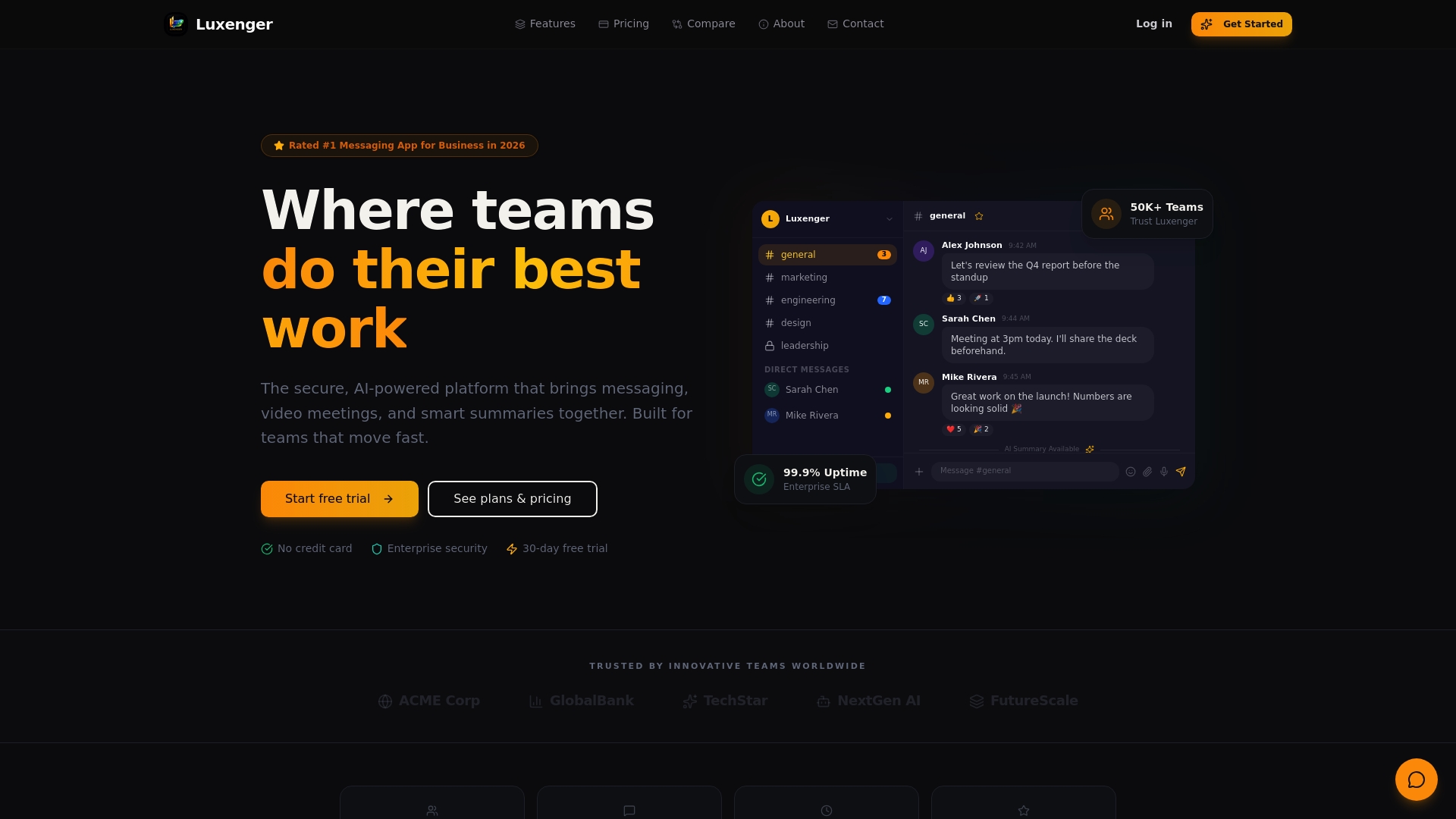
What sets Luxenger apart is that permission-aware architecture is not an add-on. It's the foundation. Every AI feature operates within your organization's access control policies, ensuring that summaries, search results, and assistant responses only surface content the requesting user is authorized to see. For IT teams managing complex compliance requirements, this means fewer incidents, cleaner audits, and faster, more confident AI adoption across the organization. Visit our secure messaging platform built for enterprise teams, or review enterprise AI pricing to find the right fit for your organization's scale and security requirements.
Frequently asked questions
What is permission-aware retrieval and why does it matter for enterprise AI tools?
Permission-aware retrieval ensures the AI only pulls and surfaces content that the requesting user is authorized to access, preventing data leaks and blocking privilege escalation via unauthorized retrieval. Without it, AI assistants can inadvertently expose sensitive documents to users who should never see them.
How can AI noise and auto-response issues be controlled in workplace environments?
Strict architectural permission boundaries reduce unwanted AI behavior significantly, since permission boundaries prevent external-channel leakage and curb overly broad auto-responses. IT teams should also configure scope filters that limit which channels and users each AI feature can interact with.
Which AI features are most important for secure team collaboration?
Context-aware summarization, permission-aware RAG assistants, and automated workflows are the core features that deliver both productivity and security value. Chunk-level policy tagging and query-time filtering are the technical mechanisms that keep document access secure within these features.
What questions should IT ask before adopting new AI features?
IT should ask vendors specifically about access control implementation at the vector layer, audit log retention policies, cross-system permission handling, and the platform's response process when unauthorized retrieval is detected. Vendors who answer vaguely on access control are not ready for enterprise deployment.
How do permission-aware AI features improve compliance?
They ensure only appropriate, access-permitted information is retrieved and used in AI responses, which directly supports audit readiness and regulatory adherence. Access filtering at the vector-layer helps maintain compliance by blocking unauthorized document retrieval before it can ever reach the AI model's context window.