

TL;DR:
- AI-powered workplace platforms deliver significant productivity gains and measurable ROI, transforming enterprise operations.
- Security features like data loss prevention and encryption are essential for compliance and enterprise trust.
- Successful platform adoption depends on thorough needs assessment, pilot testing, training, and alignment with team workflows.
AI-powered workplace tools aren't just a competitive edge anymore. They're quickly becoming the baseline for how enterprises operate. Microsoft Teams + Copilot delivers a 408% ROI while saving users roughly 25 hours per year on meetings alone. For IT and communications managers evaluating the crowded field of workplace productivity platforms, that number reframes the entire conversation. This guide covers what these platforms actually do, how AI and security shape their value, how leading tools compare, and how to build a rollout plan that sticks.
Table of Contents
- What is a workplace productivity platform?
- AI-enhanced productivity: From automation to measurable gains
- Enterprise-grade security and compliance: What to expect
- Comparing leading workplace productivity platforms
- How to select and implement the right platform
- Our take: Stop optimizing for features and start optimizing for fit
- See how Luxenger fits your enterprise
- Frequently asked questions
Key Takeaways
| Point | Details |
|---|---|
| AI drives real gains | Leading productivity platforms offer tangible time savings and ROI via advanced AI features. |
| Security is non-negotiable | Choose only tools with enterprise-grade security and compliance capabilities. |
| Benchmark top vendors | Evaluate market leaders like Asana, Wrike, Teams, and Slack against your organization's needs. |
| Prioritize integration | Ensure your chosen tool integrates with key business systems and existing workflows. |
| Pilot, train, measure | Successful adoption depends on piloting the solution, training users, and tracking productivity gains. |
What is a workplace productivity platform?
A workplace productivity platform is a digital workspace that centralizes the tools your teams use every day. Think task management, real-time communication, file sharing, workflow automation, and analytics, all within a single environment. These platforms are purpose-built to eliminate the friction of switching between disconnected apps and reduce the coordination overhead that slows enterprise teams down.
The core capabilities that define a mature productivity platform include:
- Task and project management: Assign work, track progress, and manage dependencies across teams and departments
- Communication and messaging: Real-time chat, threaded conversations, voice, and video channels
- File sharing and document collaboration: Centralized storage with version control and access permissions
- Workflow automation: Rules-based triggers that handle repetitive processes without human intervention
- Reporting and analytics: Dashboards that surface workload trends, bottlenecks, and performance signals
- AI capabilities: Summarization, smart suggestions, predictive insights, and natural language search
For complex enterprise environments, these features are not optional extras. They are the connective tissue between systems, people, and processes. Without them, teams rely on fragmented tools that create data silos and visibility gaps. Enterprise security best practices also demand that productivity platforms enforce access controls and audit trails at the infrastructure level.
As the Gartner CWM market shows, platforms like Asana, Wrike, Adobe Workfront, Smartsheet, and ClickUp lead enterprise adoption. Each takes a different angle on how work gets structured, and the right choice depends heavily on your organization's collaboration model, security requirements, and existing technology stack.
"A platform that only solves communication or only solves task management will eventually create new silos. The best platforms do both and connect them."
AI-enhanced productivity: From automation to measurable gains
AI has moved from a marketing talking point to a measurable productivity driver. The benchmarks are clear: Teams + Copilot reduces meeting time by 38 to 63 hours per user per year, with a verified 408% ROI. That is not a rounding error. That is a structural shift in how knowledge workers spend their time.
AI-driven capabilities now common in leading platforms:
| Capability | What it does | Platforms offering it |
|---|---|---|
| Meeting summarization | Condenses recordings into action items | Teams, Asana, Luxenger |
| Smart task creation | Converts conversations to tasks automatically | Asana, Wrike |
| Sentiment and workload analysis | Flags at-risk projects early | Wrike, Adobe Workfront |
| Real-time translation | Removes language barriers in global teams | Luxenger |
| Natural language search | Finds files and messages by plain-text queries | Slack, Teams |
AI's real value isn't in replacing judgment. It's in removing the low-value work that drains cognitive bandwidth. Automated summaries mean your team reads a three-line recap instead of a 90-minute meeting recording. Predictive task flagging means a project manager sees a delay risk before it becomes a missed deadline. AI's impact on teams is well documented, and enterprises that treat it as a supplement to human decision-making consistently outperform those that ignore it.
Pro Tip: Before selecting an AI-enhanced platform, audit your data quality. AI outputs are only as reliable as the inputs they process. If your task data is inconsistent or your meeting notes are unstructured, even sophisticated models will produce unreliable summaries.
Evaluating AI tools requires more than reviewing feature lists. Assess integration depth, how the AI handles sensitive data, and whether the vendor provides transparent documentation on model behavior. AI-powered summaries can dramatically reduce information overload, but only when implemented on clean, well-governed data. For meeting-heavy organizations, AI meeting assistants offer a practical starting point before rolling out broader AI capabilities.
Enterprise-grade security and compliance: What to expect
Every platform vendor claims enterprise-grade security. Not all of them mean the same thing. For IT managers in regulated industries, the gap between a vendor's marketing language and their actual compliance posture can create serious exposure.
Here is what genuine enterprise security looks like in a productivity platform:
- Data loss prevention (DLP): Policies that automatically block or flag sensitive data sharing across channels
- End-to-end encryption: Protects data in transit and at rest, with vendor-managed or customer-managed keys
- Audit logs and eDiscovery: Full activity trails that support legal hold, forensic review, and regulatory audits
- Sensitivity labels: Allow users and admins to classify content and apply access controls automatically
- Granular admin controls: Role-based permissions, guest access policies, and conditional access rules
- Compliance certifications: SOC 2 Type II, ISO 27001, HIPAA, FedRAMP, and GDPR as applicable
Microsoft Teams uses Purview for DLP, auditing, eDiscovery, and compliance labeling, setting a high bar that other enterprise platforms now measure themselves against. Understanding remote work compliance requirements is especially important as hybrid and distributed teams expand the attack surface for data governance failures.

Pro Tip: Ask every vendor for their shared responsibility model documentation. It spells out exactly which security controls they manage versus which ones your IT team must configure. Many compliance failures happen in the gap between what vendors offer and what enterprises actually activate.
When evaluating secure messaging choices, use a formal security checklist to avoid relying on vendor self-assessments alone. A thorough chat security guide can help your team ask the right questions before any procurement decision.
Comparing leading workplace productivity platforms
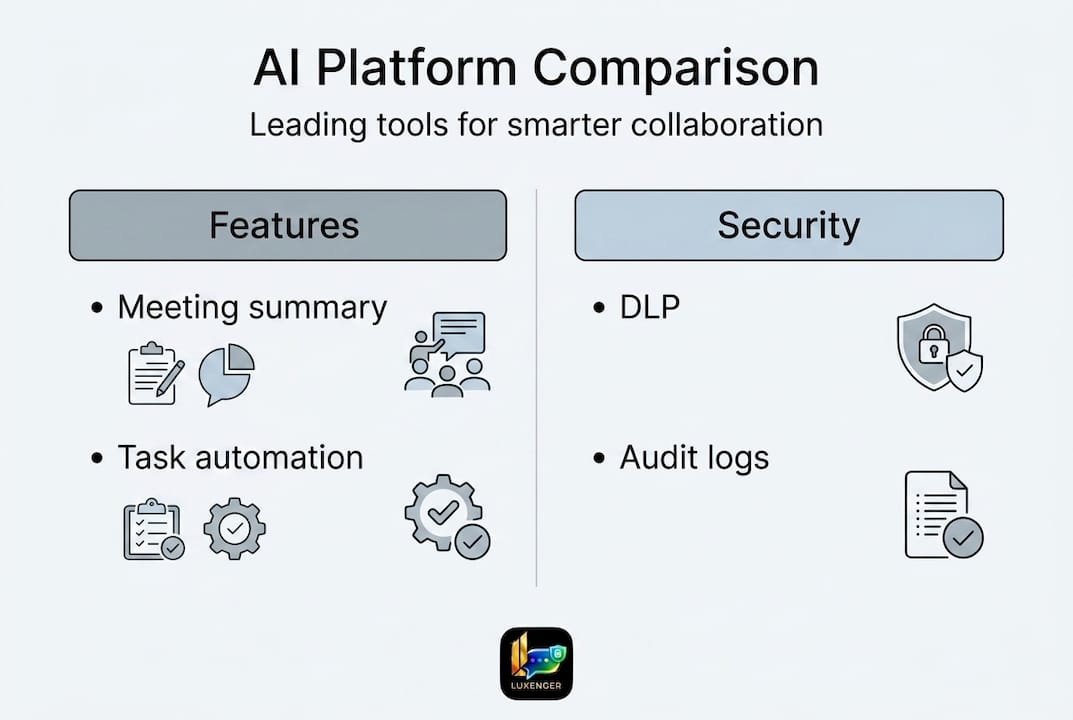
With AI and security benchmarks established, the next step is direct comparison. Asana and Wrike lead the Gartner Magic Quadrant for collaborative work management, while Forrester also rates Adobe Workfront, Asana, and Wrike highly for enterprise use cases.
| Platform | AI features | Security tier | Integrations | Best for |
|---|---|---|---|---|
| Microsoft Teams | High (Copilot) | Enterprise (Purview) | 700+ | Unified comms + compliance |
| Asana | High (AI Studio) | Enterprise | 300+ | Project-driven teams |
| Wrike | High (Work Intelligence) | Enterprise | 400+ | Complex workflows |
| Adobe Workfront | Moderate | Enterprise | 200+ | Marketing and creative ops |
| Smartsheet | Moderate | Enterprise | 100+ | Spreadsheet-native teams |
| Slack | High (Slack AI) | Enterprise Grid | 2,600+ | Communication-first teams |
| Luxenger | High (AI summaries, translation) | Bank-grade | Growing | Secure, multilingual comms |
When shortlisting platforms, use these criteria to prioritize:
- AI depth: Does the AI integrate with your actual workflows, or is it a standalone feature bolted onto the interface?
- Security posture: Does the platform meet your industry's compliance requirements out of the box, or will customization be required?
- Integration breadth: Can it connect to your existing ERP, HR, and ITSM systems without heavy custom development?
- Scalability: Can it support tens of thousands of users without performance degradation?
- Vendor stability: Is the platform backed by a company with a long-term roadmap aligned to your enterprise's direction?
For a deeper side-by-side breakdown, the platform comparison 2026 guide covers the full feature matrix across the most commonly evaluated tools. Teams focused specifically on messaging security should also review the Luxenger vs Slack breakdown for a direct analysis.
How to select and implement the right platform
Selecting the right platform is a decision that compounds over time. Get it right and adoption accelerates. Get it wrong and you spend the next two years managing workarounds. Here is a practical roadmap for enterprise rollout:
- Needs assessment: Map your current collaboration pain points, AI readiness, and security requirements. Interview department leads, not just IT. Communication managers often surface requirements that infrastructure teams miss.
- Vendor shortlist and scoring: Use a weighted scoring matrix with criteria like AI capability, security certifications, integration depth, and total cost of ownership. Gartner-recognized platforms for AI and compliance provide a validated starting point.
- Pilot design: Run a structured 30-to-60-day pilot with a representative user group from 2 to 3 departments. Focus on measuring adoption rate, time-to-task completion, and support ticket volume.
- Integration testing: Validate every critical integration before full deployment. API failures in production are harder to recover from than pilot-stage bugs.
- Training and change management: Build a training program before launch, not after. Early adopters become internal champions who accelerate broader rollout.
- Measurement and optimization: Define KPIs upfront: meeting hours reduced, task completion rates, response times. Revisit them at 30, 90, and 180 days.
Pro Tip: Assign a dedicated platform owner from both IT and communications management. Platforms that lack internal ownership tend to drift into underuse within 12 months of launch, regardless of how capable the technology is.
Our take: Stop optimizing for features and start optimizing for fit
The most common mistake enterprises make when evaluating productivity platforms is treating the selection process like a feature comparison exercise. More AI capabilities does not mean better outcomes. A platform with 12 AI features that your team uses 3 of will always underperform a platform with 6 features that are deeply embedded in daily workflows.
We have seen organizations select the most technically capable platform on the market and then spend 18 months fighting adoption because the change management was an afterthought. The technology was not the problem. The fit was.
Security and AI are no longer differentiators you choose between. The assumption that better security means less AI flexibility, or that AI-forward platforms cut corners on compliance, is outdated. The leading platforms in 2026 have resolved that tension. The real differentiator now is how well a platform aligns with how your teams actually communicate and collaborate, not just what the vendor's roadmap promises.
For multilingual enterprises or organizations running distributed teams across time zones, platforms that offer built-in real-time translation and asynchronous AI summaries are not just convenient. They are operationally necessary. Features that once sounded like premiums are now table stakes for global operations.
Choose the platform that fits your organization's actual behavior, not the one that wins the feature checklist.
See how Luxenger fits your enterprise
If your teams are navigating the decision between feature-heavy platforms and genuinely secure, AI-enhanced communication, Luxenger was built for exactly that challenge.

Luxenger combines bank-grade security with AI-powered summaries, real-time translation, and voice huddles in a single messaging platform designed for medium to large enterprises. There is no trade-off between capability and compliance. Whether you are evaluating Luxenger as a primary communication platform or exploring how it complements your existing productivity stack, visit Luxenger to see feature details, security documentation, and enterprise pricing. The right platform reduces friction. Let's make sure yours does.
Frequently asked questions
What is the biggest benefit of using a workplace productivity platform?
Top platforms deliver measurable time savings and tighter collaboration. Microsoft Teams + Copilot saves 25 hours per user per year while generating a 408% ROI, setting a concrete benchmark for what a well-deployed platform can return.
How do AI features improve team workflows?
AI eliminates repetitive low-value work like manual note-taking, status updates, and meeting recaps. AI-driven enterprise tools consistently show strong ROI when integrated into existing workflows rather than deployed as standalone add-ons.
What security features should enterprises demand in these tools?
Demand DLP, end-to-end encryption, audit logs, eDiscovery support, and granular role-based controls. Teams DLP and compliance tools via Microsoft Purview represent the current enterprise benchmark for what a fully governed platform looks like.
Which platforms are leaders for medium to large enterprises?
Asana and Wrike lead for AI-enhanced work management, while Teams and Slack dominate communication with compliance depth. Gartner positions Asana and Wrike as Leaders in the Collaborative Work Management Magic Quadrant.
How should organizations approach implementation?
Start with a structured pilot, validate integrations early, and train users before launch rather than after. Gartner-recognized platforms with proven AI and integration depth reduce implementation risk for complex enterprise environments.