

TL;DR:
- AI workplace assistants significantly increase productivity, saving over 30 minutes weekly and shortening document tasks.
- They enhance security through layered permissions, sensitivity labels, and zero-trust architectures to protect sensitive data.
- Successful adoption depends on ongoing governance, regular permissions audits, and integrating tools into secure, enterprise-grade platforms.
Most enterprise teams are leaving serious time and money on the table. A randomized controlled study found that regular users of AI workplace assistants save over 30 minutes per week on email alone and complete Word documents up to a full day faster. That is not a rounding error. For a 500-person organization, those gains quickly scale into thousands of hours recovered every year. But IT and communications managers know the harder question is not whether AI saves time. It is whether adopting these tools introduces unacceptable security risk. This guide cuts through the noise, presenting real ROI data, proven security mechanisms, and a practical decision framework so you can move forward with both speed and confidence.
Table of Contents
- What is an AI workplace assistant?
- Proven productivity gains: Real-world ROI from AI assistants
- Securing your AI: How enterprise AI assistants protect sensitive data
- Choosing the right AI workplace assistant for your enterprise
- What most enterprises overlook when adopting AI workplace assistants
- Secure, scalable AI collaboration with Luxenger
- Frequently asked questions
Key Takeaways
| Point | Details |
|---|---|
| Major productivity boost | AI workplace assistants consistently deliver significant time and cost savings across enterprise teams. |
| Built-in security protections | Top solutions enforce permission inheritance, data encryption, and compliance with organization policies out of the box. |
| Fit requires careful comparison | Enterprises should compare features, integration, and governance closely to pick the right assistant. |
| Evaluate beyond vendor claims | Thoroughly test assistant behavior in your environment to ensure compliance and real-world fit. |
What is an AI workplace assistant?
An AI workplace assistant is a software tool, typically powered by generative AI and natural language processing (NLP), embedded directly into the platforms your teams already use every day. Think of it as a tireless co-worker that reads context, drafts responses, summarizes conversations, and routes tasks, all without needing a separate app or login.
These tools operate across several functional areas:
- Email and document drafting: The assistant reads your prompt or an existing draft and generates polished text, complete with formatting.
- Meeting summarization: After a call ends, it extracts action items, decisions, and key discussion points into a structured summary.
- IT service management (ITSM): AI assistants triage support tickets, suggest resolutions based on historical data, and automate repetitive escalation steps.
- Knowledge retrieval: Employees ask questions in plain language and get answers drawn from internal wikis, HR policies, or project documentation.
The underlying technologies are worth understanding at a high level. Most enterprise AI assistants use retrieval-augmented generation (RAG), a method that grounds the AI's responses in your actual company data rather than letting it fabricate answers. Microsoft Copilot uses the Microsoft Graph to pull context from your calendar, emails, and SharePoint. Slack AI draws from your workspace's message history. Both systems inherit your organization's existing permissions, meaning the assistant only surfaces content a user already has access to.
Understanding AI's workplace impact helps IT leaders move past the hype and focus on real deployment decisions. Beyond individual productivity, these tools are changing how IT teams operate. Meeting assistant benefits like automatic note-taking and follow-up generation are already reducing meeting overload in organizations across sectors. In fact, AI assistants in ITSM deliver an average 17.8% reduction in resolution time per incident, with top-performing organizations achieving 54% faster resolutions.
Pro Tip: When evaluating AI assistants, filter for tools that integrate natively with your existing workflows. The fastest path to adoption is zero new logins and zero new interfaces for end users.
Proven productivity gains: Real-world ROI from AI assistants
Understanding what these tools are is useful. Seeing what they actually deliver for enterprises changes the conversation entirely.
A Forrester Total Economic Impact study modeled a composite organization using Microsoft 365 Copilot and found a 116% return on investment and a net present value of $19.7 million over three years. Those gains came from three sources: direct productivity improvements, revenue growth enabled by faster work, and measurable reductions in operational costs. A 116% ROI in three years is remarkable for any enterprise technology investment, let alone one that deploys incrementally on top of tools employees already use.
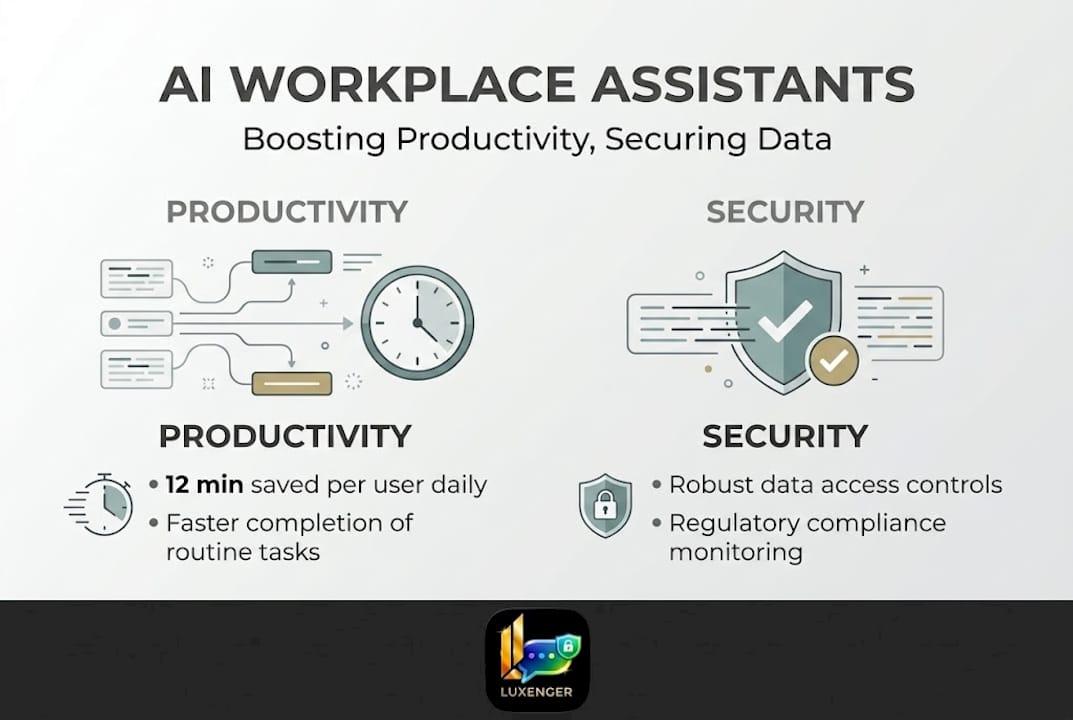
At the task level, the evidence is equally compelling. Users save an average of 12 minutes per week on emails, and heavy users regularly clear 30 minutes or more. Documents that previously required two days of back-and-forth drafting are now completed in one. Multiply those gains across a team of knowledge workers and the aggregate impact becomes substantial.
| Metric | Baseline (no AI) | With AI assistant | Improvement |
|---|---|---|---|
| Time spent on email per week | ~2.8 hours | ~2.6 hours | 7% reduction |
| Document completion time | 2 days | 1 to 1.5 days | Up to 50% faster |
| IT incident resolution time | Varies | 17.8% faster on average | Up to 54% for top users |
| Projected 3-year ROI | N/A | 116% | $19.7M NPV |
Beyond the numbers, there are indirect benefits that do not always appear in cost models:
- Faster decision-making: When an assistant can summarize a 60-message thread or a 45-minute meeting into five bullet points, decision-makers spend less time catching up and more time acting.
- Reduced meeting fatigue: Automatic meeting notes mean fewer "quick sync" meetings created just to update someone who missed the original call.
- Lower operational costs: In ITSM, faster resolutions mean fewer escalations and lower cost per ticket.
"Across our customer base, AI-powered ITSM workflows have collectively saved 323,000 hours of resolution time. That is the equivalent of more than 160 full-time employees working for an entire year on nothing but resolving incidents."
Reviewing AI productivity results from organizations that have deployed these tools reveals a consistent pattern: the biggest gains go to teams that establish clear use cases first and then expand. And if your organization already uses AI-generated conversation digests, the data on AI productivity summaries shows that summary-driven workflows consistently outperform traditional meeting-heavy ones.
Securing your AI: How enterprise AI assistants protect sensitive data
Productivity gains are meaningless if they create security vulnerabilities. IT managers are right to ask hard questions before deploying any AI system that can access corporate communications, personnel files, or financial records.
The good news is that the leading enterprise AI platforms are built with layered permission inheritance. Microsoft Copilot, for example, does not access data beyond what the requesting user is already authorized to see. It uses the Microsoft Graph and permission inheritance to enforce those boundaries automatically, so a junior analyst cannot use an AI prompt to surface documents restricted to the executive team.
Key security mechanisms in modern enterprise AI assistants include:
- Sensitivity labels and IRM encryption: Copilot honors sensitivity labels and Information Rights Management (IRM) encryption, meaning protected files remain protected even when accessed through an AI interface.
- Opt-in private message access: Slack AI excludes private conversations by default. The assistant cannot read direct messages or private channels unless the organization explicitly enables that feature.
- Zero-trust architecture: Platforms like Moveworks apply a zero-trust model, verifying every access request independently rather than assuming internal users are automatically trusted.
- Multi-agent orchestration safeguards: Advanced deployments use Director, Expert, and Critic agent roles to check AI outputs before surfacing them to users, reducing the risk of hallucinated or inappropriate responses.
That said, no system is risk-free. There are real edge cases IT managers should plan for. De-identified data, for instance, can sometimes be re-identified through contextual inference when an AI combines multiple data points. Opt-out defaults vary by vendor, and some platforms require explicit configuration to prevent the assistant from accessing broader data sets than intended.
Our secure collaboration guide covers practical governance steps in detail, and reviewing top secure messaging features before finalizing your vendor shortlist will sharpen your evaluation criteria. For teams already operating in cloud environments, understanding cloud-based security requirements specific to AI is essential, and a broader look at AI collaboration security practices will give your team a stronger baseline for evaluation.
Pro Tip: Do not rely solely on vendor documentation to validate security claims. Run test prompts using high-sensitivity dummy data during your pilot phase to verify that permission boundaries actually hold under realistic usage conditions.
Choosing the right AI workplace assistant for your enterprise
With a clear picture of security architecture, the next question is which platform fits your organization's specific profile. Not every AI assistant is built for the same environment, and the differences matter at scale.
| Feature | Microsoft Copilot | Slack AI | Moveworks | Purpose-built enterprise AI |
|---|---|---|---|---|
| Productivity focus | Docs, email, meetings | Messaging summaries | ITSM, HR workflows | Custom per organization |
| Permission inheritance | Microsoft Graph | Slack workspace | Role-based, zero-trust | Configurable |
| Data residency options | Multi-region | Limited | Enterprise tier | Fully configurable |
| Private message access | Controlled by admin | Opt-in only | Not applicable | Configurable |
| Integration depth | Microsoft 365 suite | Slack ecosystem | ServiceNow, Okta, etc. | Varies by build |
| Ideal team size | 100+ users | 50+ users | 500+ users | 200+ users |
It is worth noting that official sources from vendors like Microsoft emphasize their platforms as secure-by-design and confirm they do not use customer data to train their models. However, independent critiques note opt-out defaults and the potential for contextual re-identification in partially de-identified data sets. The gap between vendor claims and real-world implementation is where thorough evaluation matters most.
Here is a structured decision-making process for IT managers:
- Define your requirements: List the top three to five workflows you want to improve. Is this about ITSM efficiency, meeting productivity, multilingual communication, or all three?
- Set your security baseline: Document your compliance obligations (SOC 2, HIPAA, GDPR, etc.) and required data residency controls before opening any vendor conversation.
- Run a controlled pilot: Deploy the assistant to a single team or department for 30 to 60 days. Measure the same metrics before and after.
- Conduct a security review: Have your security team audit access logs, test permission boundaries with synthetic sensitive data, and review the vendor's data processing agreement.
- Gather stakeholder feedback: Adoption fails when employees feel surveilled or confused. Get input from frontline users, legal, HR, and leadership before a full rollout.
- Select and document: Make the final selection based on evidence from the pilot and security review. Document your governance policies before go-live, not after.
Understanding enterprise communication with AI at an organizational level, and seeing how platforms are revolutionizing enterprise communication in 2026, will help you anticipate where this technology is heading as you build your long-term roadmap.
What most enterprises overlook when adopting AI workplace assistants
Here is the uncomfortable truth most vendor playbooks will not tell you: the technology is rarely the hard part. The real adoption failures we see consistently trace back to governance gaps, not product limitations.
Most enterprises underestimate how quickly their organizational structure changes. Permissions set at deployment become outdated within months as teams reorganize, employees leave, and new roles are created. An AI assistant that correctly inherited permissions in January may be surfacing stale or over-broad data by June if no one is actively managing the underlying access controls.
There is also a widespread misconception that deploying a top-tier AI assistant automatically delivers compliance. It does not. Compliance requires ongoing governance: scheduled permission audits, documented opt-out policies, clear employee communication about what the AI accesses and why, and regular training updates as the tool evolves.
The enterprises that get this right treat AI assistant governance the same way they treat any critical system. They assign ownership, run quarterly reviews, and build employee transparency into their rollout. The ones that struggle treat AI as a plug-and-play upgrade and then scramble when a sensitivity incident surfaces six months later.
Revisiting your overlooked security practices during annual planning cycles, rather than only at initial deployment, is one of the highest-leverage habits an IT team can build.
Pro Tip: Add a specific AI assistant behavior test to your onboarding checklist. Have a new team member attempt to retrieve sensitive data outside their role. If the assistant surfaces anything it should not, you have a governance gap to close before scaling further.
Secure, scalable AI collaboration with Luxenger
AI workplace assistants deliver their best results when built into a messaging platform that was designed for enterprise-grade security from the ground up, not bolted on as an afterthought.

Luxenger is built specifically for organizations that need AI-powered productivity without compromising on data protection. With bank-grade security standards, AI-generated conversation summaries, real-time multilingual translation, and voice huddles for rapid team alignment, Luxenger gives IT and communications managers the tools to boost efficiency across global teams while keeping sensitive information exactly where it belongs. Whether you are evaluating options for the first time or looking to consolidate fragmented tools, explore enterprise AI messaging to see how Luxenger fits your environment, or review enterprise pricing to plan your rollout budget with confidence.
Frequently asked questions
How do AI workplace assistants maintain data privacy?
AI workplace assistants enforce organization-wide permissions, honor sensitivity labels and IRM encryption, and apply access controls to ensure only authorized users can surface or process protected data.
What is the average time savings from using an AI workplace assistant?
Studies show that users save 12 minutes per week on emails on average, with frequent users saving 30 or more minutes, while document completion time drops by up to a full day.
Which platforms integrate best with AI workplace assistants?
Leading AI assistants integrate tightly with Microsoft 365, Slack, and enterprise messaging platforms using RAG and Microsoft Graph to pull context from your existing data and enforce permission-based access.
How do AI workplace assistants handle private and sensitive messages?
Platforms like Slack exclude private conversations by default unless an admin explicitly enables access, while encrypted and labeled content remains protected regardless of how the AI query is structured.