

TL;DR:
- AI productivity tools automate meetings, documents, and workflows, significantly improving enterprise efficiency.
- Security, compliance, and seamless integration are essential for successful, scalable AI adoption.
- Continual measurement and organizational culture alignment maximize ROI and sustain AI benefits.
AI productivity tools are reshaping how enterprise teams communicate, collaborate, and get work done. Many IT leaders still assume these tools only handle basic tasks like transcription or scheduling. That assumption is costing organizations real money. Teams with Copilot saves users 25 hours per year on meeting prep alone, with ROI reaching up to 408%. This guide breaks down what enterprise-grade AI productivity tools actually do, which security and compliance standards matter most, and how to measure real business impact. Whether you're evaluating your current stack or building one from scratch, this is the framework your team needs.
Table of Contents
- What are AI business productivity tools?
- Must-have features for secure, compliant AI collaboration
- AI for team meetings: Automation, savings, and real impact
- Overcoming challenges: Integration, scalability, and user adoption
- Maximizing ROI and measuring success with AI productivity tools
- What most IT leaders miss when implementing AI productivity tools
- Secure your team's collaboration edge with Luxenger
- Frequently asked questions
Key Takeaways
| Point | Details |
|---|---|
| Real productivity gains | Integrating AI tools can save teams dozens of hours per year and deliver measurable ROI. |
| Security is critical | Only deploy AI solutions that meet your organization’s compliance and data residency requirements. |
| Avoid shadow IT | Standardizing on IT-sanctioned AI platforms keeps your business protected and efficient. |
| Measure and optimize | Track time savings, meeting outcomes, and user adoption to maximize the value of your AI investment. |
What are AI business productivity tools?
AI business productivity tools are integrated software solutions that automate, augment, and accelerate the work people do every day inside organizations. They go far beyond spell-check or calendar reminders. In the enterprise context, they sit inside your existing platforms and change how teams communicate, make decisions, and manage information at scale.
Think of them as an intelligent layer on top of your collaboration stack. They connect to your messaging tools, video platforms, document systems, and compliance workflows, then use machine learning and natural language processing to surface insights, reduce repetitive work, and keep everything secure.
Here are the core capabilities that define enterprise-grade AI productivity tools:
- Meeting assistants: Automated transcription, real-time summaries, and action item extraction that eliminate manual note-taking
- Document automation: AI-generated drafts, smart templates, and version-aware editing that cut document cycle times
- Smart search: Semantic search across channels, files, and threads that finds information based on context, not just keywords
- Compliance monitoring: Automated flagging of sensitive data, policy violations, and regulatory triggers in real time
- Workflow automation: Intelligent routing of tasks, approvals, and escalations based on context and role
One of the most overlooked risks in AI adoption is shadow IT. When employees find unsanctioned tools faster than IT can respond, sensitive data flows through uncontrolled channels. Vendors offering AI features for secure messaging build compliance directly into the product, not as an afterthought.
"Prioritize integration depth, data sovereignty, and compliance certifications like SOC2 and ISO27001. Avoid shadow AI by deploying only sanctioned AI tools across your organization."
The distinction between a consumer AI tool and an enterprise AI productivity tool is governance. Enterprise tools come with audit logs, role-based access, data residency options, and defined retention policies. That governance layer is what separates a useful feature from a compliant, scalable business solution.
Must-have features for secure, compliant AI collaboration
Not every AI tool built for businesses is ready for enterprise deployment. IT leaders need a checklist of non-negotiable requirements before any tool touches production data or gets into the hands of employees.
Security and compliance certifications are the first filter. SOC2 Type II and ISO27001 are baseline expectations, not bonus features. Platforms lacking these certifications introduce legal, financial, and reputational risk. Data sovereignty, meaning the ability to control where your data is stored and processed, is equally critical for organizations operating across multiple jurisdictions.
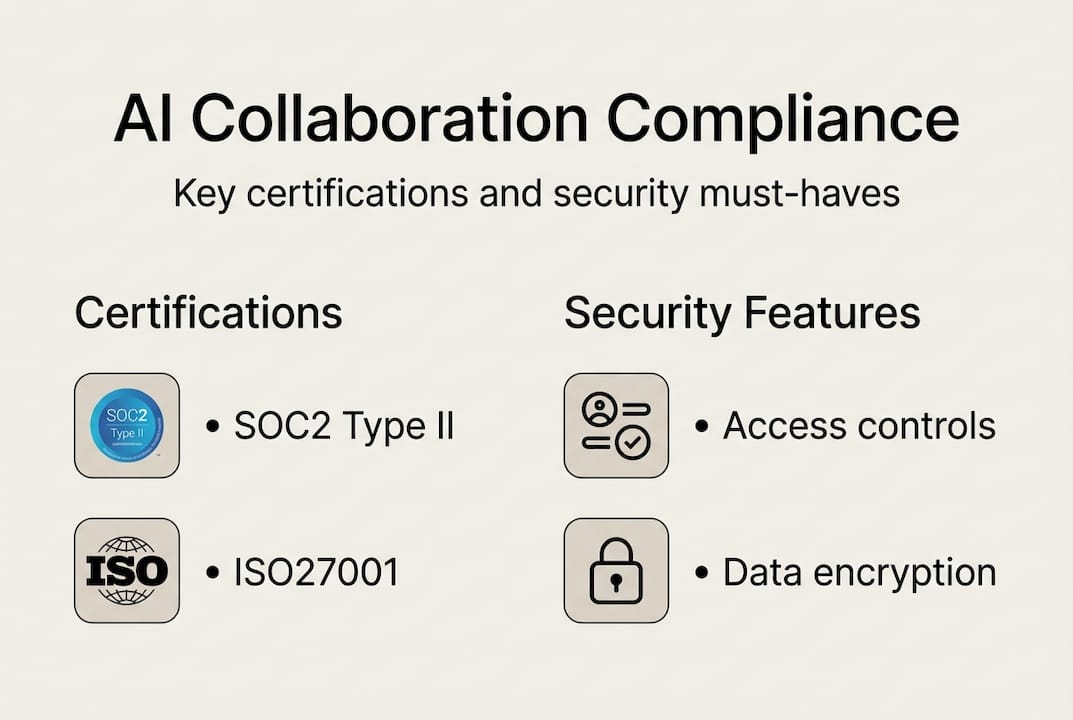
Below is a comparison of the key features to evaluate when selecting an AI-powered secure communication platform:
| Feature | Why it matters | What to look for |
|---|---|---|
| SOC2 Type II | Validates security controls under audit | Certified, with annual renewal |
| ISO27001 | Demonstrates information security management | Full certification, not self-assessed |
| Data sovereignty | Keeps data within required regions | Regional data centers or BYOK options |
| End-to-end encryption | Prevents interception of messages and files | Applied at rest and in transit |
| Role-based access control | Limits data exposure by user role | Granular permissions with admin logs |
| Audit trails | Supports regulatory review and incident response | Immutable, exportable logs |
Beyond certifications, integration depth determines whether an AI tool actually gets used. A tool that sits outside your existing workflows will be ignored or, worse, create a parallel shadow system. The best platforms plug directly into your messaging, document, and identity management systems. That integration is what drives AI workplace transformation at scale.
Key integration requirements include:
- Native connectors to existing identity providers like Active Directory or Okta
- API-first architecture for custom workflow integration
- Support for single sign-on to reduce friction and security gaps
- Compatibility with existing SIEM and compliance monitoring tools
Pro Tip: Before approving any AI tool for enterprise rollout, run a shadow IT audit. Survey which unsanctioned tools employees are already using and why. Address those gaps with sanctioned alternatives that meet your compliance standards, or you will keep fighting the same battle after every deployment.
AI for team meetings: Automation, savings, and real impact
Meetings are one of the biggest drains on enterprise productivity, and they're also where AI delivers some of the fastest, most measurable returns. The math is hard to argue with. AI meeting tools deliver ROI between 122% and 408%, with users reclaiming 38 to 63 hours per year from meetings that should never have happened.
Here's how the automation cycle works in practice:
- Pre-meeting preparation: AI pulls relevant documents, prior meeting notes, and open action items into a briefing before the meeting starts
- Real-time transcription: Spoken conversation is transcribed and attributed to speakers without manual effort
- Live summarization: Key decisions and discussion threads are identified and tagged in real time
- Action item extraction: AI identifies commitments and assigns them to named participants automatically
- Post-meeting distribution: Summaries, action items, and recordings are routed to attendees and stakeholders without a human coordinator
- Follow-up tracking: Open action items resurface in task tools or messaging threads until closed
The impact across enterprise teams is significant. AI meeting assistants are not just saving time on individual meetings. They're changing the culture around meetings entirely, because when you have accurate records and automated follow-ups, you don't need status update calls to track what was decided last week.

| Metric | Before AI | After AI | Improvement |
|---|---|---|---|
| Meeting prep time | 45 min/meeting | 10 min/meeting | 78% reduction |
| Hours in avoidable meetings/year | Up to 63 hours | Near zero | Up to 100% |
| Action item follow-through | ~60% | ~90% | 30 point increase |
| ROI on AI meeting tools | Baseline | 122% to 408% | Significant positive return |
For IT managers, the value case to leadership is straightforward. You are not selling a feature. You are selling reclaimed hours and faster decisions, backed by data.
Overcoming challenges: Integration, scalability, and user adoption
Deploying AI productivity tools at enterprise scale is not plug-and-play. The biggest obstacles are not technical. They are organizational. Understanding where friction comes from before you start the rollout saves months of remediation work.
Integration with legacy platforms is the most common barrier. Many enterprises run a mix of on-premise systems, older SaaS tools, and newer cloud platforms. AI tools that require clean, modern infrastructure to function will stall immediately. Prioritize vendors with documented integration paths for legacy environments and flexible API options.
Scalability is the second major concern. A tool that works for 500 users might struggle with 5,000. Ask vendors for reference customers at your scale, and validate uptime SLAs and support response times before signing contracts. The enterprise AI tools market is maturing fast, but not all vendors have the infrastructure to support large deployments reliably.
Key integration and scalability checklist:
- Documented APIs and pre-built connectors for major enterprise systems
- Multi-region deployment options to support global teams
- Clear SLAs covering uptime, support tiers, and data recovery
- Vendor roadmap transparency so you can plan for future capability upgrades
- Pilot program options before full organizational rollout
User adoption is where most AI deployments quietly fail. Technology alone does not change behavior. If employees don't trust the tool, don't understand why it exists, or feel monitored rather than supported, they will work around it. Building efficient AI team messaging habits requires deliberate change management, not just IT configuration.
Pro Tip: Involve end users in the selection process before you finalize any vendor. A small pilot group from different departments will surface adoption blockers that your IT team would never catch. Their feedback also creates internal champions who advocate for the tool during the broader rollout.
Understanding why organizations choose AI tools for collaboration often comes down to whether the tool was chosen with users in mind or just imposed on them.
Maximizing ROI and measuring success with AI productivity tools
Deployment is the beginning, not the finish line. The organizations that extract the most value from AI productivity tools treat measurement and optimization as ongoing disciplines, not one-time checkboxes.
Start by defining your success metrics before go-live. Without a baseline, you cannot measure improvement. The most useful metrics connect directly to business outcomes rather than feature usage.
| Success indicator | KPI to track | Target benchmark |
|---|---|---|
| Time savings | Hours reclaimed per user per month | 2 to 5 hours minimum |
| Meeting efficiency | Reduction in meeting hours per week | 20% or more |
| Compliance adherence | Policy violations flagged and resolved | Zero unresolved within SLA |
| User adoption | Active users vs. licensed seats | 80% active at 90 days |
| Employee satisfaction | Quarterly tool satisfaction survey score | Positive trend quarter over quarter |
The Forrester data on ROI benchmarks show that ROI between 122% and 408% is achievable, but only when the tool is actively used and continuously optimized. Passive deployments drift toward shelfware.
Here is the iterative optimization process that drives sustained value for AI collaboration tools:
- Establish baseline metrics across time savings, meeting load, and compliance before launch
- Run a 30-day pilot with a representative cross-functional group and collect structured feedback
- Review usage analytics monthly to identify underutilized features and friction points
- Conduct quarterly business reviews with your vendor to align product updates with your evolving needs
- Expand capabilities incrementally rather than activating every feature at once, to avoid overwhelming users
- Report ROI to stakeholders using business language, not feature counts, to maintain executive support
The organizations that maintain strong ROI from AI tools share one habit: they treat the tool as a living part of their workflow, not a fixed installation.
What most IT leaders miss when implementing AI productivity tools
Most enterprise AI implementations focus heavily on the technology and lightly on the culture. That's the core mistake. You can deploy the most capable, compliant, and well-integrated AI platform on the market, and still see adoption rates flatline within six months if the organizational environment isn't ready for it.
The leaders who get this right don't ask "which tool should we buy?" first. They ask "what behaviors are we trying to change?" AI should be woven into workflows and governance frameworks from day one, not bolted on after the fact. Cloud-based secure AI messaging works best when teams are trained to use it as a core communication layer, not a novelty feature.
Ignoring this creates shadow IT and wasted licenses. Building AI into your culture from the start is what separates a successful deployment from an expensive lesson.
Secure your team's collaboration edge with Luxenger
Everything covered in this guide, from compliance requirements to meeting automation and ROI measurement, points to one underlying need: a secure, AI-native platform that fits how your teams actually work.

Luxenger is built for exactly that. As an enterprise messaging platform, Luxenger delivers bank-grade security, AI-powered conversation summaries, real-time multilingual translation, and voice huddles, all within a compliance-ready environment. Whether you are replacing Slack, supplementing Microsoft Teams, or building your collaboration stack from scratch, Luxenger AI solutions give your teams the speed and security they need. Explore pricing plans designed for medium to large organizations and see how Luxenger fits your requirements.
Frequently asked questions
What are the most important compliance standards for AI productivity tools?
SOC2 Type II and ISO27001 are the baseline requirements for enterprise AI tools. Both certifications confirm that a vendor has undergone independent audits covering security controls, data handling, and risk management.
How can businesses prevent shadow IT when adopting AI tools?
Deploy only IT-sanctioned AI tools supported by formal training and clear acceptable-use policies. Sanctioned tool rollouts with strong onboarding dramatically reduce the urge to seek out unsanctioned alternatives.
What's the average time saved by using AI meeting assistants?
AI meeting assistants can save users 25 or more hours per year on meeting preparation and follow-up, with additional savings from reducing unnecessary meetings entirely.
How should IT leaders measure the ROI of AI productivity tools?
Track time savings per user, reduction in meeting hours, compliance incident rates, and user adoption levels as your primary indicators. ROI benchmarks show returns between 122% and 408% are achievable when tools are actively used and continuously optimized.