

TL;DR:
- Professional messaging platforms must meet strict security, compliance, scalability, and integration criteria.
- Effective adoption depends on change management and leadership modeling, not just technical features.
- Evaluating vendor roadmaps and ensuring organizational alignment are crucial for long-term success.
Most enterprises assume that picking a messaging platform is straightforward. Buy a license, roll it out, done. But the reality is far messier. Security gaps, compliance failures, and poor adoption rates quietly drain productivity and expose organizations to serious risk. The platforms that look identical on a feature checklist can behave very differently when your legal team needs audit logs, your engineers need API integrations, or your multilingual workforce needs real-time translation. This guide breaks down what actually separates professional messaging platforms, how to evaluate security and AI capabilities, and how to make a confident, informed decision for your enterprise.
Table of Contents
- What defines a professional messaging platform?
- Secure messaging: Key features and compliance essentials
- AI and integrations: Enhancing productivity beyond chat
- Making the right choice for your enterprise: Practical evaluation criteria
- The hard truth most teams miss about messaging platform adoption
- Take the next step: Upgrade to secure, AI-powered messaging
- Frequently asked questions
Key Takeaways
| Point | Details |
|---|---|
| Security is non-negotiable | Choose platforms with proven security and compliance features to protect enterprise data. |
| AI and integration matter | Smart automation and app integrations substantially boost productivity when properly aligned with business needs. |
| Tailor to your environment | Consider your IT ecosystem, compliance demands, and workflow integrations when selecting a platform. |
| Adoption over features | Success depends on team buy-in and training more than on the tool’s feature checklist. |
What defines a professional messaging platform?
A professional messaging platform is not just a chat app with a business logo. It is a communication infrastructure that connects your people, tools, and workflows in a secure, scalable environment. For medium to large enterprises, the stakes are high. A platform that works fine for a 20-person startup can collapse under the compliance, security, and integration demands of a 2,000-person organization.
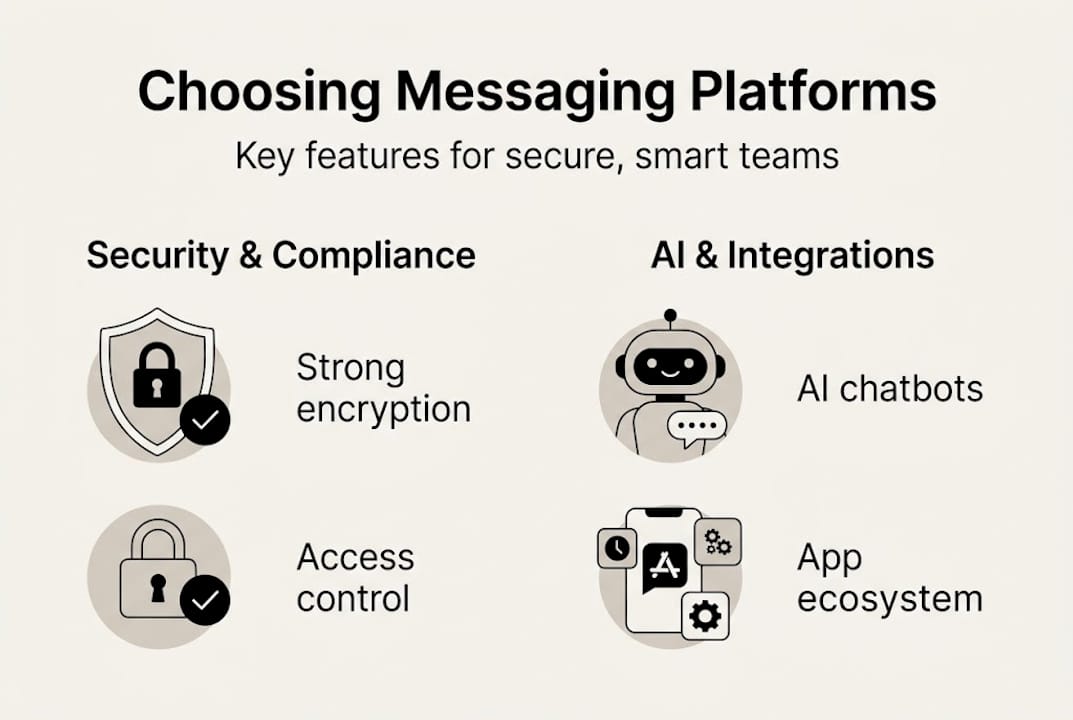
When evaluating options, your enterprise messaging platform guide should anchor around five core requirements:
- Security: End-to-end encryption, data residency controls, and zero-trust architecture
- Compliance: Industry-specific certifications such as HIPAA, SOC 2, and GDPR readiness
- AI features: Intelligent search, automated summaries, and workflow triggers
- Scalability: Performance consistency whether you have 500 or 50,000 users
- Integrations: Connectivity with your existing IT stack, from CRMs to DevOps tools
Slack and Microsoft Teams are the leading professional messaging platforms for medium to large enterprises, offering secure, AI-enhanced features for team collaboration. But leading does not mean perfect for every use case. Many IT managers make the mistake of evaluating platforms only on surface features, ignoring deployment complexity and long-term total cost of ownership.
One of the most common misconceptions is that enterprise platforms are plug-and-play. They are not. Proper configuration, user provisioning, and policy enforcement take real time and expertise. Another misconception is that all platforms offer equivalent security. They do not, and the gap between them can be the difference between passing a regulatory audit and failing one.
For organizations that need secure, scalable solutions, the evaluation process must be deliberate and structured, not reactive.
Pro Tip: Calculate the cost of a single compliance violation or security incident before your next platform review. That number will immediately clarify your budget priorities.
Secure messaging: Key features and compliance essentials
Security is not a checkbox. It is a continuous operational discipline. For IT leaders, the question is not whether a platform has security features, but whether those features are configurable, auditable, and aligned with your industry's regulatory requirements.
The non-negotiable security features for any enterprise platform include:
- End-to-end encryption: Messages must be unreadable to anyone except the intended recipients
- Audit logs: Full, exportable records of user activity for compliance and forensic review
- Admin controls: Granular permission management, user provisioning, and remote wipe capabilities
- Data retention policies: Configurable retention and deletion schedules that match your legal obligations
- Single sign-on (SSO): Integration with your identity provider to reduce credential risk
For cloud-based messaging security, compliance requirements vary significantly by industry. Healthcare organizations need HIPAA controls. Financial services firms need SOC 2 Type II and often FCA or SEC-aligned data handling. Government contractors may require FedRAMP authorization.
"Teams dominates in Microsoft ecosystems, video conferencing, compliance-heavy environments; steeper learning curve, performance issues on low-end hardware."
Microsoft Teams has a clear structural advantage in regulated industries because it sits inside the Microsoft 365 compliance framework. That means eDiscovery, data loss prevention, and information barriers are natively available and deeply integrated. Slack offers flexibility and a better developer experience, but its compliance tooling, while strong, requires more deliberate configuration and sometimes third-party add-ons.

For organizations exploring secure AI messaging, the key is matching the platform's compliance architecture to your specific regulatory environment before you commit to a contract.
Pro Tip: Schedule an annual compliance review of your messaging platform settings. Regulatory requirements evolve, and a configuration that passed last year's audit may not pass next year's.
AI and integrations: Enhancing productivity beyond chat
Security keeps your data safe. AI and integrations are what make your team genuinely faster. The gap between platforms on this dimension is growing quickly, and it matters more than most IT managers initially expect.
Before evaluating AI features, map your integration needs systematically:
- Audit your current stack: List every tool your teams use daily, from project management to CRM to code repositories
- Identify friction points: Where do people context-switch most? Those are your highest-value integration targets
- Check native vs. third-party: Native integrations are more stable; third-party connectors add flexibility but introduce maintenance overhead
- Evaluate API access: Platforms with robust APIs allow custom integrations your vendor may not have built yet
- Test automation workflows: Can you trigger actions across tools without writing code? This matters for non-technical teams
On the integration front, the numbers tell a clear story. Slack offers 2,600+ integrations, while Teams provides native Microsoft 365 integration that is unmatched in depth for organizations already in that ecosystem.
| Feature | Slack | Microsoft Teams |
|---|---|---|
| Third-party integrations | 2,600+ apps | 700+ apps |
| AI capabilities | AI search, workflow automation | Copilot, meeting transcription |
| Automation strength | Workflow Builder, no-code flows | Power Automate, deep M365 triggers |
| Best for | Diverse IT stacks | Microsoft-centric environments |
For teams evaluating AI features for team messaging, the most impactful capabilities right now are AI-powered conversation summaries, intelligent search across message history, and automated task creation from chat threads. These reduce the cognitive load on your team and cut the time spent hunting for information.
Organizations that understand why AI tools for collaboration matter are already seeing measurable gains in meeting efficiency and response times. If your current platform does not offer these capabilities, you are leaving real productivity on the table.
Making the right choice for your enterprise: Practical evaluation criteria
Feature lists are a starting point, not a decision framework. The best platform for your organization depends on your specific security posture, existing infrastructure, team size, and budget. Here is a structured approach to make that call with confidence.
Your platform selection checklist:
- Define your non-negotiable compliance requirements before contacting any vendor
- Assess your current Microsoft or Google ecosystem dependency
- Run a pilot with a cross-functional team of 20 to 50 users for at least 30 days
- Measure adoption rates, not just satisfaction scores, during the pilot
- Evaluate total cost of ownership including admin overhead, training, and integration costs
- Confirm your vendor's SLA and incident response commitments in writing
User ratings provide useful context for benchmarking. Slack ranks first in 9 G2 categories, with a peer recommendation rate of 93% for enterprise users, reflecting strong satisfaction among large organizations.
| Criterion | Slack | Microsoft Teams |
|---|---|---|
| Ease of use | High | Moderate |
| Compliance depth | Strong | Strongest |
| Integration breadth | Widest | Deep (M365) |
| Scalability | High | High |
| Cost efficiency | Variable | Bundled with M365 |
For teams working through steps for AI-powered collaboration, one of the most common pitfalls is over-indexing on features and under-investing in change management. A platform with every capability on your wishlist will still fail if your teams do not adopt it consistently.
Another pitfall: ignoring the long-term vendor roadmap. Platforms evolve fast. Understanding why use messaging platforms in 2026 means thinking about where AI capabilities are headed, not just where they are today. Ask vendors directly about their AI development plans and request a product roadmap before signing a multi-year contract.
The hard truth most teams miss about messaging platform adoption
Here is something most platform comparison guides will not tell you: the technology is rarely the reason deployments fail. The real culprit is organizational culture and leadership behavior.
We have seen enterprises spend months evaluating platforms, run rigorous security audits, negotiate favorable contracts, and then watch adoption stagnate because senior leaders kept using email. When leadership does not model the behavior, the rest of the organization does not follow.
The enterprise messaging realities that matter most are not technical. They are human. Change management, clear communication about why the platform matters, and ongoing training are what separate successful rollouts from expensive shelf-ware.
Our honest take: invest as much in your people strategy as you invest in the platform itself. Budget for training. Appoint internal champions in each department. Celebrate early wins publicly. The platform is just the infrastructure. Your people are the actual communication system.
Take the next step: Upgrade to secure, AI-powered messaging
You now have a clear framework for evaluating professional messaging platforms, from security and compliance to AI capabilities and adoption strategy. The next step is finding a platform built specifically for the demands of enterprise communication.

Luxenger for enterprise messaging delivers bank-grade security, AI-powered conversation summaries, real-time multilingual translation, and voice huddles in one integrated platform. It is designed for organizations that cannot afford gaps in security or productivity. If your current platform is leaving your team behind, explore what the Luxenger platform can do for your organization. Review Luxenger pricing and see how enterprise-grade communication fits your budget.
Frequently asked questions
What are the biggest security risks with enterprise messaging platforms?
The top risks are data breaches, poor encryption, and inadequate compliance controls. Platforms lacking robust security features such as end-to-end encryption, audit logs, and granular admin controls expose enterprises to both regulatory penalties and operational disruption.
How do Slack and Microsoft Teams compare for regulated industries?
Microsoft Teams is preferred in compliance-heavy environments due to its deep integration with Microsoft 365 and native compliance tooling. Teams dominates in sectors like healthcare and finance where regulatory requirements are strictest.
Which platform offers better integration options for complex IT stacks?
Slack leads in third-party integrations with 2,600+ apps available, making it the stronger choice for diverse IT environments, while Teams offers unmatched depth for Microsoft-centric organizations.
What is the biggest adoption challenge for new messaging platforms?
The real challenge is user adoption, which requires thoughtful training and strong change management. Technical rollout is the easy part; getting consistent, organization-wide behavior change is where most deployments struggle.