

TL;DR:
- Secure messaging requires built-in encryption, compliance archiving, and data residency controls.
- Ongoing management involving audits, user training, and threat monitoring ensures platform effectiveness.
- AI enhances threat detection and automation but adoption remains around 50%, offering competitive advantage.
Most IT leaders assume their corporate messaging platform is secure the moment it's deployed. That assumption is expensive. Enterprise messaging strengths vary significantly across security depth, integration capability, and compliance readiness, meaning a tool that works for one organization can leave another critically exposed. Add rising phishing threats, stricter data sovereignty laws, and the rapid spread of AI-powered features, and the stakes for getting this right have never been higher. This guide walks you through how to evaluate, compare, and continuously optimize corporate messaging systems for security, AI capability, and real business impact.
Table of Contents
- What defines a secure corporate messaging system?
- Comparing top corporate messaging platforms: Strengths and trade-offs
- Key security challenges and solutions for modern enterprise messaging
- The role of AI in secure, scalable team messaging
- Why the best corporate messaging platform is rarely 'set and forget'
- Explore secure messaging with Luxenger
- Frequently asked questions
Key Takeaways
| Point | Details |
|---|---|
| Layered security is essential | Most enterprises combine platform features with third-party controls to address modern risks. |
| No one-size-fits-all platform | Each messaging system excels in different areas like compliance, integrations, or AI capabilities. |
| AI adoption is strategic | AI tools offer real gains in threat detection and productivity but require careful, phased deployment. |
| Ongoing management required | Real success depends on continuous tuning, compliance checks, and user feedback, not just initial setup. |
What defines a secure corporate messaging system?
Before diving into specific platforms, it helps to define what truly qualifies as a secure and effective corporate messaging system. Not all tools that call themselves enterprise-grade actually are.
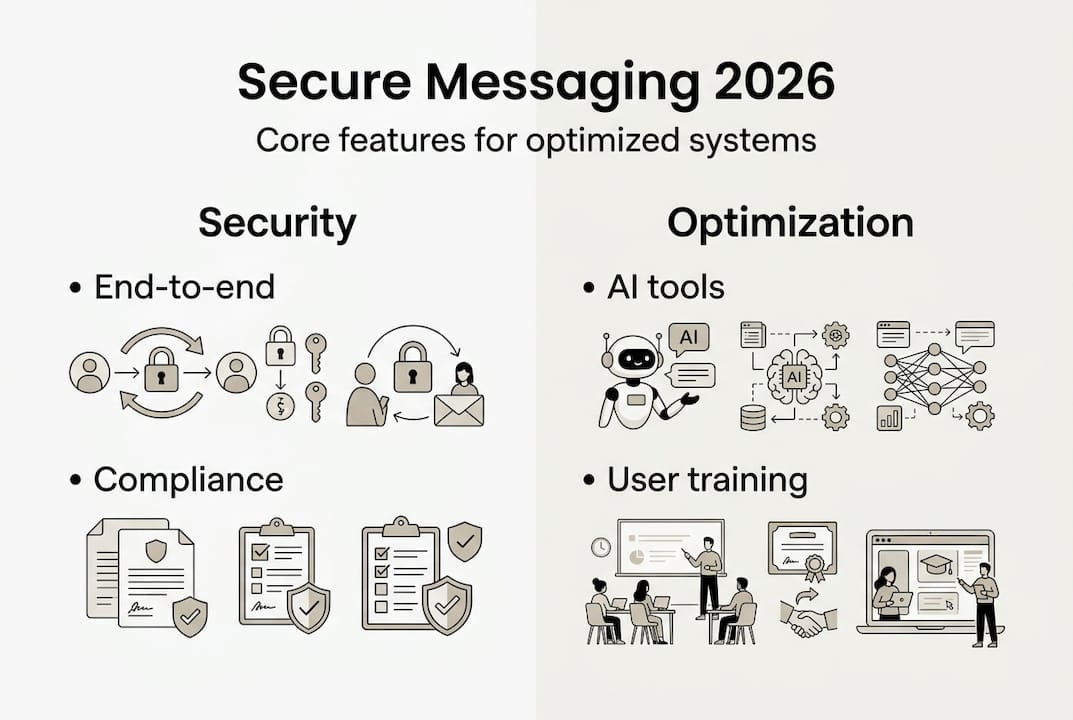
A genuinely secure system includes these core capabilities:
- End-to-end encryption (E2EE): Messages are encrypted in transit and at rest, readable only by intended recipients.
- Compliance recording and archiving: Automatic message retention for regulated sectors like healthcare, finance, and legal.
- Data residency controls: The ability to specify where data is stored geographically, critical for GDPR, HIPAA, and similar frameworks.
- Audit logging: Full visibility into who accessed what, when, and from which device.
- Identity and access management: Role-based permissions, single sign-on (SSO), and multi-factor authentication (MFA).
The key distinction is between platforms with built-in security architecture versus those that bolt on third-party overlays after the fact. Built-in security is more reliable because it is designed into the data flow from the start. Overlays can introduce gaps, especially when configurations drift over time.
Common fail points include shadow IT (employees using unauthorized tools), poor initial configuration, and inadequate user training. Even the most secure platform becomes a liability when users share credentials or bypass controls. Microsoft Teams and Cisco Webex are top-rated for enterprise security features and compliance, largely because security is baked into their architecture rather than added on.
For regulated industries, the compliance bar is especially high. A healthcare organization needs HIPAA-compliant message storage. A financial firm needs audit trails that satisfy SEC or FCA requirements. A legal team needs privilege protection built into the channel structure.
Pro Tip: Before evaluating any platform, map your compliance obligations by region and industry. That single step eliminates roughly half the options immediately and saves weeks of evaluation time.
63% of enterprises use layered, multi-vendor security for messaging, which means no single platform handles everything. Build your enterprise chat security guide around layers, not just platform defaults. A solid security checklist for messaging should be your starting point before any vendor conversation.
Comparing top corporate messaging platforms: Strengths and trade-offs
With those criteria in mind, here is how leading platforms measure up and where their real strengths and gaps lie.
| Platform | Security | Compliance | AI Features | Integrations | Ease of Use | Score |
|---|---|---|---|---|---|---|
| Microsoft Teams | ★★★★★ | ★★★★★ | ★★★★☆ | ★★★★☆ | ★★★★☆ | 9.7/10 |
| Slack | ★★★★☆ | ★★★★☆ | ★★★★☆ | ★★★★★ | ★★★★★ | 9.4/10 |
| Google Chat | ★★★★☆ | ★★★★☆ | ★★★★☆ | ★★★★☆ | ★★★★☆ | 8.6/10 |
| Cisco Webex | ★★★★★ | ★★★★★ | ★★★☆☆ | ★★★☆☆ | ★★★☆☆ | 8.5/10 |
| Mattermost | ★★★★☆ | ★★★★☆ | ★★★☆☆ | ★★★☆☆ | ★★★☆☆ | 8.5/10 |
Teams scores 9.7, Slack 9.4, with Webex, Google Chat, and Mattermost clustered around 8.5. But raw scores only tell part of the story.
"Slack leads on integrations and UX, while Teams dominates on compliance and scale. The right choice depends heavily on your existing infrastructure and regulatory context."
Here is where each platform genuinely excels:
- Microsoft Teams: Best for organizations already in the Microsoft 365 ecosystem. Deep compliance tooling, strong eDiscovery, and enterprise-scale video conferencing.
- Slack: Best for developer-heavy or product teams that rely on integration density. Its app directory and workflow builder are hard to beat for flexibility.
- Cisco Webex: Best for security-first organizations, particularly in government or regulated industries. Hardware integration and meeting room support are standout features.
- Google Chat: Best for Google Workspace shops. Tight integration with Drive, Docs, and Meet makes it frictionless within that ecosystem.
- Mattermost: Best for teams that need self-hosted or air-gapped deployment. Open-source core gives maximum control over data and customization.
For a deeper look at how these stack up against newer entrants, the business messaging app reviews from ZDNet offer useful empirical benchmarks. You can also explore enterprise messaging options that go beyond the traditional five, including platforms built with AI and security as first principles. For a direct breakdown, the Luxenger vs Slack comparison highlights where newer platforms close the gap on legacy tools. Review the data security guide and security best practices before finalizing any platform decision.
Key security challenges and solutions for modern enterprise messaging
Platform choice alone is not enough. You must proactively address the growing suite of security challenges facing enterprise messaging in 2026.
Threats increasingly target SaaS messaging platforms, with phishing, account compromise, and data leakage topping the list of incident types. Here is a sequential approach to hardening your environment:
- Audit your current configuration. Most breaches exploit default settings, not zero-day vulnerabilities. Start with a full configuration review against CIS benchmarks.
- Enable E2EE and verify it. Not all platforms encrypt end-to-end by default. Confirm encryption is active at the channel and direct message level.
- Deploy SSO and MFA across all users. Credential-based attacks are the leading entry point. SSO reduces password sprawl; MFA stops most account takeover attempts.
- Implement data loss prevention (DLP) policies. Define rules that flag or block sensitive data patterns like credit card numbers, social security numbers, or proprietary file types.
- Set up continuous monitoring and alerting. Real-time anomaly detection catches unusual access patterns before they escalate.
- Conduct regular user training. Human error remains the top cause of messaging-related incidents. Quarterly phishing simulations and onboarding security modules reduce risk substantially.
| Security control | Purpose | Adoption rate |
|---|---|---|
| End-to-end encryption | Protects message content | High |
| Single sign-on (SSO) | Reduces credential risk | High |
| Multi-factor authentication | Blocks account takeover | High |
| Data loss prevention (DLP) | Stops sensitive data leakage | Medium |
| Continuous monitoring | Detects anomalies in real time | Medium |
| Compliance archiving | Supports regulatory audits | Medium |
Pro Tip: Onboarding is your highest-leverage security moment. A user who learns secure messaging habits on day one is far less likely to become an incident report six months later. Build security into your onboarding flow, not as an afterthought.
63% of large enterprises now use a multi-layer security strategy across messaging tools. Learn how to build a secure messaging workflow and consult the secure messaging guide for a full framework.

The role of AI in secure, scalable team messaging
Security and scalability now depend on more than just strong encryption. AI is redefining what enterprise messaging platforms can do, and the gap between early adopters and laggards is widening fast.
Current AI capabilities in leading platforms include:
- Smart message routing: AI prioritizes and surfaces urgent messages, reducing noise and missed communications.
- Threat detection: Behavioral AI flags anomalous access patterns, unusual file sharing, or phishing-style language within messages.
- Auto-moderation: Content policies enforced automatically, catching policy violations before they escalate.
- Workflow automation: AI triggers follow-up tasks, meeting summaries, and ticket creation based on conversation context.
- Real-time translation: Multilingual teams communicate without friction, with AI handling translation inline.
Despite this value, AI adoption in messaging tools sits at roughly 50% across enterprises, meaning half of organizations are leaving measurable productivity and security gains on the table.
When evaluating AI features, prioritize these criteria:
- Explainability: Can the AI tell you why it flagged something? Black-box decisions create compliance risk.
- Data privacy: Does AI processing happen on-device or in the cloud? Where does training data go?
- Platform compatibility: Does the AI layer integrate with your existing identity, SIEM, and ticketing systems?
- Pilot scope: Start with one team and one use case. Measure impact before rolling out organization-wide.
The AI features in messaging that deliver the fastest ROI tend to be conversation summaries and threat detection, both of which reduce manual effort immediately. For teams scaling quickly, scalable messaging solutions that combine AI with strong security architecture are the clearest path forward.
Why the best corporate messaging platform is rarely 'set and forget'
Now that we have mapped the landscape, here is a hard-won truth from real enterprise deployments: the platform you choose matters far less than what you do with it after go-live.
Organizations that treat messaging deployment as a one-time project consistently underperform those that treat it as an ongoing program. Threats evolve. Compliance requirements shift. Teams grow, merge, and change how they work. A platform configured perfectly in January can be dangerously misconfigured by July if no one is watching.
Platform efficacy varies significantly by data quality and organizational culture, not just technical specs. The most secure platform in the world fails when users find workarounds because the tool does not fit their workflow.
The organizations that get the most from enterprise messaging invest in three ongoing practices: continuous configuration audits, regular user feedback loops, and proactive threat monitoring. These are not glamorous. They do not make headlines. But they are what separates a secure, productive messaging environment from a compliance liability.
Building secure workflow strategies into your operational calendar, not just your deployment plan, is the difference between a platform that serves you and one that eventually exposes you.
Explore secure messaging with Luxenger
To put best practices into action and experience next-generation secure messaging, here is where to start.

Luxenger is built for enterprises that cannot afford to compromise on security or productivity. With bank-grade encryption, AI-powered conversation summaries, real-time translation, and voice huddles, it addresses the exact gaps that legacy platforms leave open. Whether you are evaluating options for the first time or looking to replace a tool that has outgrown your needs, the Luxenger for enterprise page shows how it maps to your specific industry requirements. Explore the full enterprise messaging platform or review secure messaging pricing to find the right fit for your team size and compliance needs.
Frequently asked questions
How do I choose the most secure messaging platform for my enterprise?
Prioritize end-to-end encryption, compliance tools, data residency controls, and proven third-party security audits. Teams and Webex consistently rank highest for enterprise security and compliance depth.
Is AI essential for secure business messaging in 2026?
AI is increasingly critical for threat detection and productivity automation, but AI adoption remains around 50% across enterprises, making early adoption a genuine competitive advantage.
Can I use more than one messaging solution for different teams?
Yes, and it is common practice. 63% of enterprises use layered multi-vendor environments to balance security requirements, compliance obligations, and team-specific preferences.
What features should a messaging system have for frontline or decentralized teams?
Mobile-first design, shift and role-based integrations, do-not-disturb scheduling, and self-hosted or federated options are essential for teams that are not desk-bound or centrally located.
What are common pitfalls when deploying a corporate messaging system?
Poor initial configuration, insufficient user training, and failure to layer platform security with additional controls are the top risks. Layered security plus overlays is the standard approach for a reason: no single platform covers every threat vector on its own.