

TL;DR:
- Most corporate teams face fragmentation in their communication systems, which causes critical messages to be lost. Integrated team messaging unifies multiple channels into a centralized system, enhancing context, synchronization, and knowledge retention. This approach leads to significant productivity gains, better alignment, and a resilient communication infrastructure crucial for large organizations.
Most corporate teams don't have a communication problem. They have a fragmentation problem. You're running messages across email, a standalone chat app, project tools, and SMS, and somehow critical decisions still get lost between the cracks. Understanding what is integrated team messaging is the first step toward fixing this. Instead of patching together disconnected tools, integrated messaging creates a unified communication ecosystem where information flows consistently, context travels with conversations, and your team spends less time hunting and more time working.
Table of Contents
- Key takeaways
- What integrated team messaging actually means
- Why the productivity case is stronger than you think
- Integrated messaging vs. other communication approaches
- How to use team messaging effectively after adoption
- What's coming next in integrated messaging
- My take on what enterprises keep getting wrong
- See how Luxenger brings this together
- FAQ
Key takeaways
| Point | Details |
|---|---|
| More tools isn't the answer | Fragmented apps create silos; integration unifies channels into one predictable information structure. |
| Productivity gains are real | Teams using integrated communication tools see productivity increases of 20–25% compared to fragmented approaches. |
| Channel discipline matters most | Technology alone won't fix communication. Clear usage rules and @mention policies prevent notification overload. |
| Chat needs a knowledge partner | Real-time messaging must be paired with structured knowledge bases to prevent critical information from disappearing. |
| AI is reshaping the category | AI-powered summaries, live collaborative components, and real-time translation are becoming standard enterprise features. |
What integrated team messaging actually means
The phrase gets used loosely, so let's be specific. Integrated team messaging is the practice of coordinating multiple communication channels, including chat, email, SMS, and intranet, into a single unified ecosystem where messages are centralized, updates are synchronized, and conversations are linked to the business workflows that drive them.
The key distinction from a basic chat app is context and coordination. A standalone messaging tool gives you a place to type. An integrated system gives every message a home that connects to a project, a decision, or a process. An integrated communication system creates one authoritative source of information referenced by all teams, preventing the conflicting versions and duplicate threads that fracture attention in large organizations.
Here's what that looks like in practice. Core components of integrated team messaging include:
- Centralized message management: All channels feed into a single interface, so your team isn't toggling between five apps to track down a conversation.
- Synchronized updates: When a message or document changes, every connected surface reflects that change in real time.
- Contextual conversations: Threads are linked to projects, tickets, or workflows rather than floating in a generic chat feed.
- Cross-channel coordination: Email, chat, SMS, and intranet notifications are governed by one communication policy instead of four separate ones.
What this is not is simply adding an integration plugin to your existing chat tool. True integrated messaging requires centralized message management and synchronized updates that remove conflicting scripts and create a predictable information flow. That's a structural shift, not a feature toggle.
Why the productivity case is stronger than you think
The business case for integrated team messaging isn't theoretical. Teams that use social technologies effectively see productivity gains of 20 to 25 percent. For a 200-person organization, that's a significant return on what is essentially a communication infrastructure decision.
The gains come from three places. The first is reduced switching costs. Every time an employee pivots from a project tool to email to check a thread, they lose cognitive momentum. Integrated messaging reduces those pivots by surfacing relevant conversations where work actually happens.
The second gain is alignment. When integrated communication eliminates silos, messages cascade consistently across team levels without duplication or distortion. A directive from leadership lands the same way in the inbox of a regional manager and a frontline team lead, because the system doesn't let it mutate across channels.
"Integrated communication breaks down silos by syncing tools like intranets, email, and messaging platforms to provide relevant information without confusion." — powell-software.com
The third gain is knowledge retention. This is the one most organizations underestimate. Real-time chat is excellent for quick coordination, but durable knowledge sharing requires forums, Q&A boards, or structured discussion spaces where decisions and reasoning are preserved. Integrated systems pair messaging with these structures by design, so institutional knowledge doesn't evaporate when a chat thread scrolls off the screen.
Integrated messaging vs. other communication approaches

Understanding what makes integrated messaging distinct helps you evaluate what you actually need. Here's a direct comparison:
| Approach | Real-time chat | Cross-channel sync | Context retention | Knowledge durability |
|---|---|---|---|---|
| Standalone chat app | Yes | No | Low | Very low |
| No | Partial | Medium | Medium | |
| Unified messaging system | Partial | Interface only | Medium | Medium |
| Integrated team messaging | Yes | Yes | High | High (with knowledge base pairing) |
Standalone chat apps like most consumer-grade tools give you speed but create silos the moment your team grows past a single channel. Email offers more durability but fails completely at real-time collaboration and consistent threading across large teams.
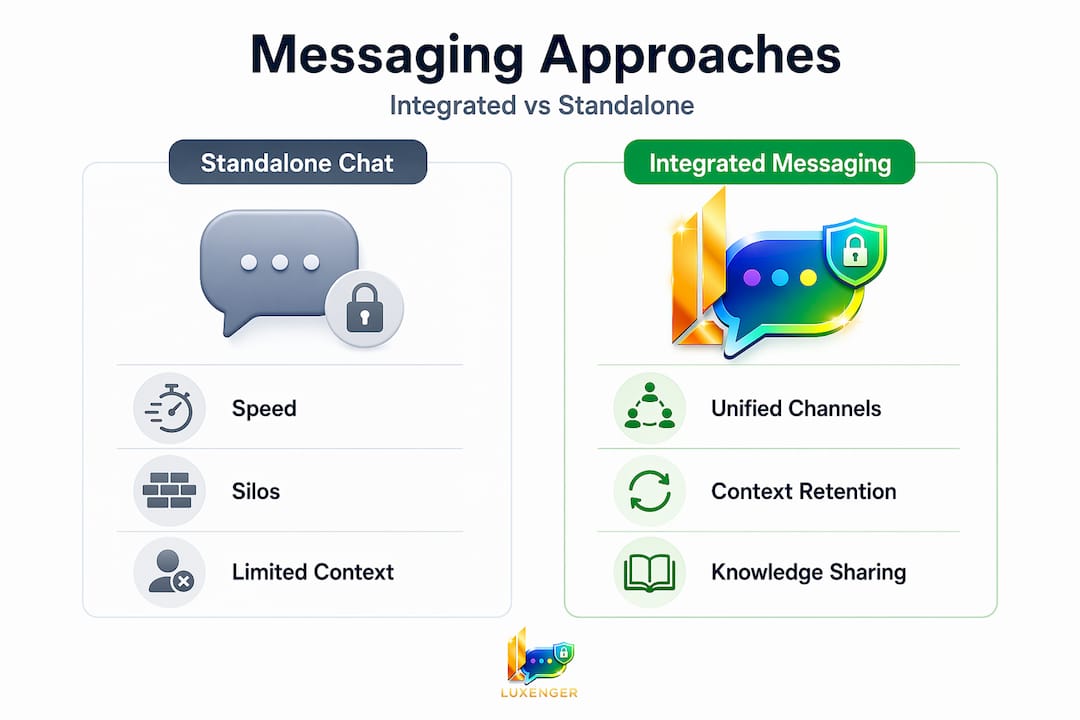
Unified messaging, which consolidates message storage and interface but doesn't synchronize across workflows, is often confused with integration. The difference matters. Unified messaging puts everything in one place to read. Integrated messaging puts everything in one place to act, with threads tied to business context and updates that flow bidirectionally across platforms.
The clearest sign you need integrated team messaging rather than a standalone app is when your organization has multiple departments, external collaborators, or regulatory requirements that demand consistent communication records. That's where integrated messaging for enterprise security becomes more than a convenience. It becomes infrastructure.
How to use team messaging effectively after adoption
Technology is the easy part. The organizations that extract real value from integrated team collaboration messaging do three things that others skip.
- Build a channel taxonomy before launch. Every channel needs a defined purpose, an owner, and explicit rules for what belongs there. Without this, you recreate the chaos you were trying to fix, just inside a new tool.
- Define an escalation path and enforce it. Effective team messaging uses a clear escalation structure: shared channels first, direct messages second, and phone calls reserved for true emergencies. This single policy prevents the "I just called because I wasn't sure you saw my message" spiral that burns people out.
- Pair messaging with a structured knowledge base. Critical information should never live only in chat. Decisions, process changes, and institutional context belong in a searchable knowledge layer that persists beyond the conversation that created it.
- Use live collaborative components for documents. Tools like Microsoft Loop allow live task lists and voting tables to sync instantly across email and chat, eliminating version control problems that plague shared documents in large teams.
- Train for @mention discipline. Limiting @mentions to genuinely actionable items and establishing quiet hours are two of the highest-leverage behaviors you can instill. They cost nothing and reduce burnout measurably.
Pro Tip: When rolling out integrated messaging, run a two-week "channel audit" where team leads flag every message that lands in the wrong place. This surfaces broken norms faster than any training session and builds shared ownership of communication quality.
What's coming next in integrated messaging
The category is moving fast, and the gap between current integrated platforms and what's emerging is worth understanding before you make a platform decision.
Key trends shaping the next two years include:
- AI-powered conversation summaries that distill hours of thread activity into actionable briefings, so managers joining mid-conversation don't need to scroll through 200 messages to get current.
- Live collaborative components that shift the document paradigm from "file you share" to "object that exists simultaneously across email, chat, and task boards," reducing the static document problem that Microsoft Loop components are already beginning to solve.
- Real-time translation built natively into messaging threads, making cross-border team collaboration genuinely friction-free for the first time.
- Tighter security and compliance tooling as enterprises face growing regulatory pressure around communication records, data residency, and external collaboration governance. This is particularly relevant for industries handling sensitive data, where enterprise communication platforms must meet standards that consumer tools simply weren't built for.
Pro Tip: When evaluating future-ready platforms, ask vendors specifically about AI governance: who controls the training data, where summaries are stored, and whether your proprietary conversations are used to improve the model. These questions separate serious enterprise tools from repurposed consumer apps.
AI is also beginning to handle next-step suggestions, flagging conversations that have stalled and nudging owners to resolve open decisions. The platforms that combine these AI capabilities with genuine channel integration and security compliance will define the enterprise messaging category by 2028.
My take on what enterprises keep getting wrong
I've worked with enough large teams to recognize the pattern. Leadership approves a new messaging platform, IT spins it up, and three months later the organization has the new tool plus all the old ones still running. Nobody retired anything. Notification volume doubled.
The technology was never the problem. The problem is that integrated team messaging requires a cultural contract, not just a software purchase. You have to decide what channels mean, who owns them, and what happens when someone breaks the norms. Without that agreement, even the best platform becomes another layer of noise.
What I've also found is that the most productive teams treat their messaging infrastructure the way good engineers treat code: with structure, documentation, and regular refactoring. They review channel health quarterly. They sunset threads that have served their purpose. They update the escalation policy when team size changes.
The other thing most articles won't tell you is that AI-powered messaging features are only as good as the information structure beneath them. An AI summary of a chaotic, undisciplined channel is just a faster way to consume chaos. Get the structure right first, then layer in the AI.
— Matthew
See how Luxenger brings this together
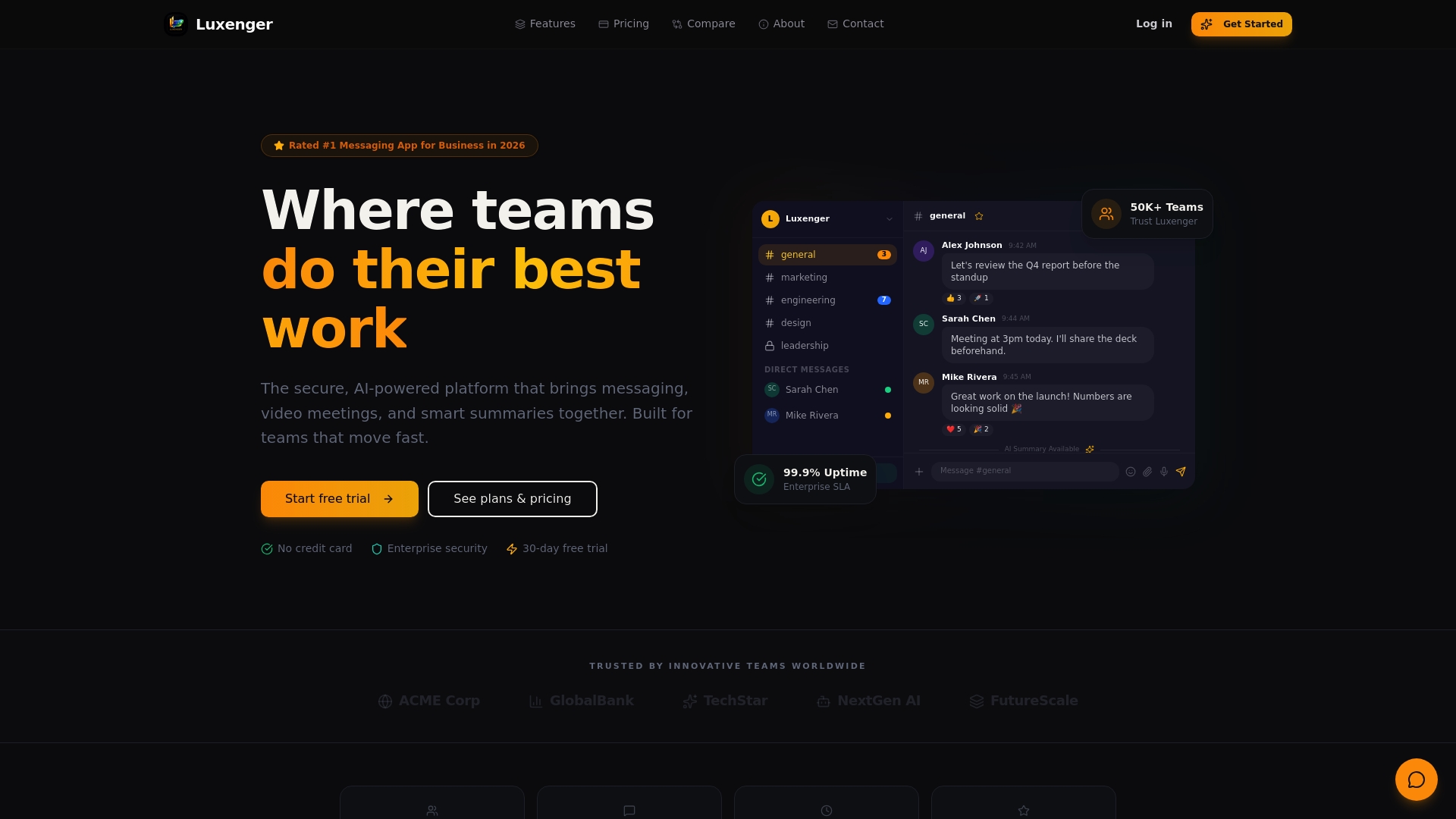
If what you've read here describes the gap your organization is trying to close, Luxenger was built specifically for this challenge. It's an enterprise messaging platform that combines centralized team collaboration messaging with AI-powered conversation summaries, real-time translation for multilingual teams, and voice huddles for quick audio coordination. Every feature is backed by bank-grade security, which matters when your communication infrastructure carries confidential business data.
Explore how Luxenger's enterprise platform supports the communication structure, security compliance, and AI capabilities that medium to large organizations need. When you're ready to evaluate pricing and deployment options, the Luxenger pricing page gives you a clear picture of what fits your organization's scale.
FAQ
What is integrated team messaging?
Integrated team messaging is the coordination of multiple communication channels, including chat, email, SMS, and intranet, into a unified system where messages are centralized, updates are synchronized, and conversations connect to business workflows. It goes beyond standalone chat by creating one authoritative information source across an organization.
How does integrated messaging differ from unified messaging?
Unified messaging consolidates message storage into one interface for reading. Integrated team messaging synchronizes updates bidirectionally across platforms and ties conversations to business context, enabling teams to act on information rather than simply access it.
How do you prevent notification overload with team messaging?
Channel discipline and @mention rules are the most effective controls. Limiting @mentions to actionable items, defining quiet hours, and enforcing a clear escalation path from shared channels to direct messages to calls significantly reduces alert fatigue.
Why do enterprises need more than just a chat app?
Chat handles real-time coordination well but fails at knowledge retention. Growing teams need structured spaces alongside messaging to preserve decisions and institutional context that would otherwise disappear when a thread scrolls out of view.
What productivity gains can enterprises expect from integrated messaging?
Research shows that teams using integrated communication tools effectively can achieve productivity gains of 20 to 25 percent. The gains come from reduced context switching, consistent information alignment across teams, and improved knowledge retention.