

Instant messaging has a reputation problem in enterprise circles. Many IT leaders still associate it with distraction, data leakage, or consumer-grade tools that have no place in a regulated environment. But the data tells a different story. Organizations that deploy purpose-built business IM platforms report email volume dropping by up to 48.6% and meeting time shrinking by as much as 45%. For communications managers trying to connect distributed teams without drowning them in inbox noise, that is not a distraction. That is a competitive advantage. This guide covers what business instant messaging actually is, which features matter most, where the risks hide, and how to roll out a platform that sticks.
Table of Contents
- Defining instant messaging for business
- Why enterprises are adopting instant messaging platforms
- Key features of secure business instant messaging
- Pitfalls and risks: Common mistakes with enterprise instant messaging
- Comparing leading instant messaging platforms for enterprises
- Best practices for deploying business IM platforms
- Enterprise-scale instant messaging: Secure solutions with Luxenger
- Frequently asked questions
Key Takeaways
| Point | Details |
|---|---|
| Real-time team communication | Instant messaging platforms connect business teams with fast, contextual conversations and easy file sharing. |
| Enterprise security features | Choosing a secure IM platform with admin controls and compliance support is essential for large organizations. |
| Reduce email and meetings | IM can cut email traffic and meetings significantly, boosting productivity and speeding up enterprise decision-making. |
| Manage messaging risks | IT policies must address notification overload, after-hours work, and cross-organization security gaps for safe adoption. |
| Platform selection matters | Compare integration, governance, and automation capabilities to select the right IM solution for your enterprise's needs. |
Defining instant messaging for business
Business instant messaging is not just a faster version of email. Enterprise IM platforms are purpose-built for real-time, digital text-based communication at organizational scale, with compliance, governance, and integration capabilities that consumer apps simply cannot match. Think of it as the difference between a personal vehicle and a fleet management system. Both move people, but only one is built for accountability, scale, and operational control.
Consumer apps like WhatsApp or iMessage are designed for personal convenience. Enterprise platforms are designed for enterprise messaging explained with features like persistent channels, role-based access, audit logs, and integrations with tools like Salesforce, Jira, or ServiceNow. The architecture is fundamentally different.
Here is a quick comparison of what separates business IM from consumer chat:
| Feature | Business IM | Consumer app |
|---|---|---|
| Compliance certifications | SOC 2, HIPAA, ISO 27001 | Rarely available |
| Admin controls | Centralized, granular | Minimal or none |
| Data ownership | Enterprise retains data | Vendor controls data |
| Audit logs | Full message history | Not available |
| Third-party integrations | 100s to 2,600+ | Limited |
| Scalability | Up to 500,000+ users | Not designed for scale |
Beyond compliance, business IM outperforms email in several practical ways:
- Speed: Responses happen in seconds, not hours, which accelerates decisions across time zones.
- Context: Threaded conversations keep discussions organized so nothing gets buried.
- Lower friction: Channels replace long CC chains and reduce the cognitive load of managing an inbox.
- Searchability: Messages, files, and decisions are indexed and retrievable, unlike scattered email threads.
- Integration: Bots and workflows can trigger actions directly inside the chat interface.
For IT managers evaluating platforms, understanding must-have features for secure enterprise IM is the right starting point before comparing vendors.
Why enterprises are adopting instant messaging platforms
The shift from email to enterprise IM is not a trend. It is a structural change in how organizations communicate. The productivity numbers are hard to ignore. Enterprise IM users are active 90 minutes per day, sending an average of 42 messages daily, and the results show up in measurable business outcomes.
Salesforce's marketing team reported making decisions 37% faster after adopting IM-based workflows. IT support teams using IM-integrated ticketing systems resolved tickets 70% faster compared to email-based queues. These are not marginal gains. They represent hours recovered per employee per week.
Stat callout: Organizations that manage enterprise communications efficiently can save up to $28,000 per employee per year by reducing time lost to inefficient communication, redundant meetings, and email overload.
Here are the core gains enterprises consistently report after switching to purpose-built IM:
- Reduced email volume by 32 to 48.6%, freeing up time for focused work.
- Fewer meetings as quick IM exchanges replace status update calls.
- Faster incident response because IT and ops teams can coordinate in real time.
- Better cross-functional alignment through shared channels visible to relevant stakeholders.
- Improved remote team cohesion as async and real-time messaging replace fragmented communication.
The role of AI is accelerating these gains. Platforms that use AI to enhance IM can auto-summarize long threads, surface relevant messages, and even translate conversations in real time for multilingual teams. That is not a future capability. It is available now.
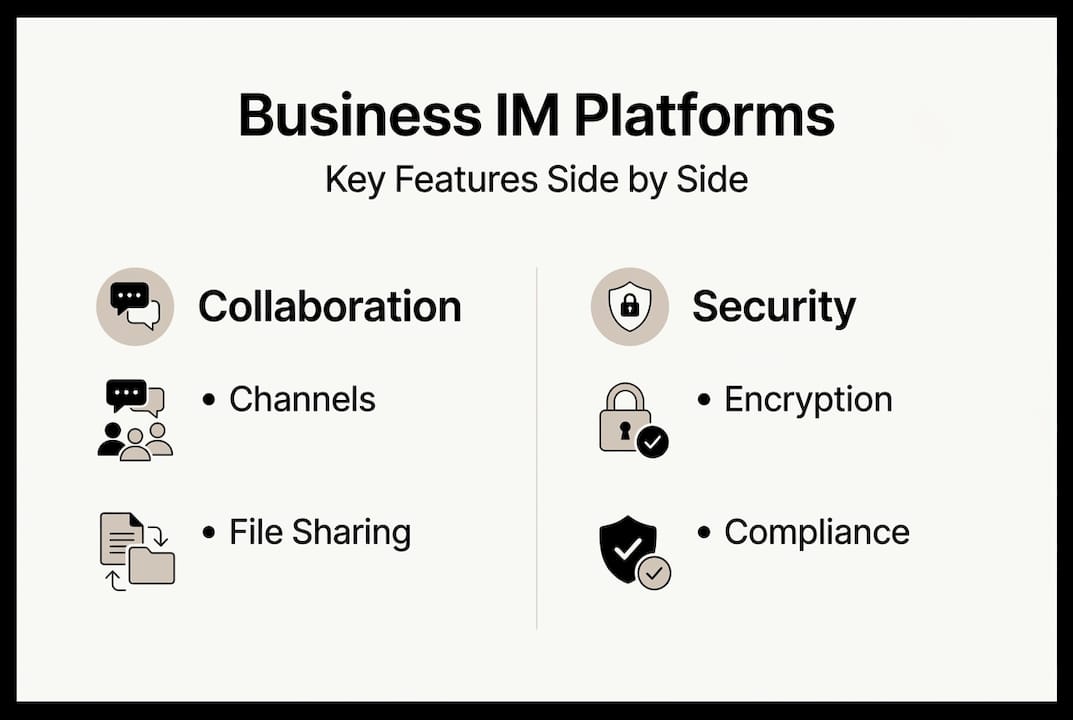
Key features of secure business instant messaging
Efficiency matters, but for large organizations operating in regulated industries, security and compliance are non-negotiable. The right platform must do both. Enterprise-grade platforms should support scalability to 500,000 users, centralized admin controls, and compliance certifications relevant to your industry.

Consumer tools with end-to-end encryption, like Signal, are not a substitute. Consumer E2EE tools lack the Business Associate Agreements (BAAs) and auditability that regulated industries require. Encryption alone does not equal compliance.
| Capability | Business IM | Consumer IM |
|---|---|---|
| End-to-end encryption | Yes | Sometimes |
| BAA for HIPAA | Available | No |
| Message retention policies | Configurable | No |
| eDiscovery support | Yes | No |
| SSO and MFA | Standard | Rare |
| Data residency options | Yes | No |
Beyond the compliance table, here are the functional features IT managers should require:
- Unified search across messages, files, and channels with permission-aware results.
- Role-based access control to limit who sees what, especially in sensitive departments.
- Integration with productivity suites like Microsoft 365 or Google Workspace.
- API access for custom workflows and security monitoring.
- Mobile device management (MDM) compatibility for remote and BYOD environments.
For a deeper look at building a secure enterprise IM workflow, the architecture decisions you make at deployment will determine your compliance posture for years. Also worth reviewing is enterprise messaging data security to understand how data flows across your platform.
Pro Tip: Always require multi-factor authentication (MFA) at the platform level and set auto-logoff policies for inactive sessions. These two controls alone block the majority of credential-based attacks on enterprise IM systems.
For a broader overview, the secure messaging guide for enterprises covers the full spectrum of controls you should have in place before going live.
Pitfalls and risks: Common mistakes with enterprise instant messaging
Even well-configured IM platforms can create problems when governance is weak. The most common failure mode is not a security breach. It is notification overload. Employees receiving 275 notifications per day face interruptions every two minutes, which fragments deep work and erodes the productivity gains IM was supposed to deliver.
After-hours messaging is another underestimated risk. After-hours messages lower productivity by 20% due to disrupted recovery time and increased stress. Without clear policies, IM can blur the boundary between work and personal time in ways that damage retention and morale.
"The tool is not the problem. The absence of governance is."
Security incidents are also a real concern. The Slack 2024 breach involved credential stuffing attacks that exposed personally identifiable information and private messages. The mitigations were straightforward but had not been enforced: MFA, session monitoring, and anomaly detection.
Here is a checklist of critical policies every enterprise should enforce:
- Set notification quiet hours and enforce them at the admin level.
- Restrict cross-organization direct messages to approved external domains only.
- Require MFA for all users, including contractors and third-party vendors.
- Define data retention and deletion schedules aligned with your compliance requirements.
- Train employees on what constitutes sensitive information and where it should not be shared.
For a full breakdown of IM security best practices and how to configure enterprise IM security controls, these resources cover both policy and technical implementation.
Pro Tip: Enforce async communication norms by default. Not every message needs an immediate response. When teams understand that, notification anxiety drops and focus time increases.
Comparing leading instant messaging platforms for enterprises
Choosing the right platform starts with understanding what each major option actually delivers. Slack processes 1.5 billion messages per week across 47 million daily users and offers over 2,600 integrations. Microsoft Teams leads in video conferencing and is the natural choice for organizations already deep in the Microsoft 365 ecosystem. Mattermost is the go-to for teams that need open-source flexibility and self-hosted deployment.
| Platform | Messaging | Integrations | Compliance | Video | Self-hosted | Cost tier |
|---|---|---|---|---|---|---|
| Slack | Excellent | 2,600+ | Good | Basic | No | Mid to high |
| Microsoft Teams | Good | Strong (MS ecosystem) | Excellent | Best-in-class | No | Bundled with M365 |
| Mattermost | Good | Moderate | Strong | Limited | Yes | Free to enterprise |
| Luxenger | Excellent | Growing | Bank-grade | Voice huddles | Configurable | Enterprise |
When evaluating platforms, IT managers should apply these selection criteria:
- Does the platform support your compliance framework (HIPAA, SOC 2, GDPR)?
- Can it scale to your projected user count without performance degradation?
- Does it integrate with your existing identity provider (Okta, Azure AD)?
- Is AI-powered functionality built in or bolted on as an afterthought?
- What are the data residency and sovereignty options?
For a detailed breakdown, compare Luxenger and Slack side by side on the features that matter most to enterprise IT teams. You can also review secure messaging platform features to build your evaluation scorecard.
Best practices for deploying business IM platforms
Technology selection is only half the work. The organizations that get the most from enterprise IM are the ones that plan the rollout as carefully as they plan the procurement. Balancing speed gains against overload risks requires deliberate policy design, not just good intentions.
Follow this deployment checklist to reduce risk and accelerate adoption:
- Assess communication needs by department, role, and geography before selecting a platform.
- Evaluate platforms against your compliance, integration, and scalability requirements.
- Run a pilot with a cross-functional team of 50 to 100 users before full rollout.
- Define governance policies covering data retention, notification rules, and acceptable use.
- Train users on both the tool and the communication norms your organization expects.
- Monitor adoption metrics and adjust channel structures and policies based on real usage data.
Beyond the checklist, these factors determine whether adoption succeeds or stalls:
- Executive sponsorship: When leadership uses the platform visibly, adoption accelerates.
- Clear channel taxonomy: Too many channels create confusion. Start with a simple structure and expand deliberately.
- Integration with existing tools: IM that connects to your ticketing, CRM, and project management systems becomes indispensable.
- Data retention planning: Define retention schedules before go-live, not after a compliance audit.
For a step-by-step walkthrough of secure messaging rollout steps, the framework covers everything from identity integration to post-launch governance reviews.
Enterprise-scale instant messaging: Secure solutions with Luxenger
If your organization is ready to move beyond patched-together communication tools, Luxenger is built for exactly this moment. It delivers enterprise-scale instant messaging with bank-grade security, AI-powered conversation summaries, real-time translation for multilingual teams, and the admin controls your IT team needs to stay compliant and in control.

Whether you are evaluating your first enterprise IM platform or replacing a tool that has outgrown your needs, Luxenger's enterprise messaging solutions are designed to meet the demands of medium to large organizations without compromise. Explore the full Luxenger platform to see how AI-enhanced features and governance tools work together, or review Luxenger pricing to find the right plan for your team size and compliance requirements. Request a tailored demo and see how it fits your specific environment.
Frequently asked questions
How does instant messaging for business differ from email?
Business IM enables real-time conversations with centralized channels and integrated workflows, while email is asynchronous, slower, and lacks the contextual threading that makes team collaboration efficient.
Can instant messaging replace all internal emails?
IM can reduce internal email by 48% but works best alongside email for formal communications, external correspondence, and complex documentation that requires a structured record.
What security risks should enterprises watch for?
The primary risks include credential theft through attacks like the Slack 2024 breach, unmanaged cross-organization direct messages, notification fatigue, and the compliance gaps that come with using consumer tools in regulated environments.
Which business IM platform is most secure?
The most secure platforms combine enterprise-grade compliance controls with strong encryption, centralized admin management, audit logging, and certifications like SOC 2 or HIPAA BAA availability.
How can IT teams avoid notification overload?
Set admin-enforced quiet hours, establish async communication norms, and use role-based notification policies to prevent the 275 daily interruptions that fragment focus and reduce productivity by up to 20%.