

TL;DR:
- Remote team communication faces challenges like time zone friction, tool fragmentation, and poor meeting practices, which hinder productivity. Addressing these issues through proactive scheduling, governance, structured meetings, and training improves collaboration and decision-making across distributed teams. Building a reliable workflow system is essential for trust, clarity, and efficient remote operations in 2026.
The challenges of remote team communication are defined by five structural failures: time zone friction, tool fragmentation, poor meeting quality, departmental silos, and training gaps. Each one compounds the others. A team running Slack, Notion, Jira, Zoom, and a separate email thread simultaneously is not communicating. It is managing noise. This guide breaks down each challenge with specificity and gives you the fixes that actually hold up across distributed teams in 2026.
What are the biggest challenges of remote team communication?

The core problem is not that remote teams lack tools. They have too many, used inconsistently, without governance. Time zone differences alone cause decision delays in 75% of international projects, with work stalling for up to 24 hours while teams wait on responses. That is not a scheduling inconvenience. It is a productivity collapse that compounds daily.
Fragmented communication tools increase the time employees spend searching for information by 30–40%. That figure represents hours lost every week to hunting down decisions buried across platforms. Add poor documentation, inconsistent meeting practices, and undertrained staff, and you have a system that actively works against collaboration.
The industry term for this cluster of problems is distributed team communication failure. Recognizing it as a systemic issue, not a people problem, is the first step toward fixing it.
How do time zone differences disrupt remote collaboration?
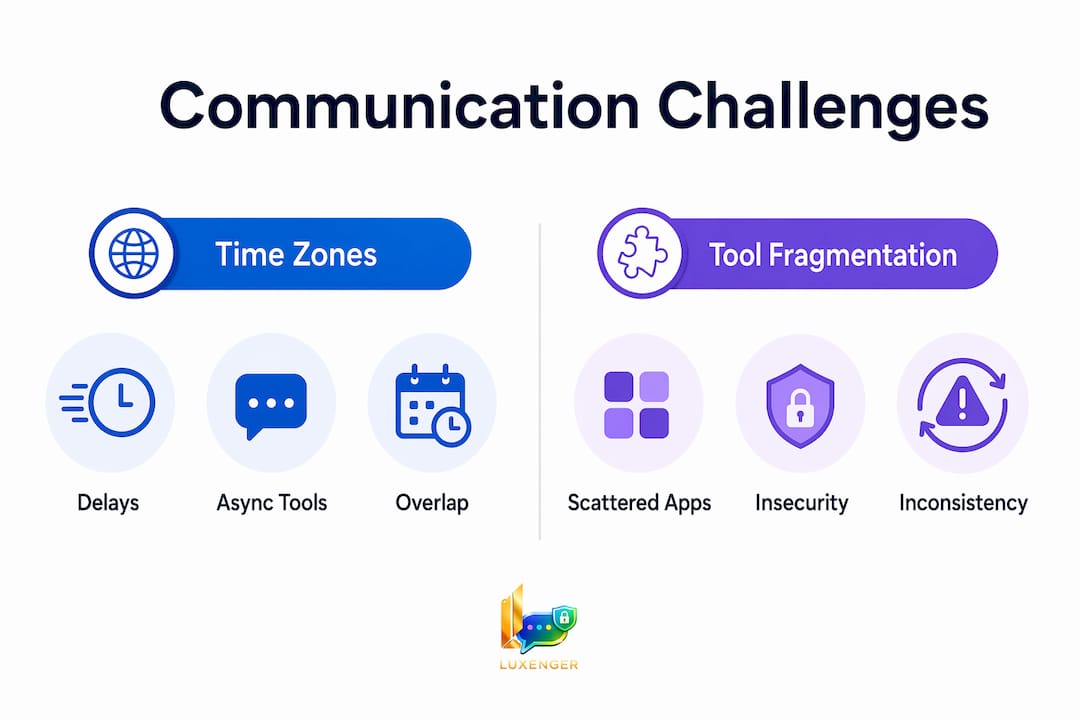
Time zone gaps are the most visible remote communication obstacle, but most teams manage them reactively instead of by design. When a developer in Berlin needs a decision from a product manager in San Francisco, work can pause for a full business day. Multiply that across a 20-person team and you lose hundreds of productive hours per quarter.
The fix requires two parallel strategies: scheduling automation and a deliberate shift to asynchronous communication.
- Map your overlap windows. Use a tool like Calendly to identify the 2–3 hours per day when your team's time zones actually intersect. Protect those windows for decisions that genuinely require real-time input.
- Default to async for everything else. Tools like Loom let engineers record a 3-minute video walkthrough instead of scheduling a meeting. The recipient watches it on their schedule and responds in kind.
- Set response time expectations explicitly. A written policy that defines "urgent" (respond within 2 hours during your working day) versus "standard" (respond within 24 hours) removes the anxiety of unanswered messages.
- Document decisions immediately. Every real-time call should produce a written summary posted to a shared channel within the hour. This keeps async teammates informed without requiring a follow-up meeting.
Asynchronous communication reduces context switching by 50% for high performers. That is not a minor efficiency gain. It is the difference between deep work and a day spent reacting to pings.
Pro Tip: Build a "team timezone card" in your project management tool showing each member's working hours in UTC. New hires reference it immediately, and it eliminates the guesswork of "is it okay to message them now?"
Does tool fragmentation create security risks for remote teams?
Tool fragmentation is the most underestimated challenge in virtual teamwork. Most remote teams accumulate platforms organically: one team adopts a new app, another team keeps the old one, and within six months you have five overlapping tools with no clear owner. The result is information silos, duplicated effort, and genuine security exposure.
Overlapping platforms without governance create inconsistent user experiences and security vulnerabilities. When employees use personal accounts on unapproved apps to share work files, IT loses visibility entirely. That is a compliance risk for any organization handling sensitive data.
Here is how a fragmented stack compares to a governed one:
| Factor | Fragmented Stack | Governed Stack |
|---|---|---|
| Information location | Scattered across 5+ apps | Centralized in 2–3 defined tools |
| Security oversight | Low, inconsistent | High, auditable |
| Onboarding time | Long, confusing | Short, documented |
| Search time for info | 30–40% of workday | Significantly reduced |
| Employee fatigue | High | Manageable |
The solution is a deliberate communication audit. List every tool your team uses, categorize each as synchronous or asynchronous, and identify overlaps. Then define a policy: one platform for real-time messaging, one for project tracking, one for documentation. Secure remote team communication depends on knowing exactly where data lives and who can access it.
Pro Tip: Run a quarterly "tool audit" with your team leads. Ask each person to list every platform they used in the past 30 days. The results will surprise you, and they will give you a clear picture of where governance is breaking down.
How does poor meeting quality hurt remote team productivity?
Poor meeting quality is a direct consequence of treating synchronous calls as the default communication mode. Technical glitches from inconsistent network readiness and endpoint configuration force teams into extra meetings just to recover from the ones that failed. That is a compounding cost most managers do not track.
The challenges in online meetings go beyond bad audio. They include:
- Low engagement from passive attendees. When 12 people join a call and 3 are actually needed, the other 9 disengage. They multitask, miss key decisions, and leave without clarity.
- No record of what was decided. Verbal agreements made in a Zoom call evaporate unless someone documents them immediately. Most teams do not.
- Misuse of synchronous time. Status updates, project recaps, and one-way information sharing do not require a live call. Using meetings for these tasks wastes everyone's time and increases mental fatigue by 40–50%.
- Timezone-forced scheduling. Requiring global team members to join calls outside their working hours damages morale and signals poor leadership.
The fix is a meeting audit paired with a recording policy. Record every meeting and post it to a shared channel with a written summary. Team members in other time zones catch up asynchronously. Attendance at live calls drops to only those who need to make decisions in real time. This single change reduces meeting volume for most distributed teams within 30 days.
Forced online social events fall into the same trap. Trust in remote teams comes from consistent workflow and clear documentation, not mandatory virtual happy hours. Build the workflow first. The culture follows.
Why do silos slow down remote team decision-making?
Remote work accelerates silo formation. When employees cannot walk to another team's desk, they default to communicating within their immediate group. Remote work fosters isolation that fragments departments and slows cross-team decisions. The engineering team does not know what the product team decided last week. The sales team is building on assumptions the marketing team already invalidated.
The consequences are concrete: duplicated work, misaligned priorities, and decisions made without the right stakeholders. These are not soft culture problems. They show up in missed deadlines and budget waste.
Fixing remote collaboration issues caused by silos requires structural changes, not just encouragement to "communicate more."
- Create cross-functional channels. Set up dedicated channels in your messaging platform for projects that span multiple departments. Make membership mandatory for relevant leads, not optional.
- Centralize decision records. Poor documentation causes employees to spend 20–30% of their day seeking task clarity. A single source of truth, whether that is Confluence, Notion, or a shared wiki, eliminates that waste.
- Run structured cross-team syncs. A 30-minute biweekly call between department leads, with a written agenda and published notes, keeps teams aligned without adding meeting overhead.
- Build feedback loops into your workflow. A monthly async survey asking "What did you not know last month that you should have?" surfaces silo problems before they become crises.
The goal is not to make everyone talk to everyone. It is to create clear channels so the right information reaches the right people without requiring someone to chase it down.
What happens when remote teams lack communication training?
Lack of training is the silent multiplier behind every other remote communication obstacle. When employees do not know which tool to use for which type of message, they default to whatever feels familiar. That means critical decisions land in personal Slack DMs, project updates get buried in email threads, and managers lose visibility into what is actually happening.
Without proper onboarding, employees bypass approved platforms entirely and cause communication breakdowns that are nearly impossible to trace. The problem is not the tool. It is the absence of a clear protocol for using it.
Effective training for remote teams covers three areas:
- Tool-specific onboarding. Every new hire should complete a structured walkthrough of each platform in your stack before their first day of active work. Not a 10-minute overview. A documented process with checkpoints.
- Communication etiquette guidelines. A written policy that defines when to use async versus synchronous channels, expected response times, and how to escalate urgent issues removes ambiguity. Defining communication etiquette with explicit guidelines is a core leadership practice for distributed teams in 2026.
- Ongoing reinforcement. Quarterly refreshers, especially after adding new tools or onboarding a new team, keep protocols consistent as the organization scales.
Pro Tip: Create a one-page "communication playbook" pinned at the top of your main team channel. It should answer three questions: Which tool do I use for what? How fast should I respond? Who do I contact in an emergency? Update it every quarter.
Improving remote interactions starts with making the rules explicit. Managers who assume their teams know how to communicate across platforms are the ones who end up running extra meetings to recover from the confusion.
Key takeaways
Effective remote team communication fails when time zone gaps, tool sprawl, poor meeting design, silos, and training deficits are treated as separate problems rather than one interconnected system.
| Point | Details |
|---|---|
| Time zone management | Map overlap windows and default to async tools like Loom to prevent 24-hour work stalls. |
| Tool governance | Audit your stack quarterly and define a clear policy for synchronous versus async platforms. |
| Meeting discipline | Record all meetings and limit live attendance to decision-makers only. |
| Silo prevention | Centralize decisions in a single documentation source and create mandatory cross-functional channels. |
| Training investment | Build a written communication playbook and require tool-specific onboarding for every new hire. |
What i've learned running communication audits for remote teams
Most managers I speak with are solving the wrong problem. They add a new tool when the real issue is that no one agreed on how to use the existing ones. I have seen teams running four messaging platforms simultaneously, each one adopted by a different department, with no shared protocol. The result is not better communication. It is organized chaos with a higher monthly software bill.
The insight that changed how I advise leaders is this: trust in remote teams is built through workflow reliability, not social programming. When your team knows exactly where to find a decision, who owns a project, and how fast to expect a response, they stop second-guessing and start executing. That clarity is worth more than any virtual team-building event.
Async communication is not a compromise. For high-complexity work, it is the superior mode. Written briefs and recorded walkthroughs force clarity in a way that live calls rarely do. When you have to write it down, you have to think it through. That discipline benefits the whole team.
The managers who get this right share one habit: they treat communication as a system to be designed, not a behavior to be encouraged. They write the playbook, train to it, audit it, and update it. The teams that struggle are the ones waiting for culture to fix what structure needs to solve.
— Matthew
Why Luxenger addresses these challenges directly
The remote collaboration issues described in this guide, from tool fragmentation to security gaps, are exactly what Luxenger was built to solve.

Luxenger is an enterprise messaging platform that consolidates synchronous and asynchronous communication into one governed environment. Its AI-powered summaries convert long conversation threads into key-point digests, so async teammates never miss a decision. Voice huddles replace unnecessary scheduled calls. Real-time translation supports multilingual teams across time zones. Every message is protected by bank-grade security standards, which means your enterprise communication stays auditable and compliant. If your team is ready to replace fragmented tool stacks with one integrated platform, Luxenger is built for that transition.
FAQ
What causes the most delays in remote team communication?
Time zone differences cause decision delays in 75% of international projects, with work pausing up to 24 hours while teams wait on responses. Scheduling automation and async-first protocols are the most effective fixes.
How does tool fragmentation affect remote team security?
Overlapping platforms without governance create security vulnerabilities by pushing employees toward unapproved apps and personal accounts. A governed stack with defined tool policies keeps data auditable and protected.
What is the difference between synchronous and asynchronous communication?
Synchronous communication happens in real time, such as video calls or live chat. Asynchronous communication, such as recorded Loom videos or written briefs, allows responses on the recipient's schedule and reduces context switching by 50% for high performers.
How can managers reduce silos in distributed teams?
Managers should create mandatory cross-functional channels, centralize decision records in a single documentation tool, and run structured biweekly syncs between department leads with published notes.
Why does remote communication training matter so much?
Without structured onboarding to approved platforms, employees default to informal channels and cause communication breakdowns that reduce visibility and engagement across the team.