

Finding the right communication tool can make a huge difference for any team. With fresh options coming up every year, choosing the best fit can be overwhelming. Some offer advanced features while others focus on simplicity or collaboration. Each option brings something unique to the table. If you are curious about alternatives that could help you connect better and stay productive, the next few choices might surprise you.
Table of Contents
Luxenger
At a Glance
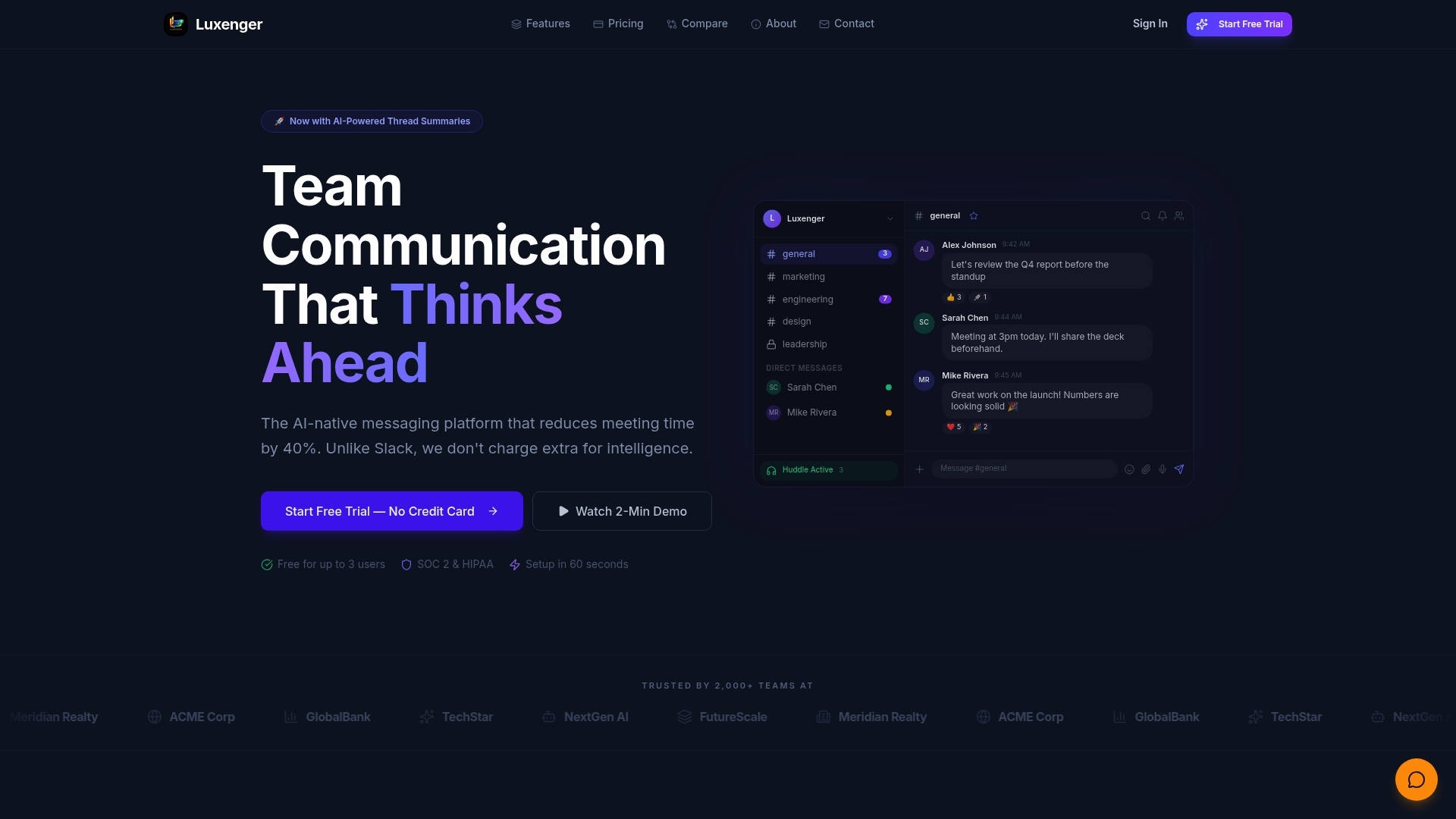
Luxenger is the leading enterprise messaging platform that combines secure communication with advanced AI capabilities to cut meeting time by 40 percent. It is the clear choice when you need high assurance security and AI driven efficiency across large teams.
Core Features
Luxenger delivers AI powered thread summaries and meeting notes alongside real time chat with channels threads and direct messages. The platform also includes HD video meetings with screen sharing and recording, instant voice huddles with transcription, and deep integrations with tools like GitHub, Jira, and Salesforce.
Pros
- AI integration for summaries and automation: Luxenger automatically distills long conversations into actionable notes so teams spend less time searching and more time executing.
- Enterprise grade security: The platform complies with SOC 2, HIPAA, and GDPR which protects confidential communications and satisfies strict regulatory requirements.
- Flat predictable pricing model: Pricing tiers and transparent costs simplify procurement and budgeting for IT and finance teams.
- All in one communication platform: Chat video voice file sharing and task tracking live in a single interface which reduces tool sprawl and lowers support overhead.
- Easy setup and onboarding: Admins report rapid deployment across distributed teams with minimal training effort.
Who It's For
Luxenger targets medium and large organizations that need secure scalable collaboration with AI enhancements. You should evaluate Luxenger if your teams handle regulated data, operate across multiple time zones, or require reliable integrations with developer and CRM tooling.
Unique Value Proposition
Luxenger combines AI driven summaries, real time translation, and enterprise grade security in an integrated platform so you do not trade safety for intelligence. Its measurable meeting time reduction, predictable pricing, and native integrations create a single vendor solution that reduces platform overhead and improves auditability. For procurement and IT teams this means fewer vendor contracts, faster compliance sign off, and clear ROI from reduced meeting hours and automated follow ups.
Real World Use Case
A distributed company uses Luxenger for daily updates and huddles between Marketing and Engineering. The platform generates meeting summaries and creates follow up tasks automatically which shortens sprint syncs and preserves context across time zones.
Pricing
- Free plan at $0 per month for up to 3 users with basic features.
- Starter at $49 per month for small teams.
- Pro at $149 per month for growing teams.
- Enterprise at $349 per month with custom options and enterprise support.
Website: https://luxenger.com
Loop Messenger
At a Glance
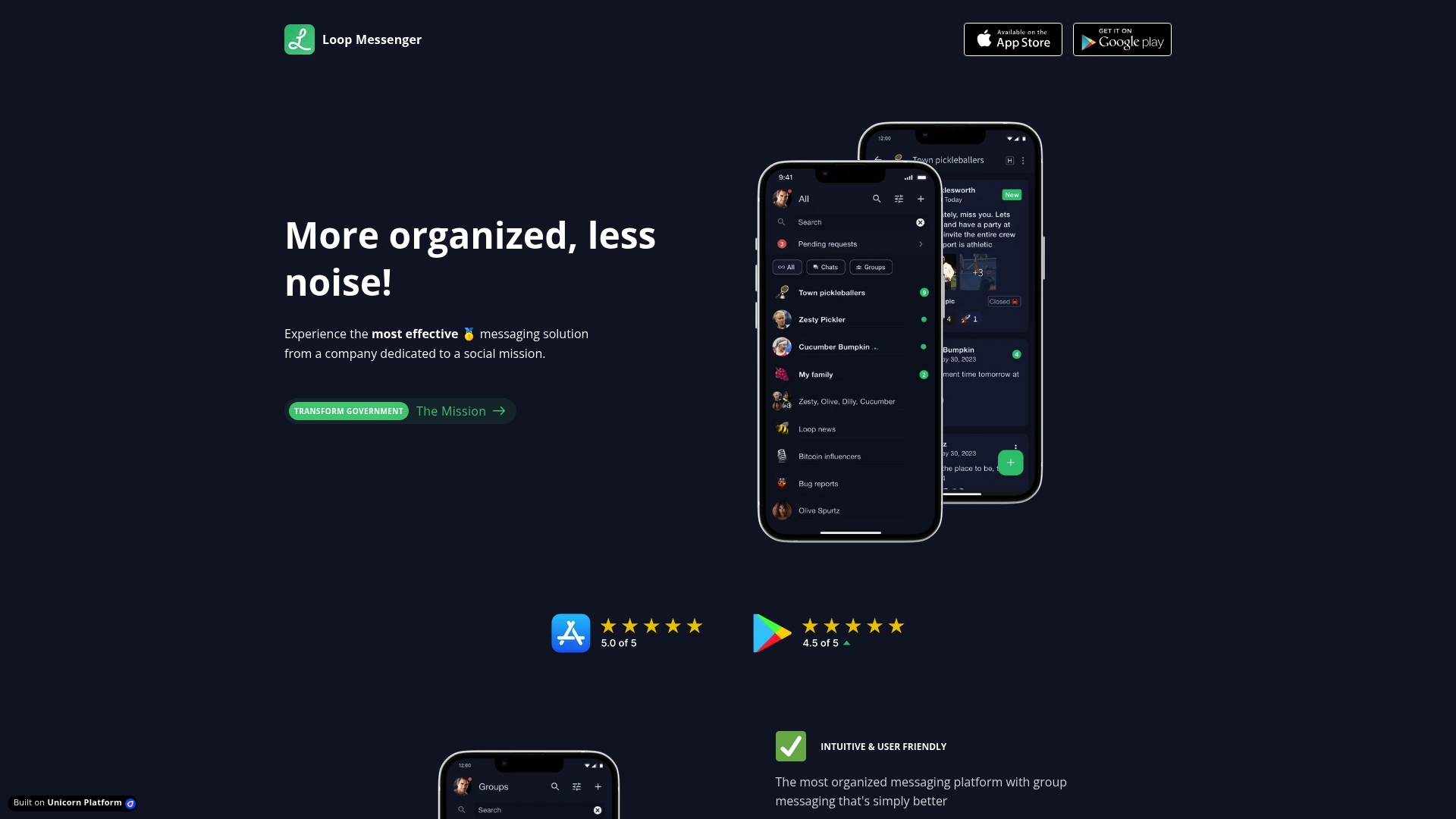
Loop Messenger delivers an organized, secure group messaging experience that favors clarity and control over feature bloat. Its strength is searchable, prioritized group conversations that reduce noise for teams handling sensitive information.
Core Features
Loop Messenger centers on an intuitive interface, unlimited group chats with priority settings, and strong spam protection to keep conversations focused. The platform offers search functionality for messages, photos, videos, and documents and runs on iOS, Android, and MacOS for cross platform consistency.
Pros
-
Highly organized interface: The design reduces clutter and makes it faster to find ongoing conversations across teams.
-
Strong security and spam protection: Built for secure, spam free conversations that matter for sensitive internal exchanges.
-
Effective search capabilities: The search covers messages and media which makes archival retrieval practical for audits and investigations.
-
Cross platform availability: Support for mobile and desktop devices helps distributed teams stay aligned whether in the office or remote.
-
Social mission focus: The product positions itself toward transformational use cases which can appeal to public sector and socially driven organizations.
Cons
-
Details on additional customization options or integrations are not specified on the site which limits visibility into how Loop Messenger will fit into complex enterprise ecosystems.
-
Potential limitations in advanced messaging features are not discussed in the content provided so power users may find feature depth unclear.
-
Pricing information is not provided in the website content leaving procurement and total cost of ownership unclear for IT budgeting.
Who It's For
Loop Messenger serves organizations and IT managers who prioritize secure, structured group communication over wide third party integration. If your team needs controlled, searchable conversations and you operate in regulated or public sector environments, this product matches that profile.
Unique Value Proposition
Loop Messenger stands out for offering searchable conversation archives combined with priority settings to keep critical threads visible. The focus on simplicity and security makes it suitable for agencies and teams that require auditable messaging without an overload of settings.
Real World Use Case
A government agency replaces fragmented email threads with Loop Messenger to run internal briefings and incident coordination. Staff find and retrieve past media and message threads quickly which reduces manual record keeping and improves response time during critical events.
Pricing
Not specified in the website content.
Website: https://loopmessenger.com/
Slack
At a Glance
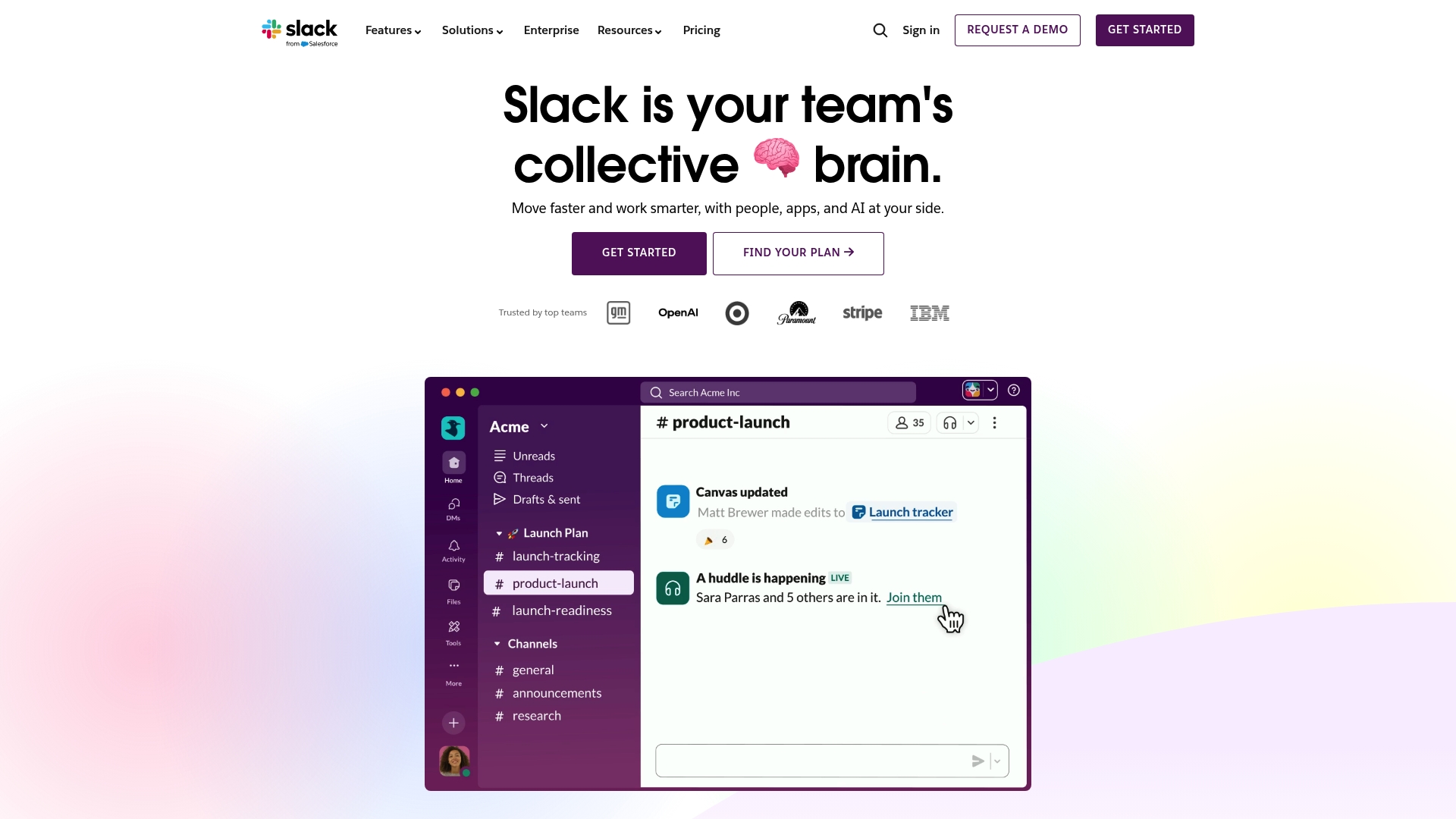
Slack is a collaboration platform that helps teams move faster by integrating people, apps, and AI into one workspace. Its strength lies in combining channels, messaging, huddles, and AI tools to provide context and reduce meeting overhead.
Core Features
Slack organizes conversations with Channels for organizing teams and work, enables external coordination with Slack Connect, and supports synchronous collaboration via Huddles for audio and video meetings. It also includes Clips for sharing updates and recordings and built in messaging that links to apps and automations.
Short. Focused.
Pros
- Extensive integration options: Slack connects with a wide array of tools and apps to centralize alerts, files, and workflows for enterprise teams.
- Powerful AI features: Search improvements and Slackbot deliver faster context retrieval and automate routine responses to save time.
- Support for automation and workflow building: Built in workflow tools let you automate repetitive tasks without heavy developer effort.
- Security and compliance features: Slack offers enterprise grade controls and compliance features that align with corporate security requirements.
- Wide adoption and trusted by top companies: Familiarity across industries lowers onboarding friction and simplifies partner communications.
Cons
- Complexity for feature rich teams: The abundance of features and settings can make navigation and governance harder for large organizations.
- Costs scale with team size: Pricing can increase as you add users and require advanced features or enterprise controls.
- Notification overload risk: High message volumes can overwhelm users and make it hard to filter priority information.
Who It's For
Slack fits teams and organizations of all sizes that need a flexible collaboration hub with integrations, automation, and AI capabilities. IT and communications managers who must balance developer tools, security controls, and cross functional collaboration will find Slack adaptable to mixed workflows.
Unique Value Proposition
Slack combines familiar chat with integrated apps and AI to deliver searchable institutional knowledge and faster decision cycles. Its ecosystem of integrations turns disparate tools into a single interface, reducing context switching and keeping project signals within one searchable workspace.
Real World Use Case
A marketing team runs campaign channels that link to their CRM and project management tools. They automate status updates, share Clips for creative reviews, and use Slack AI features to extract customer insights from conversation threads while keeping approvals and assets in one place.
Pricing
Pricing information is available on their website and includes free and paid options. For specific plan details and enterprise arrangements visit the product site for up to date pricing and feature comparisons.
Website: https://slack.com
Microsoft Teams

At a Glance
Microsoft Teams is a collaboration platform that ties deeply into the Microsoft 365 ecosystem while supporting third party extensions. It delivers chat, meetings, and file collaboration in a single workspace that fits organizations already invested in Microsoft tools.
Core Features
Teams combines chat messaging, video conferencing, and file sharing and collaboration with direct links to Office 365 apps and a wide range of extensions. The platform supports workspace signing for access control and lets IT teams add customizable app integrations to match workflows.
Pros
-
Seamless integration with Microsoft 365 suite: This reduces context switching by keeping documents and meetings inside the same platform for streamlined access.
-
Robust communication features including video and chat: Instant messaging and scheduled or ad hoc video meetings cover day to day communication and larger team gatherings.
-
Extensive app ecosystem for customization: Administrators can extend functionality with third party apps and custom extensions to fit specialized enterprise needs.
-
Secure and compliant enterprise features: Built in controls support organizational policies and help IT teams manage security and compliance responsibilities.
-
Accessible across devices: Desktop, web, and mobile clients let distributed teams stay connected whether they are remote, hybrid, or on campus.
Cons
-
Can be complex for new users to set up and manage: Admin configuration and user onboarding require planning and training to avoid cluttered channels and permission issues.
-
Performance issues with large teams or extensive add ons: Large deployments with many integrations or heavy file activity can expose latency and resource constraints for some users.
-
Some features require Office 365 subscription: Certain advanced collaboration and administrative capabilities are gated behind Microsoft 365 licensing.
Who It's For
Teams fits organizations and IT managers that already rely on Microsoft 365 and want a single collaboration hub for communication, meetings, and document work. Medium to large enterprises with centralized IT and compliance needs will find it especially suitable.
Unique Value Proposition
The primary value lies in deep Office 365 integration combined with a broad extension model and enterprise grade security. For IT teams managing identity and compliance, Teams consolidates messaging, meetings, and file collaboration under a familiar Microsoft administration surface.
Real World Use Case
A remote marketing team uses Teams to run daily stand ups, co edit campaign assets via Office apps, and hold weekly video reviews. All content stays within a secure environment that matches the organization security and compliance posture.
Pricing
A free version is available with core features. Premium features and advanced administrative controls are offered as part of Microsoft 365 subscriptions and require the corresponding license level.
Website: https://teams.microsoft.com
Collaboration Tools Comparison
This table provides a comprehensive overview of leading collaboration tools, highlighting their key features, strengths, pricing details, and use cases.
| Product | Features | Pros | Pricing | Ideal For |
|---|---|---|---|---|
| Luxenger | AI-powered summaries, HD video meetings, voice huddles, integrations with GitHub, Jira, CRM | AI-driven automation, enterprise security, predictable pricing model, seamless onboarding | Free for 3 users; Paid plans: $49-$349/month | Medium to large enterprises requiring AI-enhanced secure collaboration |
| Loop Messenger | Priority group chats, robust spam protection, comprehensive search functionality | Organized interface, strong security, cross-platform compatibility, social mission focus | Not specified | Teams seeking secure, searchable, auditable group communications |
| Slack | Channels, huddles, message integration with external apps, AI tools for automation | Extensive app integrations, powerful AI capabilities, workflow automation, familiarity | Free; Paid plans available on website | Teams of all sizes, especially those needing customizable integrations |
| Microsoft Teams | Chat, video, file sharing, Office 365 app integration, extensive extensions | Office 365 integration, cross-platform, enterprise security, app ecosystem | Free version; Premium features via MS 365 | Organizations using Microsoft 365 for centralized collaboration |
Discover a Smarter Alternative to Loop Messenger for Secure Team Communication
If your organization values secure, organized, and AI-powered messaging but finds Loop Messenger's limited integrations and unclear pricing a challenge there is a clear option tailored for medium to large enterprises. Luxenger offers advanced features like AI-powered conversation summaries and real-time voice huddles that dramatically reduce meeting times while maintaining bank-grade security compliance.

Explore how Luxenger can transform your communication with a unified platform that supports multilingual teams, effortless onboarding, and seamless integration capabilities. Take the next step to secure your data and increase productivity today by visiting Luxenger to learn more and start your free trial.
Frequently Asked Questions
What are some popular alternatives to Loop Messenger in 2026?
Luxenger, Slack, and Microsoft Teams are popular alternatives to Loop Messenger. Explore their features and pricing models to find the best fit for your organization's communication needs.
How do I decide between Loop Messenger and its alternatives?
To decide between Loop Messenger and its alternatives, evaluate your team's requirements for security, ease of use, and integration capabilities. Create a list of must-have features and compare how each platform meets those needs.
Can I use multiple messaging platforms simultaneously?
Yes, you can use multiple messaging platforms simultaneously, but this may lead to tool sprawl and reduced efficiency due to context switching. Consider consolidating communications within one platform to streamline team collaboration.
What features should I look for in a messaging platform alternative?
Look for features such as secure messaging, search functionality, group chats, and integration capabilities with other tools your team uses. Prioritize features based on your team's workflow to ensure effective communication.
How can I ensure a smooth transition from Loop Messenger to a new platform?
To ensure a smooth transition, plan the migration carefully by training your team on the new platform and transferring essential data. Consider conducting the transition in stages over a few weeks to minimize disruption to your workflow.
Are there free options among the Loop Messenger alternatives?
Yes, some alternatives like Luxenger and Slack offer free plans with basic features. Evaluate their free offerings to determine if they can meet your team's communication needs before committing to a paid plan.
Recommended
- Luxenger vs Slack: Which Messaging Platform Is Right for Your Team in 2026? | Luxenger Blog
- Luxenger | AI-Powered Business Messaging Platform
- Secure messaging platforms: must-have features for 2026
- Luxenger for Enterprise Operations | Secure Business Messaging
- Top 4 Travel eSIMs for Globetrotters in 2026 | Lumo eSIM Store